
Current Minecraft skin of the player JohnWall2Wiz, loaded from the official Mojang API. Rotate the 3D model with your mouse or finger, then download the skin as a PNG file and use it in Minecraft: Bedrock Edition or Java Edition for free. When JohnWall2Wiz changes their skin, this page updates automatically and the old skin stays in the history below.
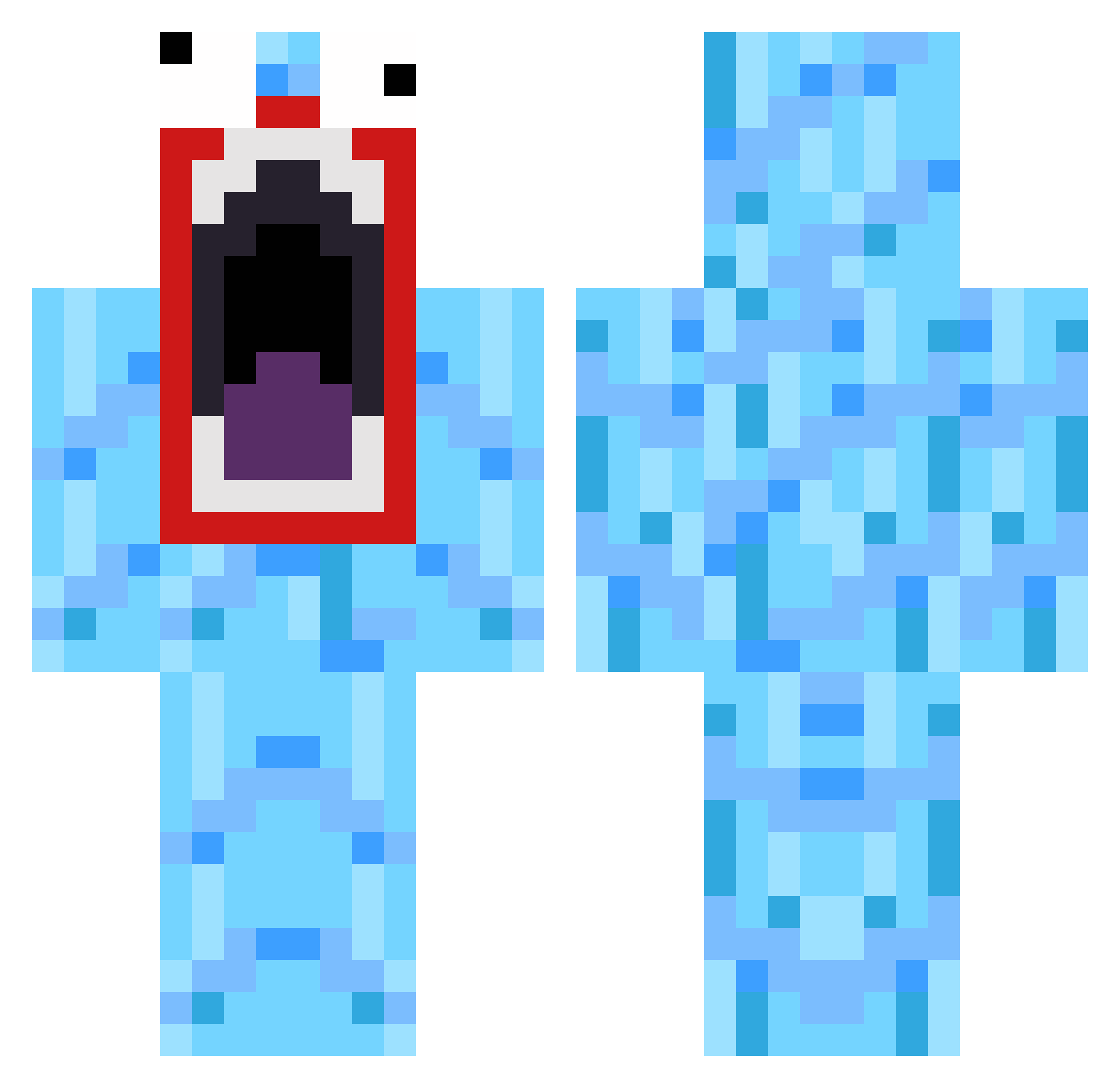
Other players with this skin (169)
The same skin was seen on these players. Open a nickname to see their current skin and skin history.
 rhys_crusader jacquie1230 Berlinci MFDOOOM NoLa2002 11dy7 vbaiers1 MrParkourX Frozen531 sjoelk unorganicyield Wiande oitudiv SwaggermicDaddy justmohamed STEFFFFFFFFF lowca2202 purelose Trolletberga L4rs09 GoldenBlizzy Bostrix Connor_CheeZ Malunoo woblelikejelly FOOFOO2000 panperun Zoldomir AustinTheMan mikelgreen qwerty1219 supremebananas crackdoodle HammyHamilton45 Shartzi qantin1998 Toblerone706 SHARTMUFFY33 BigWizzle CharoSquad MrMeatHead adesongd Matuli123 jacobvitus dh1971 Pedersen98 Stumpiiii_ Zoomyellow southwellJ martjuh26 thinnestdragon1 Amanda_handbjerg moije78 ElvisDepressdly joacim4502 Grumblz BLEGOSTAR TDawg226 Mkao edwardstuart
How to install the JohnWall2Wiz skin
- Press the Download button above to save the skin as a PNG file.
- Minecraft: Bedrock Edition (PE): open the Dressing Room from the main menu (or tap your character → Edit Character), go to Classic Skins → Owned, press the + (new skin) button, choose the downloaded PNG and pick the Classic (Steve) model. Works on PC and mobile; consoles cannot import custom skins.
- Minecraft: Java Edition: open the Minecraft Launcher, go to the Skins tab, click New Skin, load the PNG, pick the Classic (Steve) model and press Save & Use. You can also upload it at minecraft.net → Profile → Change Skin.
The skin does not show up after import - what should I do?
Restart Minecraft and open the Dressing Room again - imported skins sometimes appear only after a restart. Also make sure you selected the imported skin and picked the Classic (Steve) model.
Which model should I choose, Classic or Slim?
This skin is designed for the Classic (Steve) model. If you pick the wrong model, the arms of the skin will look stretched or squeezed.
Is the skin of JohnWall2Wiz free to download?
Yes. Press Download, save the PNG file and use it in Minecraft: Bedrock Edition or Java Edition - no payment or registration needed. The skin also works on multiplayer servers and Realms.
More skins
Looking for more? Go back to all Minecraft skins and check the top skins of the week, month and all time, or find any player's skin by nickname.