
JobyLoveLamp - Minecraft Skins & Skin History
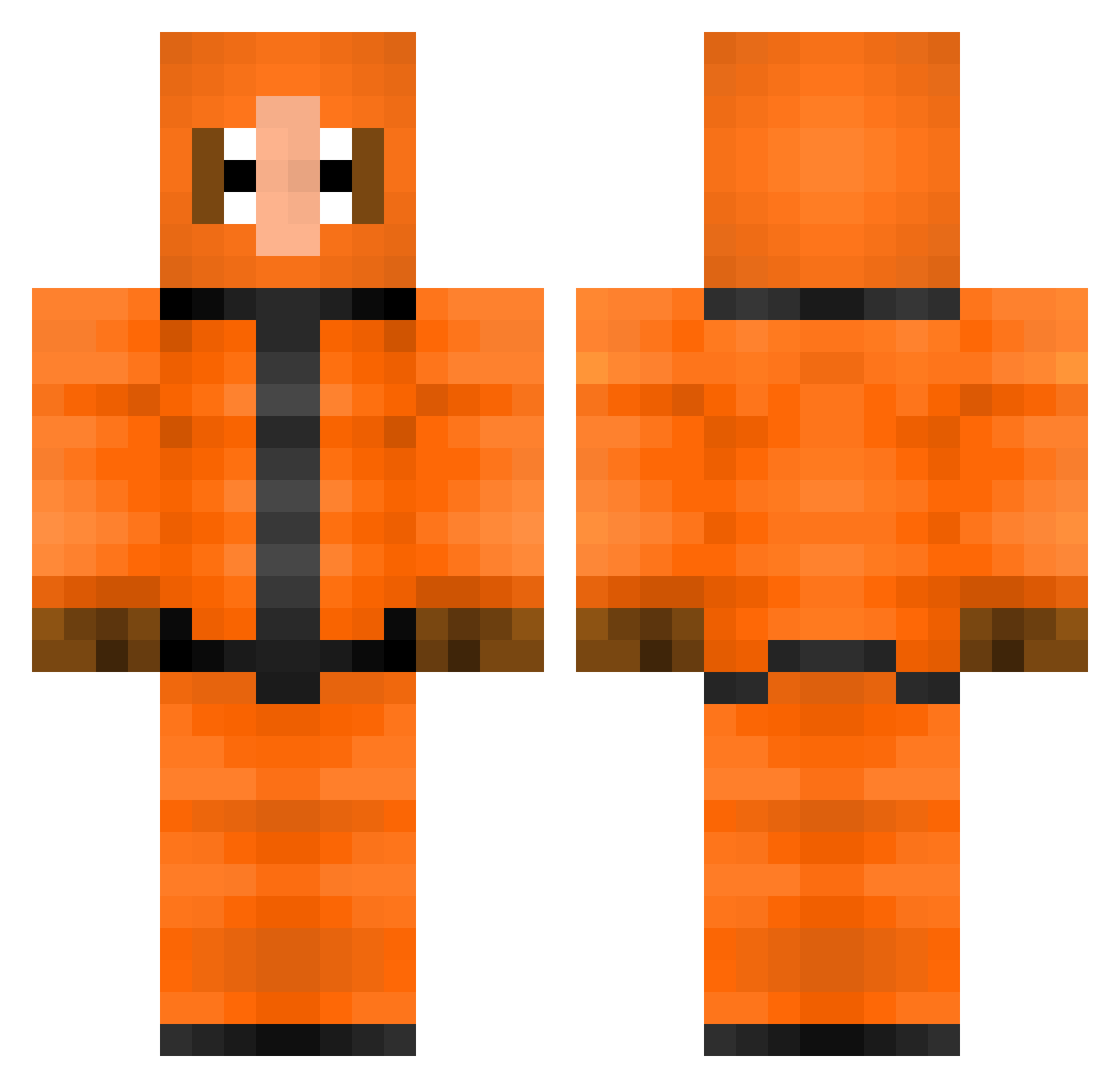
Current Minecraft skin of the player JobyLoveLamp, loaded from the official Mojang API. Rotate the 3D model with your mouse or finger, then download the skin as a PNG file and use it in Minecraft: Bedrock Edition or Java Edition for free. When JobyLoveLamp changes their skin, this page updates automatically and the old skin stays in the history below.
Other players with this skin (308)
JobyLoveLamp was the 197th player we have seen with this skin, first spotted on 26.09.2026. The same skin was seen on these players. Open a nickname to see their current skin and skin history.
 Jodenbrood EvilMarauder braaax Wrysi Noskcir jordiloo brybro98 lele_hero Midal22 TheDoctorLego kenny2401 sgkrausen CamdenDay LokeDoj Taronix BrokenScript SsVIPERxSWARMsS OPSG02 jmancool9 BlizzardCool ExoticSharks JapanCow leserdemer50 musicmanson MaxTheLevel ItsWarlord easybat98 KoenigDerLuegner LUSHLikeAForest xplayer1999 R3ACTING KIFFkiff19 sirataki3420 Samarixx Mevanz tmonda53 TPAGunner KianKDB Turkey2025 awesomeseb tillachip boob3456 Andoider16 Lunkpoo Sepheriod brandybelle xAugustinerx haganstorm icecreamturtle2 Max_10987654321 colesmith101 oversizedmonkey SlaveOwner RahFreaky hugo556 _Maik_sc OoRinkyDinkyoO AmericanPsyycho MCJacco MrGulbrand
More Kenny Mccormick Minecraft skins
See all 59 Kenny Mccormick skins
How to install the JobyLoveLamp skin
- Press the Download button above to save the skin as a PNG file.
- Minecraft: Bedrock Edition (PE): open the Dressing Room from the main menu (or tap your character → Edit Character), go to Classic Skins → Owned, press the + (new skin) button, choose the downloaded PNG and pick the Classic (Steve) model. Works on PC and mobile; consoles cannot import custom skins.
- Minecraft: Java Edition: open the Minecraft Launcher, go to the Skins tab, click New Skin, load the PNG, pick the Classic (Steve) model and press Save & Use. You can also upload it at minecraft.net → Profile → Change Skin.
The skin does not show up after import - what should I do?
Restart Minecraft and open the Dressing Room again - imported skins sometimes appear only after a restart. Also make sure you selected the imported skin and picked the Classic (Steve) model.
Which model should I choose, Classic or Slim?
This skin is designed for the Classic (Steve) model. If you pick the wrong model, the arms of the skin will look stretched or squeezed.
Is the skin of JobyLoveLamp free to download?
Yes. Press Download, save the PNG file and use it in Minecraft: Bedrock Edition or Java Edition - no payment or registration needed. The skin also works on multiplayer servers and Realms.
More skins
Looking for more? Go back to all Minecraft skins and check the top skins of the week, month and all time, or find any player's skin by nickname.