
Jeneme - Minecraft Skins & Skin History
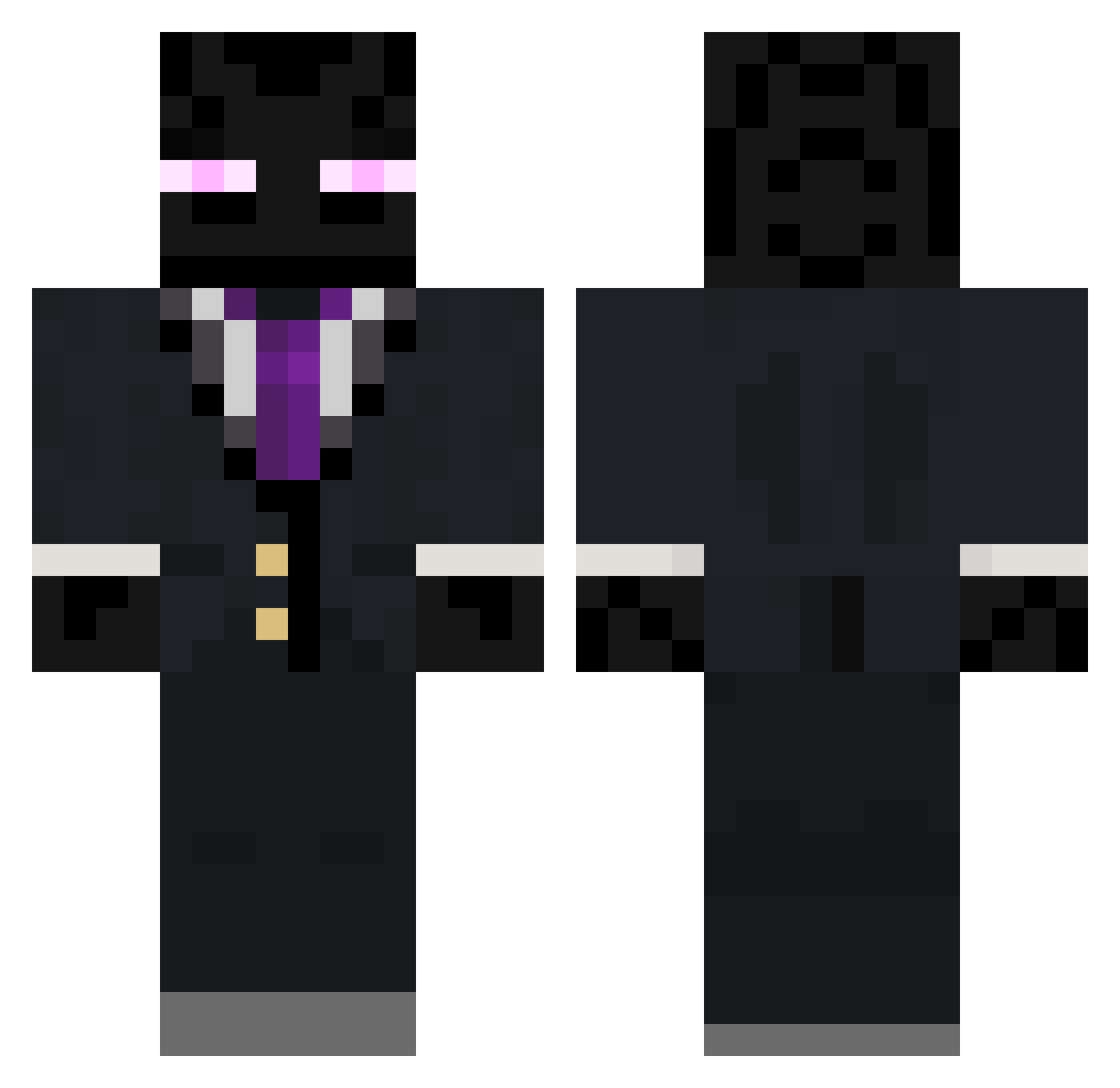
Current Minecraft skin of the player Jeneme, loaded from the official Mojang API. Rotate the 3D model with your mouse or finger, then download the skin as a PNG file and use it in Minecraft: Bedrock Edition or Java Edition for free. When Jeneme changes their skin, this page updates automatically and the old skin stays in the history below.
Other players with this skin (112)
Jeneme was the 24th player we have seen with this skin, first spotted on 20.08.2026. The same skin was seen on these players. Open a nickname to see their current skin and skin history.
 shwip newpop44 maximeof67 PiethePrevailer Symbi0s3 jman2088 danash30 h4x0rsanta jacob2112112 Chuxrules DJZJ360 COBECTb MaksGreenYT yodogs5 SusStercore ghxstlly Oneomuz acrguy Trancefixcia Linkshot Stalkersnork Dusthunter EpicK04 patpod12 Creps thurst11 Sardo_Numsie zjackson53 RAF14C mepster954 Taggy4485 SupremeMorpheus NickNis Logman6656 jdb8295 FairysDad StyleXP SteelySmile jokey_1221 CrowMace Jesterus M0Ontey TylerSuksPP jphoebus coolcanuck _Rasputin_ TeddyBearSlave33 Voyager404 xXNewHouseXx vgelios ralan1 zachbj Aximik DeDFamas xAndrew44 DarkCobra98 heximan204 Bindshoes kaban86 UnfairAttorney
More Enderman Minecraft skins
How to install the Jeneme skin
- Press the Download button above to save the skin as a PNG file.
- Minecraft: Bedrock Edition (PE): open the Dressing Room from the main menu (or tap your character → Edit Character), go to Classic Skins → Owned, press the + (new skin) button, choose the downloaded PNG and pick the Classic (Steve) model. Works on PC and mobile; consoles cannot import custom skins.
- Minecraft: Java Edition: open the Minecraft Launcher, go to the Skins tab, click New Skin, load the PNG, pick the Classic (Steve) model and press Save & Use. You can also upload it at minecraft.net → Profile → Change Skin.
The skin does not show up after import - what should I do?
Restart Minecraft and open the Dressing Room again - imported skins sometimes appear only after a restart. Also make sure you selected the imported skin and picked the Classic (Steve) model.
Which model should I choose, Classic or Slim?
This skin is designed for the Classic (Steve) model. If you pick the wrong model, the arms of the skin will look stretched or squeezed.
Is the skin of Jeneme free to download?
Yes. Press Download, save the PNG file and use it in Minecraft: Bedrock Edition or Java Edition - no payment or registration needed. The skin also works on multiplayer servers and Realms.
More skins
Looking for more? Go back to all Minecraft skins and check the top skins of the week, month and all time, or find any player's skin by nickname.