
Jeff_Trump - Minecraft Skins & Skin History
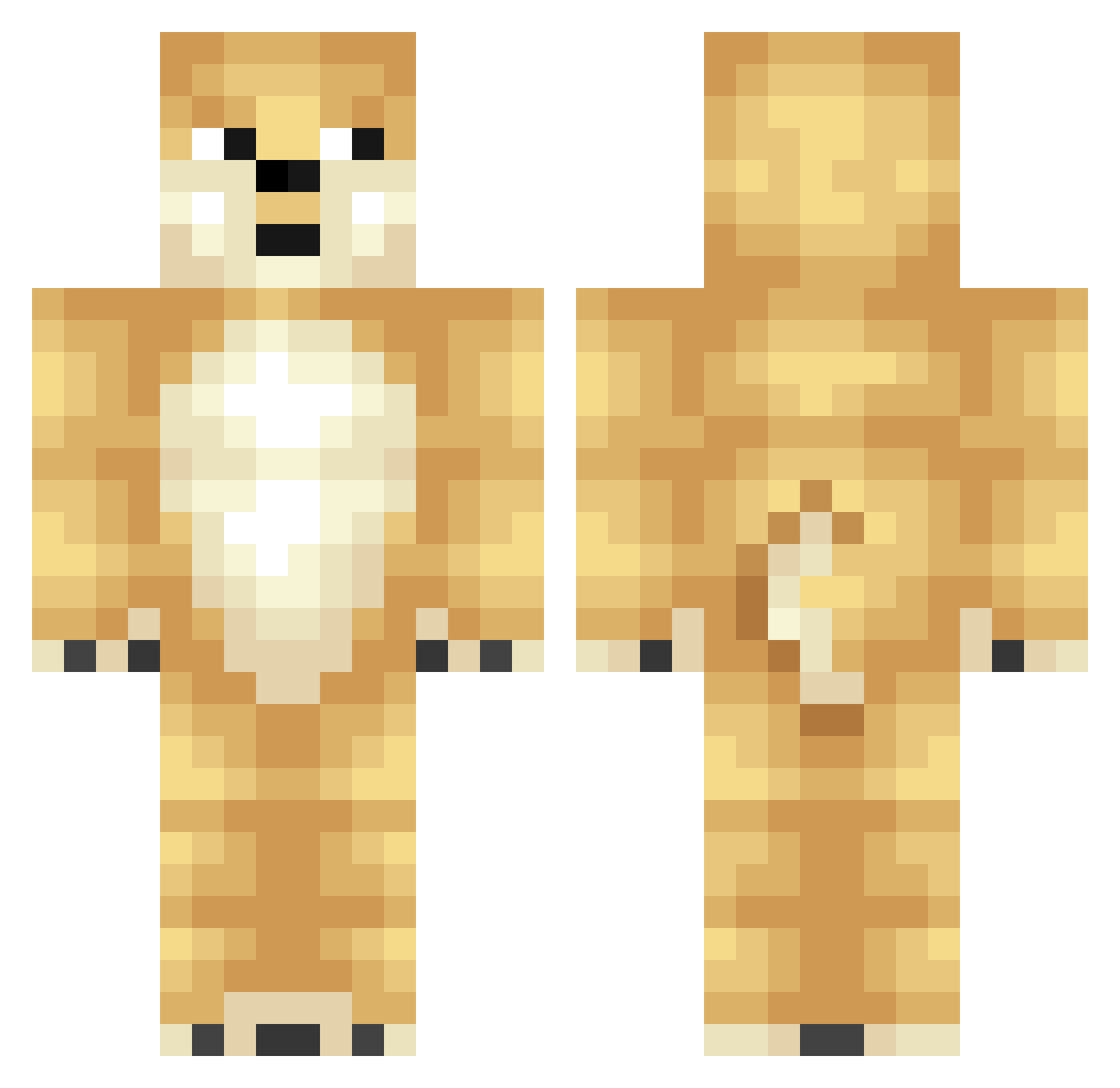
Current Minecraft skin of the player Jeff_Trump, loaded from the official Mojang API. Rotate the 3D model with your mouse or finger, then download the skin as a PNG file and use it in Minecraft: Bedrock Edition or Java Edition for free. When Jeff_Trump changes their skin, this page updates automatically and the old skin stays in the history below.
Other players with this skin (348)
Jeff_Trump was the 223rd player we have seen with this skin, first spotted on 29.09.2026. The same skin was seen on these players. Open a nickname to see their current skin and skin history.
 Etybone Burntmonkey1978 DamagedAvatar7 andyandrew5 FederiV800 Exami original330 ivenish xophon dktrfaustus Bunny181 weirddoggo Urho55 Balleflass123 Ponyato mrgold360 Citron738 evilslimey DogePlay Evilweasel1234 buckeyefan17 Melnyk_M ama_luyi Virtualandy 2Fat2Walk comfortedzwing tinycheeky TS_YOSHI AltSpaghetti Bedrock_Berra05 Sirdog123 D_Breaker gegeda123 O1_CerTTi ProGrayson asiago17 microrocker Bentanoss Wharn CaliforniaCougar Wee_Lin Marlin_Olive squattylion Olivier2911 Lord_Of_NyanCats pitbullmasta Judgedeath1 killer_wheezy23 ScarTale REMIAQUATAIL Masamine Snacke___ rambotoe3 dioxi_dan jilliooo Daviestheduck MasterRuadhan MadnessLord7925 fabulest Jandoge
More Shiba Inu Minecraft skins
How to install the Jeff_Trump skin
- Press the Download button above to save the skin as a PNG file.
- Minecraft: Bedrock Edition (PE): open the Dressing Room from the main menu (or tap your character → Edit Character), go to Classic Skins → Owned, press the + (new skin) button, choose the downloaded PNG and pick the Classic (Steve) model. Works on PC and mobile; consoles cannot import custom skins.
- Minecraft: Java Edition: open the Minecraft Launcher, go to the Skins tab, click New Skin, load the PNG, pick the Classic (Steve) model and press Save & Use. You can also upload it at minecraft.net → Profile → Change Skin.
The skin does not show up after import - what should I do?
Restart Minecraft and open the Dressing Room again - imported skins sometimes appear only after a restart. Also make sure you selected the imported skin and picked the Classic (Steve) model.
Which model should I choose, Classic or Slim?
This skin is designed for the Classic (Steve) model. If you pick the wrong model, the arms of the skin will look stretched or squeezed.
Is the skin of Jeff_Trump free to download?
Yes. Press Download, save the PNG file and use it in Minecraft: Bedrock Edition or Java Edition - no payment or registration needed. The skin also works on multiplayer servers and Realms.
More skins
Looking for more? Go back to all Minecraft skins and check the top skins of the week, month and all time, or find any player's skin by nickname.