
JeffShelves - Minecraft Skins & Skin History
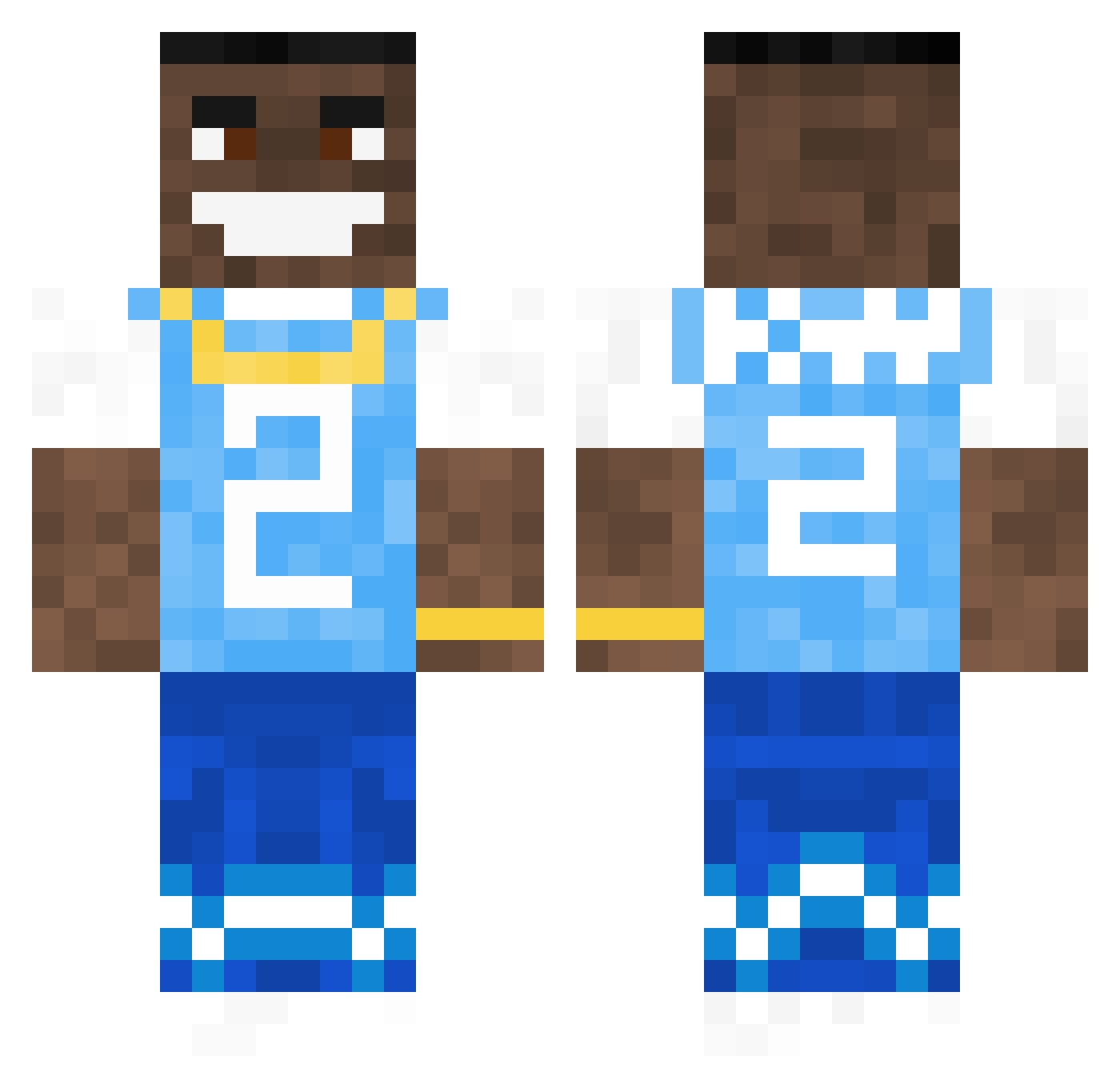
Current Minecraft skin of the player JeffShelves, loaded from the official Mojang API. Rotate the 3D model with your mouse or finger, then download the skin as a PNG file and use it in Minecraft: Bedrock Edition or Java Edition for free. When JeffShelves changes their skin, this page updates automatically and the old skin stays in the history below.
Other players with this skin (616)
JeffShelves was the 334th player we have seen with this skin, first spotted on 16.09.2026. The same skin was seen on these players. Open a nickname to see their current skin and skin history.
 mongolcu tom867 TheLastSandvich MoDzxBANNED PumpFromDaHood69 iClutched25 MattyIcey88 Vepa_ PTS29 SuvuPokharel Citrix_ mpasten jonny131415 OzzySnipz BreckSpecs soloudholy Suri_21 Epic_Gamer0192 JimmyDubzzz DarylDixon356 Stinky_Foot_Man TriggerHappy880 Doyoueven123108 RaY_Candim Sammmmyyyyyyyyy Krissse keitsock real4ordlord LitTed10 Luckykarim vCkaz juliusschuer Trashbagdude SteveHawkingWife DauTareSMR Itz_Crab fugard Is4ak lilskero Squid1011 skimbob Eggman_009 _Joram_ TheMeat420 Jonaaase Tannergames KevinCarlos SpaceCatNL TheMrRootBeer Vishi1x Orxta zAlfred_Critx Somegay334 khybzzz JuKoTrigger 3SidesToTheStory Ilyazviel Reynolds_minez BigSlung101 Poloby_oli4516
More Dababy Minecraft skins
How to install the JeffShelves skin
- Press the Download button above to save the skin as a PNG file.
- Minecraft: Bedrock Edition (PE): open the Dressing Room from the main menu (or tap your character → Edit Character), go to Classic Skins → Owned, press the + (new skin) button, choose the downloaded PNG and pick the Classic (Steve) model. Works on PC and mobile; consoles cannot import custom skins.
- Minecraft: Java Edition: open the Minecraft Launcher, go to the Skins tab, click New Skin, load the PNG, pick the Classic (Steve) model and press Save & Use. You can also upload it at minecraft.net → Profile → Change Skin.
The skin does not show up after import - what should I do?
Restart Minecraft and open the Dressing Room again - imported skins sometimes appear only after a restart. Also make sure you selected the imported skin and picked the Classic (Steve) model.
Which model should I choose, Classic or Slim?
This skin is designed for the Classic (Steve) model. If you pick the wrong model, the arms of the skin will look stretched or squeezed.
Is the skin of JeffShelves free to download?
Yes. Press Download, save the PNG file and use it in Minecraft: Bedrock Edition or Java Edition - no payment or registration needed. The skin also works on multiplayer servers and Realms.
More skins
Looking for more? Go back to all Minecraft skins and check the top skins of the week, month and all time, or find any player's skin by nickname.