
Jayu0216 - Minecraft Skins & Skin History
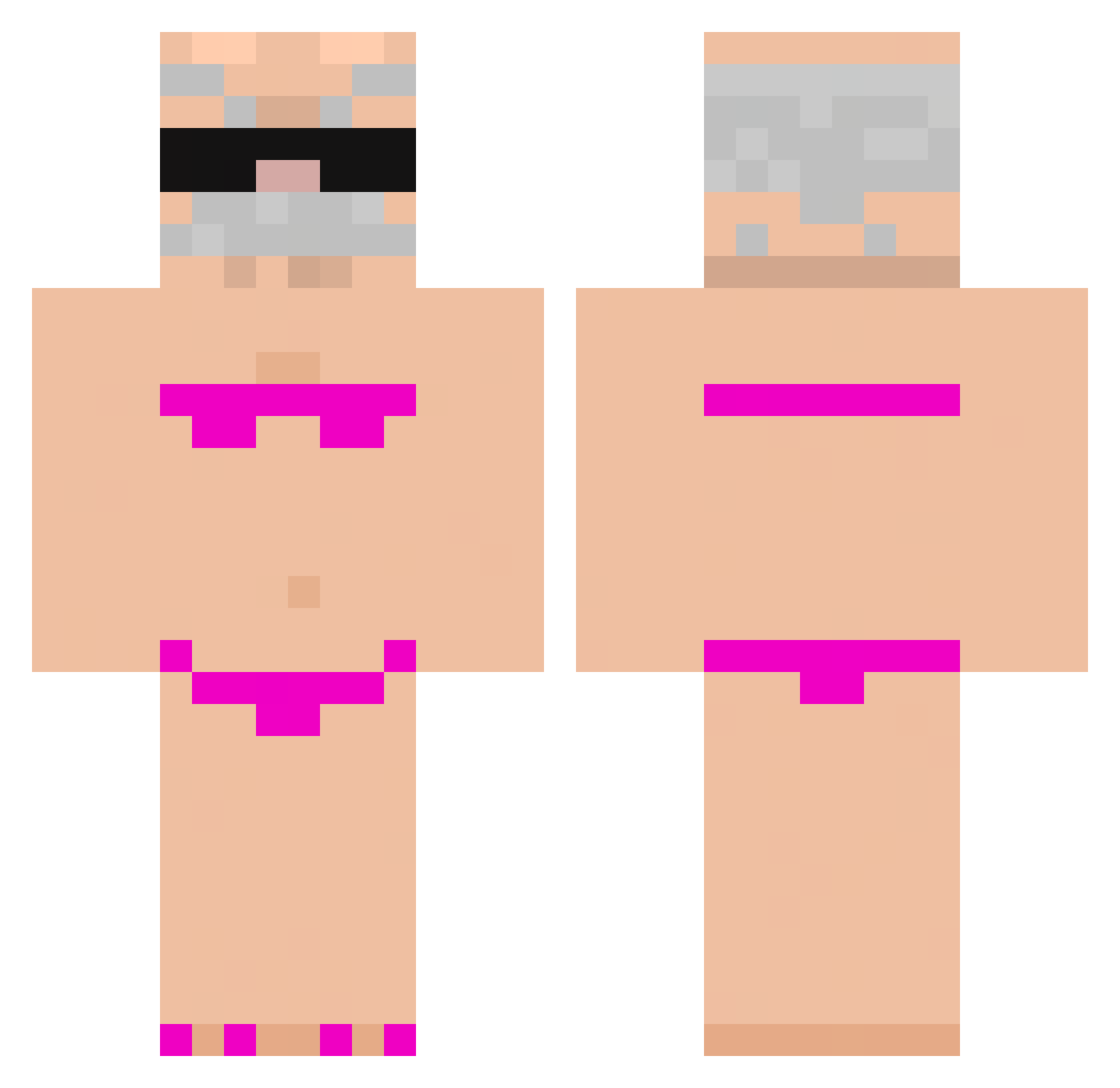
Current Minecraft skin of the player Jayu0216, loaded from the official Mojang API. Rotate the 3D model with your mouse or finger, then download the skin as a PNG file and use it in Minecraft: Bedrock Edition or Java Edition for free. When Jayu0216 changes their skin, this page updates automatically and the old skin stays in the history below.
Other players with this skin (937)
Jayu0216 was the 717th player we have seen with this skin, first spotted on 15.10.2026. The same skin was seen on these players. Open a nickname to see their current skin and skin history.
 pokojowka_doruch jonking1212 HassAlt_xKqxcZ Juanwick_1445 a11even11 Tinelin77 ElRussooo FlaviioYbr Rdasu Abibas123 RYZ_KING Rebecs1234 PlangtPlangt lizi56 Foxf123 User_1216000 FULLBOXBELEK JoelOCruel Knochen02 Lodziarz SEN_Marshall K1nMInn zrene64 TAVARES699471 DeividBlack98 Abuelo_caliente syrinne_ytb tel_exx Pizza207 iceberg_EXE Lucay0809 Sk1lliissue D29x xGr33nyZx Shoeggls JWTtoken Pixel68Rush Nivad0 13kbabyy eduuuuardin vini0204 vr1xa MeinHartesRohr06 Pacing6 Telefonitis Mal_Ripkhc kidnapping_apple CallMeQuix pizaias Cysiozdzisio Primo_ib dbwnstj123 Fire1Fish BlackLoco shendou777 _Gosty__ Monkeydemo TuuzerA PixelGuru5193 Yodaxx1
More Karl Marx Minecraft skins
How to install the Jayu0216 skin
- Press the Download button above to save the skin as a PNG file.
- Minecraft: Bedrock Edition (PE): open the Dressing Room from the main menu (or tap your character → Edit Character), go to Classic Skins → Owned, press the + (new skin) button, choose the downloaded PNG and pick the Classic (Steve) model. Works on PC and mobile; consoles cannot import custom skins.
- Minecraft: Java Edition: open the Minecraft Launcher, go to the Skins tab, click New Skin, load the PNG, pick the Classic (Steve) model and press Save & Use. You can also upload it at minecraft.net → Profile → Change Skin.
The skin does not show up after import - what should I do?
Restart Minecraft and open the Dressing Room again - imported skins sometimes appear only after a restart. Also make sure you selected the imported skin and picked the Classic (Steve) model.
Which model should I choose, Classic or Slim?
This skin is designed for the Classic (Steve) model. If you pick the wrong model, the arms of the skin will look stretched or squeezed.
Is the skin of Jayu0216 free to download?
Yes. Press Download, save the PNG file and use it in Minecraft: Bedrock Edition or Java Edition - no payment or registration needed. The skin also works on multiplayer servers and Realms.
More skins
Looking for more? Go back to all Minecraft skins and check the top skins of the week, month and all time, or find any player's skin by nickname.