
JayCOL_ - Minecraft Skins & Skin History
Current Minecraft skin of the player JayCOL_, loaded from the official Mojang API. Rotate the 3D model with your mouse or finger, then download the skin as a PNG file and use it in Minecraft: Bedrock Edition or Java Edition for free. When JayCOL_ changes their skin, this page updates automatically and the old skin stays in the history below.
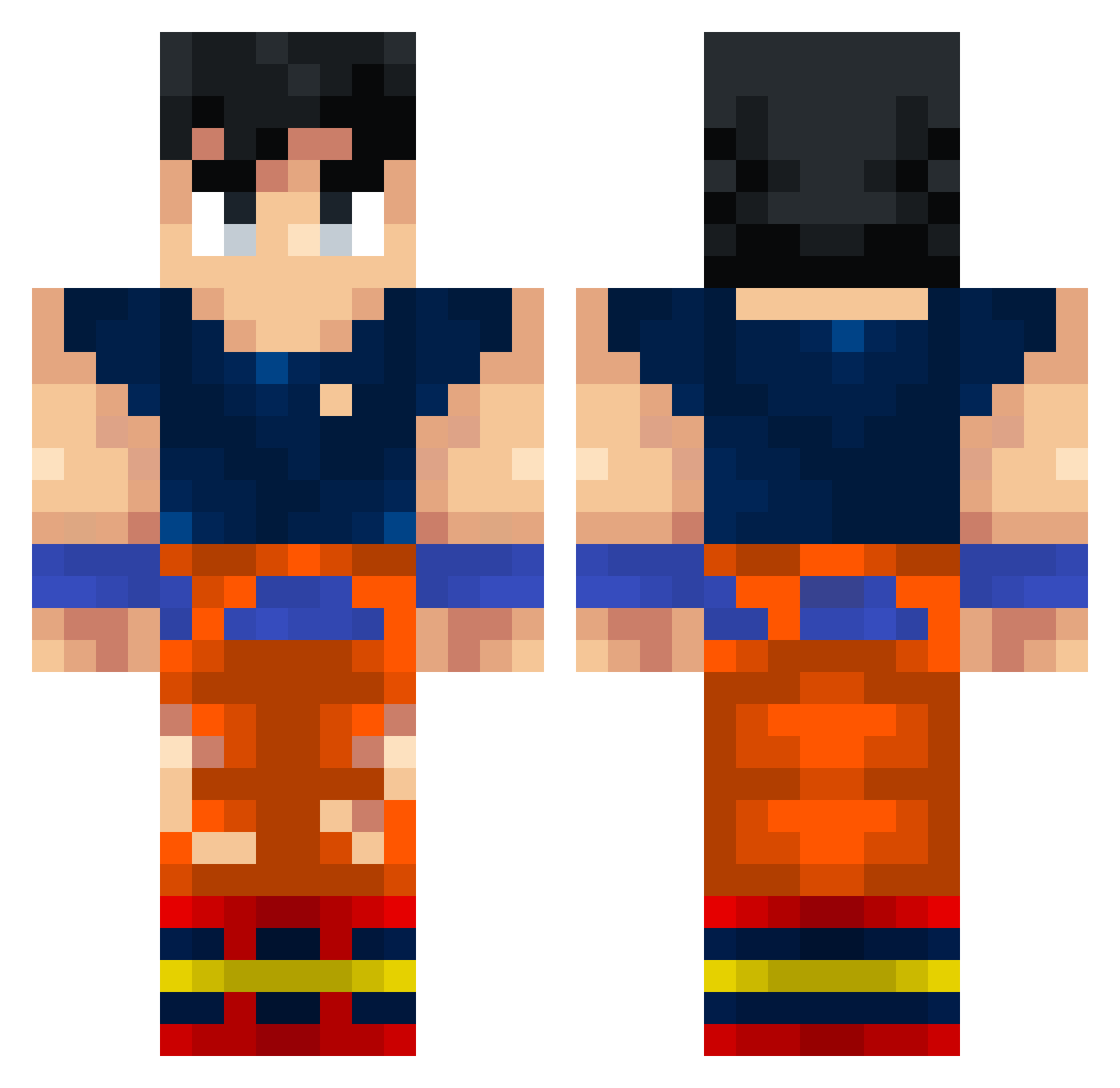
Other players with this skin (338)
JayCOL_ was the 132nd player we have seen with this skin, first spotted on 05.09.2026. The same skin was seen on these players. Open a nickname to see their current skin and skin history.
 DomiNation809 Kosiba YT_Katamaki Pilot6117 k1llua63 ubuthi667 HotDang DesertFox94 Keelersthetic Marlovv vNxTro Cmrojasj Tyranozaur15 TrufazSSjCJNG neyyo123 n1ckzin emilioRS3 AnimeThighsB GoonDeww AenguZ ARCop3244 kansloos80 yeemul carlospez NSRDisGiggerChad Kakarotto2026 xMyStiC05 YeetPotatoe Littleman6026 GlizzyDog6969 meahr 44talha Cayde16 Rrarusz NoSteamMoney LowkeyMohsin jaavissiiniseexx Ttaato12_ McBrian87 Ro_E Mattcliq V8X5aCBZ3WxS ScDawe
 Rezgb Kakarothhh Dorianlaboss montes1020_ iNuxMC Pohlinho82 KrigerDelle marrtincho ShalevDX18 KwakKroket Valdjr Riatsel jdt000 Darwinpro JPssj freddo341 azhair1
More Goku Minecraft skins
How to install the JayCOL_ skin
- Press the Download button above to save the skin as a PNG file.
- Minecraft: Bedrock Edition (PE): open the Dressing Room from the main menu (or tap your character → Edit Character), go to Classic Skins → Owned, press the + (new skin) button, choose the downloaded PNG and pick the Classic (Steve) model. Works on PC and mobile; consoles cannot import custom skins.
- Minecraft: Java Edition: open the Minecraft Launcher, go to the Skins tab, click New Skin, load the PNG, pick the Classic (Steve) model and press Save & Use. You can also upload it at minecraft.net → Profile → Change Skin.
The skin does not show up after import - what should I do?
Restart Minecraft and open the Dressing Room again - imported skins sometimes appear only after a restart. Also make sure you selected the imported skin and picked the Classic (Steve) model.
Which model should I choose, Classic or Slim?
This skin is designed for the Classic (Steve) model. If you pick the wrong model, the arms of the skin will look stretched or squeezed.
Is the skin of JayCOL_ free to download?
Yes. Press Download, save the PNG file and use it in Minecraft: Bedrock Edition or Java Edition - no payment or registration needed. The skin also works on multiplayer servers and Realms.
More skins
Looking for more? Go back to all Minecraft skins and check the top skins of the week, month and all time, or find any player's skin by nickname.