
Jaxobeans - Minecraft Skins & Skin History
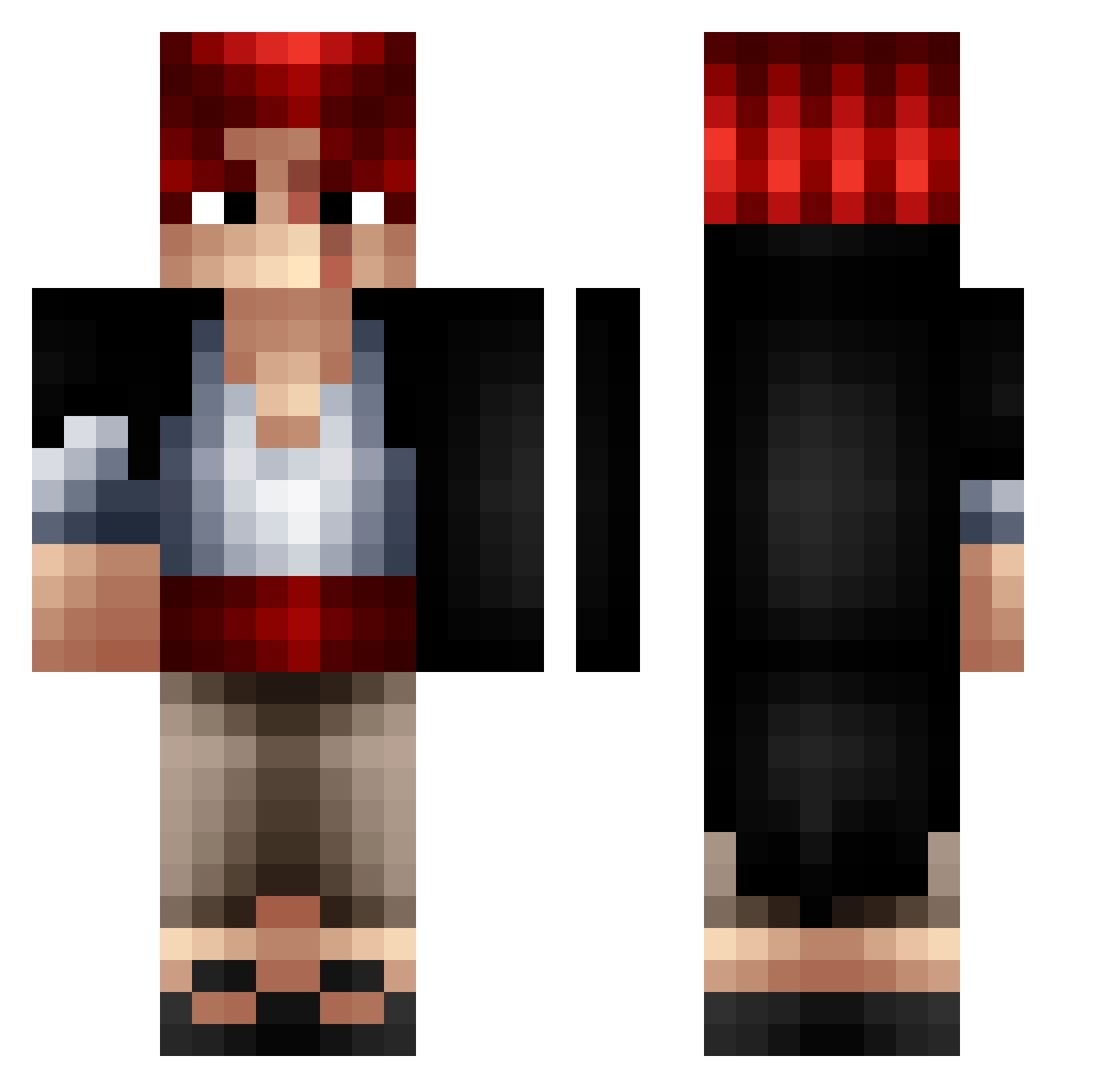
Current Minecraft skin of the player Jaxobeans, loaded from the official Mojang API. Rotate the 3D model with your mouse or finger, then download the skin as a PNG file and use it in Minecraft: Bedrock Edition or Java Edition for free. When Jaxobeans changes their skin, this page updates automatically and the old skin stays in the history below.
Other players with this skin (365)
Jaxobeans was the 252nd player we have seen with this skin, first spotted on 06.10.2026. The same skin was seen on these players. Open a nickname to see their current skin and skin history.
 Flolele The_great_Davdo PeppOMast teammars ahmedb2 Jkaws SortoX_Pap3r Chilcon0500 Shingto 8SnakeyeS8 Plimky Apmds RobinhoRBK chasuchasu kiwiOTC tugi0 TheArtOverlord Mrdanipo457 Yedjux xLowJayx Reda212 DarkZ62 angad2233 Sp0okyy Lulo13 KumZi Arthur170445 AikoKo03 Guizmo3005 Alaskin666_ Blue_Masquero Leleruggio ovidulikespizza ShanksS01 sytcn maukun2929 Neilmove ForamenLacerum CraftToni13 navercorp Heledrax Nayt_04 samr7777 FigarlandShanks1 Hayzenn Hao9192 Leroy_89 tipww zhou_nfa_0036 Hozuu UnpureSushi Nitrox51 GatitaMimosa69 TobiCartman DarkHice cyskyr Aneatanga LimeNight LOUISLOUIS0911 DerEchteElberT
More Shanks Minecraft skins
How to install the Jaxobeans skin
- Press the Download button above to save the skin as a PNG file.
- Minecraft: Bedrock Edition (PE): open the Dressing Room from the main menu (or tap your character → Edit Character), go to Classic Skins → Owned, press the + (new skin) button, choose the downloaded PNG and pick the Classic (Steve) model. Works on PC and mobile; consoles cannot import custom skins.
- Minecraft: Java Edition: open the Minecraft Launcher, go to the Skins tab, click New Skin, load the PNG, pick the Classic (Steve) model and press Save & Use. You can also upload it at minecraft.net → Profile → Change Skin.
The skin does not show up after import - what should I do?
Restart Minecraft and open the Dressing Room again - imported skins sometimes appear only after a restart. Also make sure you selected the imported skin and picked the Classic (Steve) model.
Which model should I choose, Classic or Slim?
This skin is designed for the Classic (Steve) model. If you pick the wrong model, the arms of the skin will look stretched or squeezed.
Is the skin of Jaxobeans free to download?
Yes. Press Download, save the PNG file and use it in Minecraft: Bedrock Edition or Java Edition - no payment or registration needed. The skin also works on multiplayer servers and Realms.
More skins
Looking for more? Go back to all Minecraft skins and check the top skins of the week, month and all time, or find any player's skin by nickname.