
Javeenosaurus - Minecraft Skins & Skin History
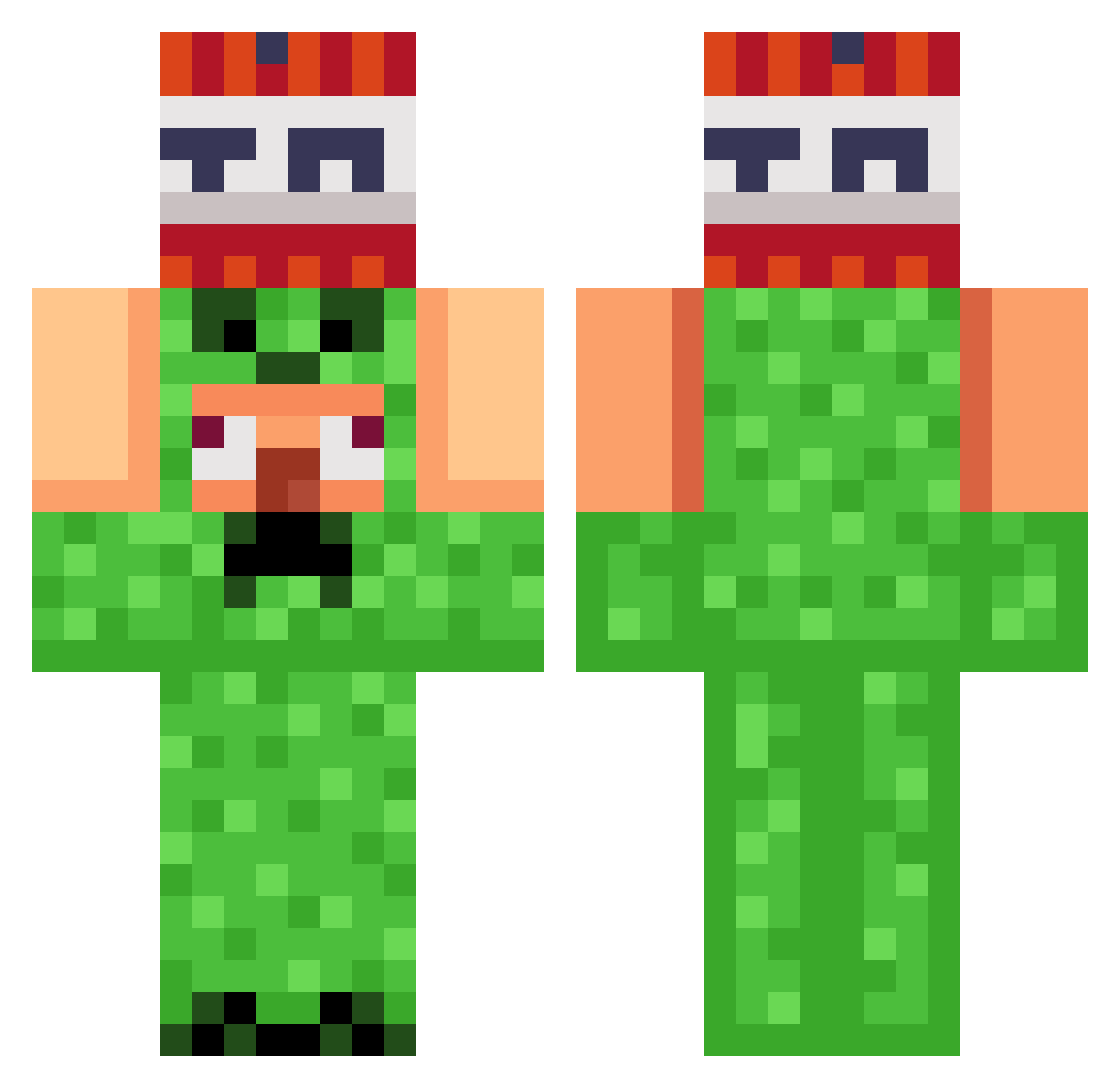
Current Minecraft skin of the player Javeenosaurus, loaded from the official Mojang API. Rotate the 3D model with your mouse or finger, then download the skin as a PNG file and use it in Minecraft: Bedrock Edition or Java Edition for free. When Javeenosaurus changes their skin, this page updates automatically and the old skin stays in the history below.
Other players with this skin (822)
Javeenosaurus was the 399th player we have seen with this skin, first spotted on 06.09.2026. The same skin was seen on these players. Open a nickname to see their current skin and skin history.
 MateusDoce JoeSpliff Cr4zy_Vaze billoblop Timm3rn Eym_122 kuldepl 44_Gibek ShziGen BETATA0_0 oxkd lorikxx jeremi09 Viindar Drakhthul Vanil777 R3alDavid kreepercook ajkdj DJDanka Juno_____1004 AutoCliqs matitomatitou Morfenik KingMello08 SunwithEarth fabian60960 GrokFTW LightningBolt421 Victorr187 BBH_Bot CrackedByM3 dyingfable popo54326 Burgeezy07 Sikk1995 Planhuggern LebronLame _xnik Notkiller6 danieldehn Szilard777 junho1008 minowen Jumbleup123 unken82honored61 GSQGOOSE Libbiesim Dorian10
 GERIXSES BlackHat10 Nohlan08 ddong1115 tiagog300 thomthom214 KOTAsmx22 Lukka2_8 Caucauthebest Kchow9595
 harrywene
More TNT Minecraft skins
How to install the Javeenosaurus skin
- Press the Download button above to save the skin as a PNG file.
- Minecraft: Bedrock Edition (PE): open the Dressing Room from the main menu (or tap your character → Edit Character), go to Classic Skins → Owned, press the + (new skin) button, choose the downloaded PNG and pick the Classic (Steve) model. Works on PC and mobile; consoles cannot import custom skins.
- Minecraft: Java Edition: open the Minecraft Launcher, go to the Skins tab, click New Skin, load the PNG, pick the Classic (Steve) model and press Save & Use. You can also upload it at minecraft.net → Profile → Change Skin.
The skin does not show up after import - what should I do?
Restart Minecraft and open the Dressing Room again - imported skins sometimes appear only after a restart. Also make sure you selected the imported skin and picked the Classic (Steve) model.
Which model should I choose, Classic or Slim?
This skin is designed for the Classic (Steve) model. If you pick the wrong model, the arms of the skin will look stretched or squeezed.
Is the skin of Javeenosaurus free to download?
Yes. Press Download, save the PNG file and use it in Minecraft: Bedrock Edition or Java Edition - no payment or registration needed. The skin also works on multiplayer servers and Realms.
More skins
Looking for more? Go back to all Minecraft skins and check the top skins of the week, month and all time, or find any player's skin by nickname.