
JasonPoopdai - Minecraft Skins & Skin History
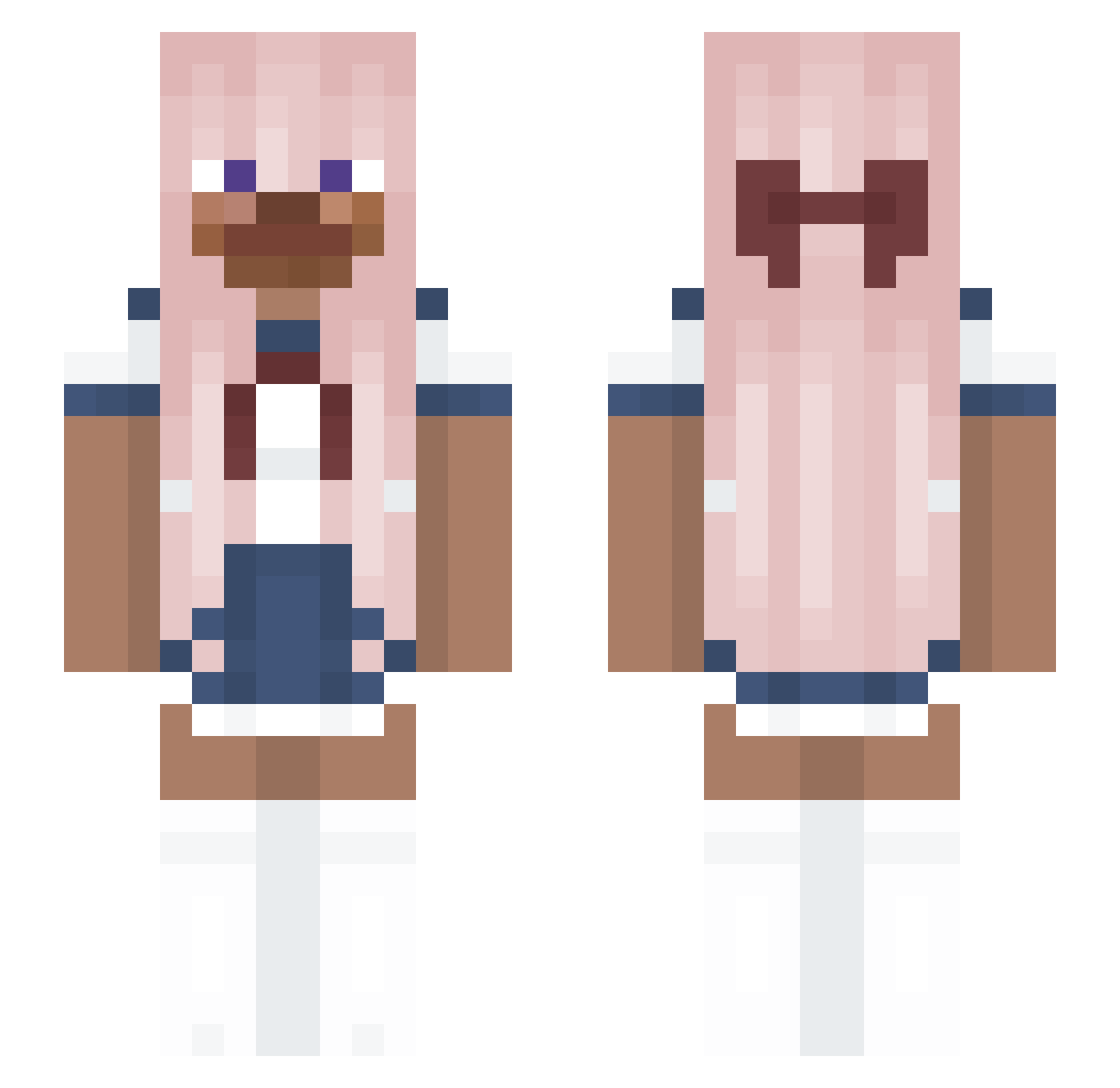
Current Minecraft skin of the player JasonPoopdai, loaded from the official Mojang API. Rotate the 3D model with your mouse or finger, then download the skin as a PNG file and use it in Minecraft: Bedrock Edition or Java Edition for free. When JasonPoopdai changes their skin, this page updates automatically and the old skin stays in the history below.
Other players with this skin (203)
JasonPoopdai was the 164th player we have seen with this skin, first spotted on 31.10.2026. The same skin was seen on these players. Open a nickname to see their current skin and skin history.
 eeeq Frik4nd3lbr00dj3 asdaaaadadada MurderMisery UniqueStarr2003 zRefundz Sa1monSaMa Griffin416 WhyBrey SO_IN eo0955 rayndropuwu EliteEyeballs IQStringer Poprock102 brenyz0 ilovesushi12345 Yazeedulla ansuilog cthiew doogeundoogeun AppaTrash BUGBO_607 n1ck462 mrweeble solograce TransgenderSteve freuia Bowseritis673 OkayLychee Sugar_Daddy_69 Hoko_Poko Cookie_Dexter09 bugwork YellowMarker taylicious Straw_milk DJKuen skiviate DataAlt17 dadlover106 Baofull Tenlus nevaleane DBeidachazi Txfanza Fratucha vampify Terminj psyccho d6pillow_ benzfr Albisu1 GreenHat12 Lili0hn0 Auronik159 Joao_Fezes Comonkid adrap hailidi
More Anime School Uniform Minecraft skins
See all 260 Anime School Uniform skins
How to install the JasonPoopdai skin
- Press the Download button above to save the skin as a PNG file.
- Minecraft: Bedrock Edition (PE): open the Dressing Room from the main menu (or tap your character → Edit Character), go to Classic Skins → Owned, press the + (new skin) button, choose the downloaded PNG and pick the Slim (Alex) model. Works on PC and mobile; consoles cannot import custom skins.
- Minecraft: Java Edition: open the Minecraft Launcher, go to the Skins tab, click New Skin, load the PNG, pick the Slim (Alex) model and press Save & Use. You can also upload it at minecraft.net → Profile → Change Skin.
The skin does not show up after import - what should I do?
Restart Minecraft and open the Dressing Room again - imported skins sometimes appear only after a restart. Also make sure you selected the imported skin and picked the Slim (Alex) model.
Which model should I choose, Classic or Slim?
This skin is designed for the Slim (Alex) model. If you pick the wrong model, the arms of the skin will look stretched or squeezed.
Is the skin of JasonPoopdai free to download?
Yes. Press Download, save the PNG file and use it in Minecraft: Bedrock Edition or Java Edition - no payment or registration needed. The skin also works on multiplayer servers and Realms.
More skins
Looking for more? Go back to all Minecraft skins and check the top skins of the week, month and all time, or find any player's skin by nickname.