
Jaremek - Minecraft Skins & Skin History
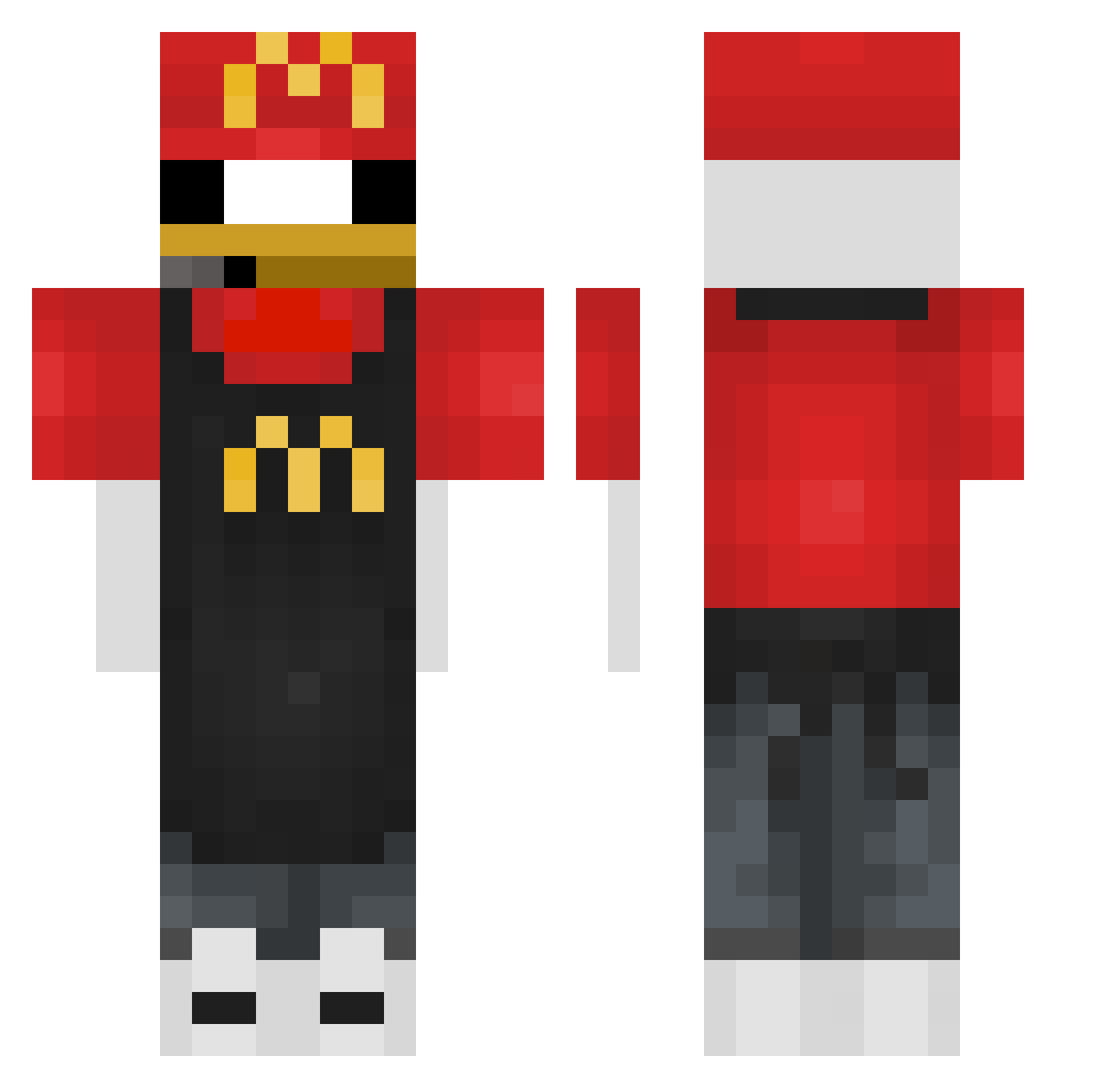
Current Minecraft skin of the player Jaremek, loaded from the official Mojang API. Rotate the 3D model with your mouse or finger, then download the skin as a PNG file and use it in Minecraft: Bedrock Edition or Java Edition for free. When Jaremek changes their skin, this page updates automatically and the old skin stays in the history below.
Other players with this skin (367)
Jaremek was the 367th player we have seen with this skin, first spotted on 02.11.2026. The same skin was seen on these players. Open a nickname to see their current skin and skin history.
 NunyaBiz789 RefluentShelf26 TecnicolorCowboy Godagang Sa_Mi_M EallGaming ZypherC2DK alexibob DarkShamoo zedekvdb craftmine1337 KKO_ daggy4441 DNA24 IANSOTO10 Enguuneenee SaintAndre7 OliBoli112 Friez11 yereva PoopMcFart1 KrzychQ Yoxki mastrgren T1_HYUNWOO k9fc san1kz Standart_Pizza lDesolate butterSnek 2mage Flamethrower130 Ideal_AmZ Fatlannister miracle_panty Headbucket alebull01 BrokenV1rus 44gwapo dender12 essfe schnuffelpups123 Banni123 vetiXxX julio741 Zalup_zalupych CARBACA _Dejdy_ Henblocks Bronomoreno st_yu20 offical_mango Arrozpollo17 Piterek_14 _Eyed_ KaworinGames OfficeDeskChair namulls EggisBanana davidzk1ng
More Donald Duck Minecraft skins
How to install the Jaremek skin
- Press the Download button above to save the skin as a PNG file.
- Minecraft: Bedrock Edition (PE): open the Dressing Room from the main menu (or tap your character → Edit Character), go to Classic Skins → Owned, press the + (new skin) button, choose the downloaded PNG and pick the Classic (Steve) model. Works on PC and mobile; consoles cannot import custom skins.
- Minecraft: Java Edition: open the Minecraft Launcher, go to the Skins tab, click New Skin, load the PNG, pick the Classic (Steve) model and press Save & Use. You can also upload it at minecraft.net → Profile → Change Skin.
The skin does not show up after import - what should I do?
Restart Minecraft and open the Dressing Room again - imported skins sometimes appear only after a restart. Also make sure you selected the imported skin and picked the Classic (Steve) model.
Which model should I choose, Classic or Slim?
This skin is designed for the Classic (Steve) model. If you pick the wrong model, the arms of the skin will look stretched or squeezed.
Is the skin of Jaremek free to download?
Yes. Press Download, save the PNG file and use it in Minecraft: Bedrock Edition or Java Edition - no payment or registration needed. The skin also works on multiplayer servers and Realms.
More skins
Looking for more? Go back to all Minecraft skins and check the top skins of the week, month and all time, or find any player's skin by nickname.