
ElJ0K4 - Minecraft Skins & Skin History
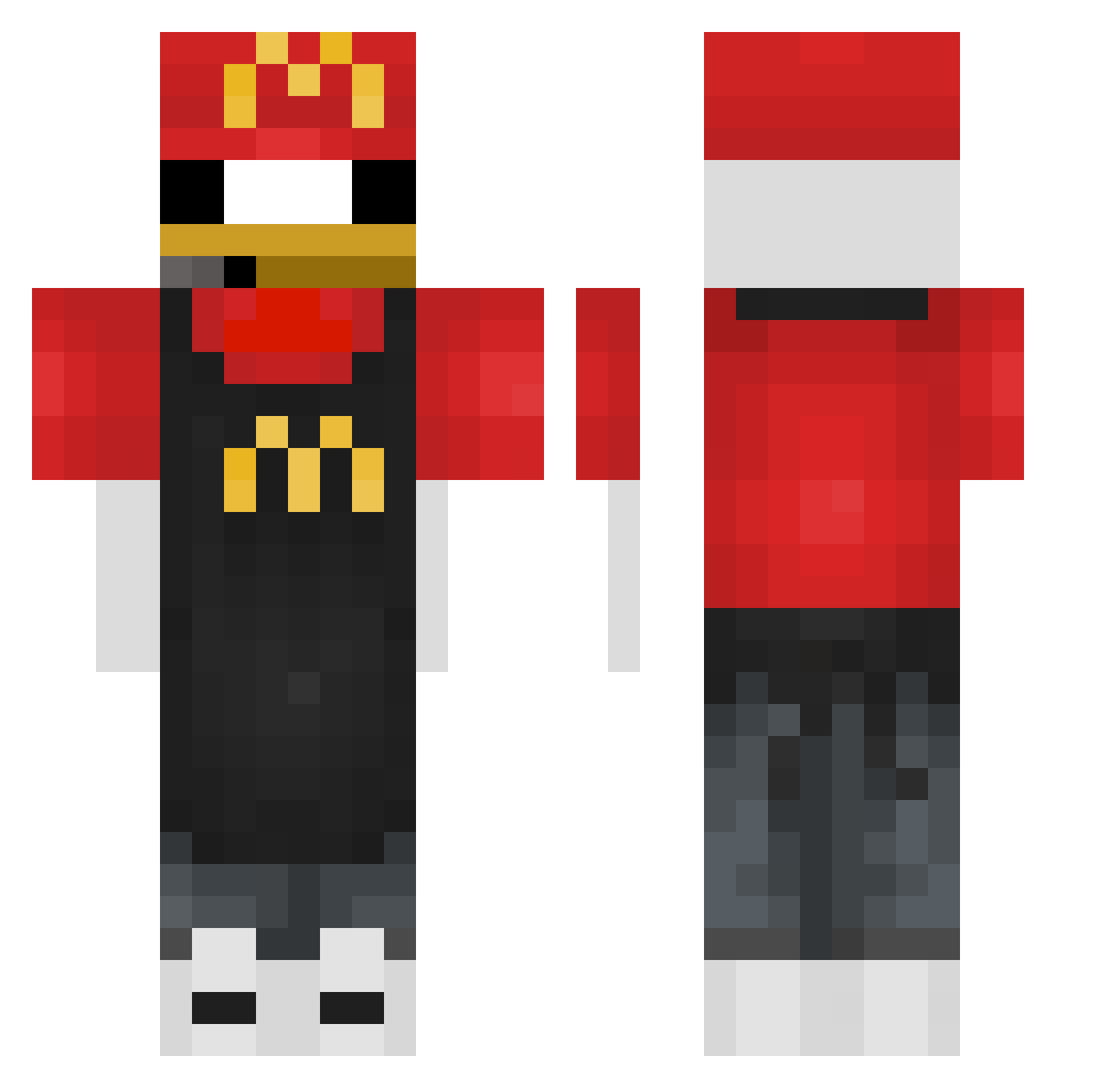
Current Minecraft skin of the player ElJ0K4, loaded from the official Mojang API. Rotate the 3D model with your mouse or finger, then download the skin as a PNG file and use it in Minecraft: Bedrock Edition or Java Edition for free. When ElJ0K4 changes their skin, this page updates automatically and the old skin stays in the history below.
Other players with this skin (393)
ElJ0K4 was the 383rd player we have seen with this skin, first spotted on 06.11.2026. The same skin was seen on these players. Open a nickname to see their current skin and skin history.
 RsToni HarroDude Orechan_258 ELBAYITO EliasIsCool69 IlDarione marcosgarcia04 BlackResur_YTB Articbreeze2 razvan2912 BORAL13 aml3th zdx_ FallenLink fishyy_cpvp cinarilhan TOPO7 MnD21 Szymi6 Lakiiii9999 KITAN398 1PARadoxj0sh Michau67 JOJO370 Godagang Jaremek NunyaBiz789 RefluentShelf26 TecnicolorCowboy Nussssssssssssss Sa_Mi_M EallGaming ZypherC2DK alexibob DarkShamoo zedekvdb craftmine1337 KKO_ daggy4441 DNA24 IANSOTO10 Enguuneenee SaintAndre7 OliBoli112 Friez11 yereva PoopMcFart1 KrzychQ Yoxki mastrgren T1_HYUNWOO k9fc san1kz Standart_Pizza lDesolate butterSnek 2mage Flamethrower130 Ideal_AmZ Fatlannister
More Donald Duck Minecraft skins
How to install the ElJ0K4 skin
- Press the Download button above to save the skin as a PNG file.
- Minecraft: Bedrock Edition (PE): open the Dressing Room from the main menu (or tap your character → Edit Character), go to Classic Skins → Owned, press the + (new skin) button, choose the downloaded PNG and pick the Classic (Steve) model. Works on PC and mobile; consoles cannot import custom skins.
- Minecraft: Java Edition: open the Minecraft Launcher, go to the Skins tab, click New Skin, load the PNG, pick the Classic (Steve) model and press Save & Use. You can also upload it at minecraft.net → Profile → Change Skin.
The skin does not show up after import - what should I do?
Restart Minecraft and open the Dressing Room again - imported skins sometimes appear only after a restart. Also make sure you selected the imported skin and picked the Classic (Steve) model.
Which model should I choose, Classic or Slim?
This skin is designed for the Classic (Steve) model. If you pick the wrong model, the arms of the skin will look stretched or squeezed.
Is the skin of ElJ0K4 free to download?
Yes. Press Download, save the PNG file and use it in Minecraft: Bedrock Edition or Java Edition - no payment or registration needed. The skin also works on multiplayer servers and Realms.
More skins
Looking for more? Go back to all Minecraft skins and check the top skins of the week, month and all time, or find any player's skin by nickname.