
JanPlays24 - Minecraft Skins & Skin History
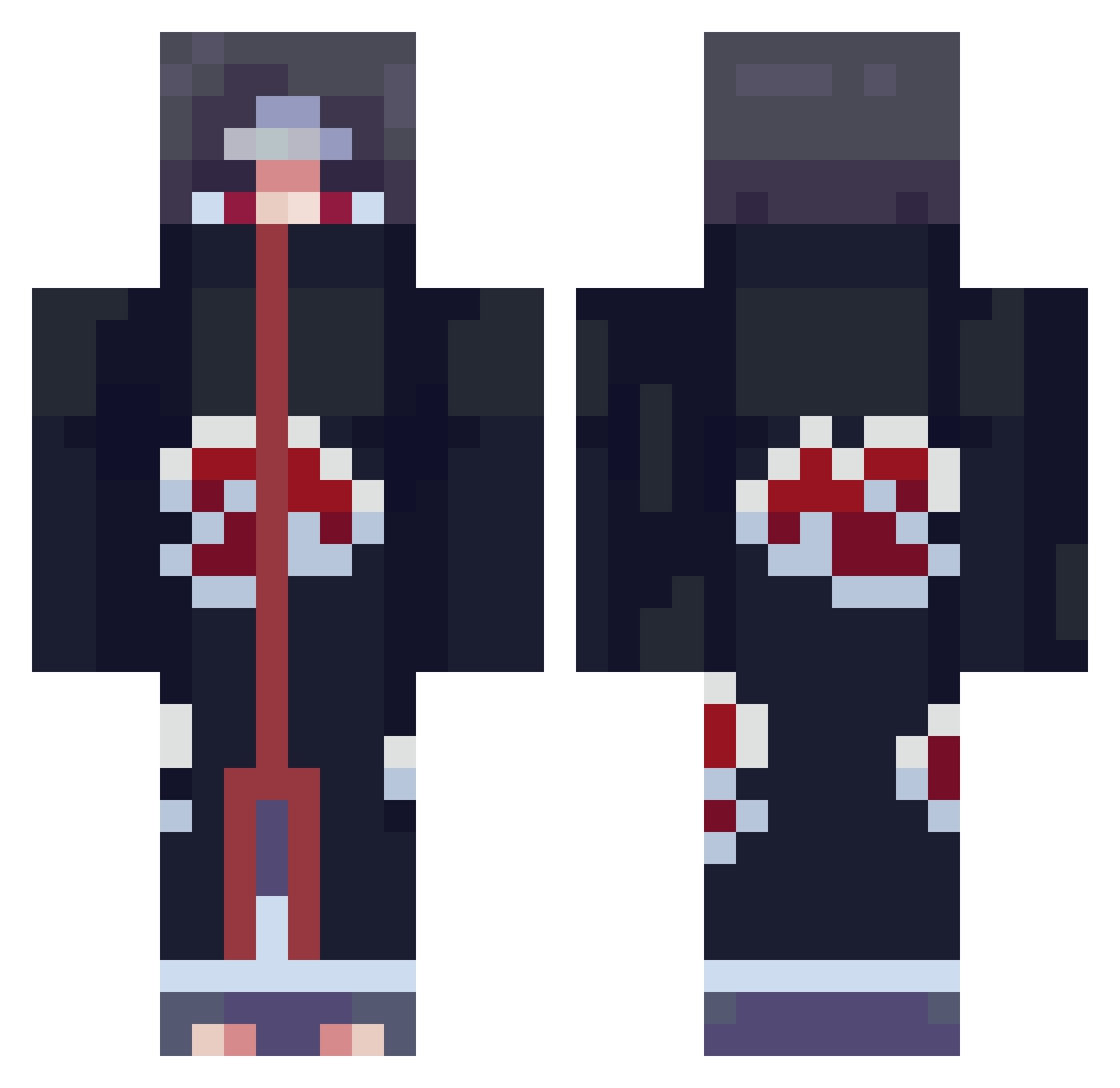
Current Minecraft skin of the player JanPlays24, loaded from the official Mojang API. Rotate the 3D model with your mouse or finger, then download the skin as a PNG file and use it in Minecraft: Bedrock Edition or Java Edition for free. When JanPlays24 changes their skin, this page updates automatically and the old skin stays in the history below.
Other players with this skin (708)
JanPlays24 was the 82nd player we have seen with this skin, first spotted on 05.08.2026. The same skin was seen on these players. Open a nickname to see their current skin and skin history.
 BUBULUBUzz varlekz Cheng1z AkatsukiLoy Dodobourb 3amer_ LapiinoX Horseysauce1225 heliuom IMNOTNAMELESS darkremii TromKAr sourpatchpants antonymor_23 Hongsi1231 Itachi_997 NX_Colonel lilmonk98 s1zzl3 3ziiz24 photiccc mikey1skewl Ellore21 ENDERxDragon122 kdssud_ Tim_2805 livybanks Rennan_C Joaao19_ Ahmost28 Itachi_Goat_ DimoLeS DaddyShrek7573 siranat saulspapi DaaanXE Itachi_Uchih Itashi06 THEBESTXZX Yikes0_ c1ever_ Josephgoes Sargent__D MrGokan153 The_Phoenix90 Rikeon guglhu pacmyhole Sandrita31 lalipop_YT TheCr4zyGeeK LordOfEmptiness9 PabloGonza02 FaZe_H3rp3s666 KHSoraXIII DudeoMatt zakkyboi KaitoChanX KippieAyoubb KingTenshi
More Itachi Uchiha Minecraft skins
See all 319 Itachi Uchiha skins
How to install the JanPlays24 skin
- Press the Download button above to save the skin as a PNG file.
- Minecraft: Bedrock Edition (PE): open the Dressing Room from the main menu (or tap your character → Edit Character), go to Classic Skins → Owned, press the + (new skin) button, choose the downloaded PNG and pick the Classic (Steve) model. Works on PC and mobile; consoles cannot import custom skins.
- Minecraft: Java Edition: open the Minecraft Launcher, go to the Skins tab, click New Skin, load the PNG, pick the Classic (Steve) model and press Save & Use. You can also upload it at minecraft.net → Profile → Change Skin.
The skin does not show up after import - what should I do?
Restart Minecraft and open the Dressing Room again - imported skins sometimes appear only after a restart. Also make sure you selected the imported skin and picked the Classic (Steve) model.
Which model should I choose, Classic or Slim?
This skin is designed for the Classic (Steve) model. If you pick the wrong model, the arms of the skin will look stretched or squeezed.
Is the skin of JanPlays24 free to download?
Yes. Press Download, save the PNG file and use it in Minecraft: Bedrock Edition or Java Edition - no payment or registration needed. The skin also works on multiplayer servers and Realms.
More skins
Looking for more? Go back to all Minecraft skins and check the top skins of the week, month and all time, or find any player's skin by nickname.