
JaloAlumiini - Minecraft Skins & Skin History
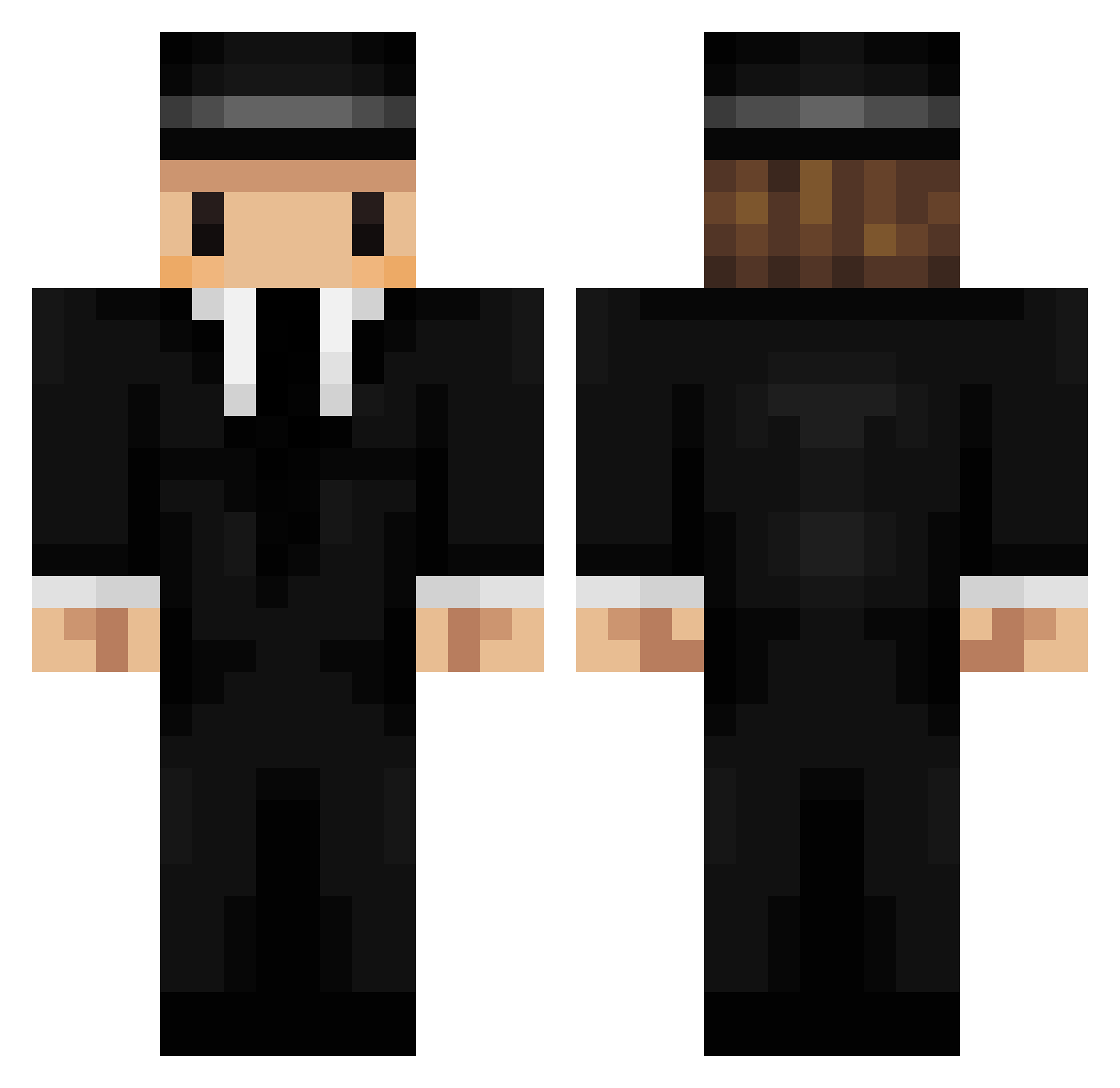
Current Minecraft skin of the player JaloAlumiini, loaded from the official Mojang API. Rotate the 3D model with your mouse or finger, then download the skin as a PNG file and use it in Minecraft: Bedrock Edition or Java Edition for free. When JaloAlumiini changes their skin, this page updates automatically and the old skin stays in the history below.
Other players with this skin (241)
JaloAlumiini was the 219th player we have seen with this skin, first spotted on 22.10.2026. The same skin was seen on these players. Open a nickname to see their current skin and skin history.
 nakasendou annroo Zaekon_ cobraimperial faffenn B00TSHAUS AndrewsHernandez _Biel Hollowheart1 El_zigoto Plop_Plop_ DaeBBong_ WixXarD Hbende AquilesPlayer07 ElMercuriano SilverJeans6525 bettesss cherryonthecake NikolajFK CookieRamen BichoPapau notsaying WarGeplant Onkings Zera_Rock pedro1234545 Graphite oBlueody VapeMX bigfiretruck21 Q_white_kitten_Q hypexjon kakaty Chomdogga Maxfactor1 makkel__ LamboneDad Bo__Jun jminjmin YBerkan PIRELLII padsaje xSniffless L0r1sS theromansky Unifull IAmRambo JannisNM RhinoElite Gavrilou Irgendwer_57 mushy_zx ZACHAAR BigJord404 lolzak123 A_Schwepes PierreLeBot Famrbe lilsadgir1
More Mafia Minecraft skins
How to install the JaloAlumiini skin
- Press the Download button above to save the skin as a PNG file.
- Minecraft: Bedrock Edition (PE): open the Dressing Room from the main menu (or tap your character → Edit Character), go to Classic Skins → Owned, press the + (new skin) button, choose the downloaded PNG and pick the Classic (Steve) model. Works on PC and mobile; consoles cannot import custom skins.
- Minecraft: Java Edition: open the Minecraft Launcher, go to the Skins tab, click New Skin, load the PNG, pick the Classic (Steve) model and press Save & Use. You can also upload it at minecraft.net → Profile → Change Skin.
The skin does not show up after import - what should I do?
Restart Minecraft and open the Dressing Room again - imported skins sometimes appear only after a restart. Also make sure you selected the imported skin and picked the Classic (Steve) model.
Which model should I choose, Classic or Slim?
This skin is designed for the Classic (Steve) model. If you pick the wrong model, the arms of the skin will look stretched or squeezed.
Is the skin of JaloAlumiini free to download?
Yes. Press Download, save the PNG file and use it in Minecraft: Bedrock Edition or Java Edition - no payment or registration needed. The skin also works on multiplayer servers and Realms.
More skins
Looking for more? Go back to all Minecraft skins and check the top skins of the week, month and all time, or find any player's skin by nickname.