
JakePino - Minecraft Skins & Skin History
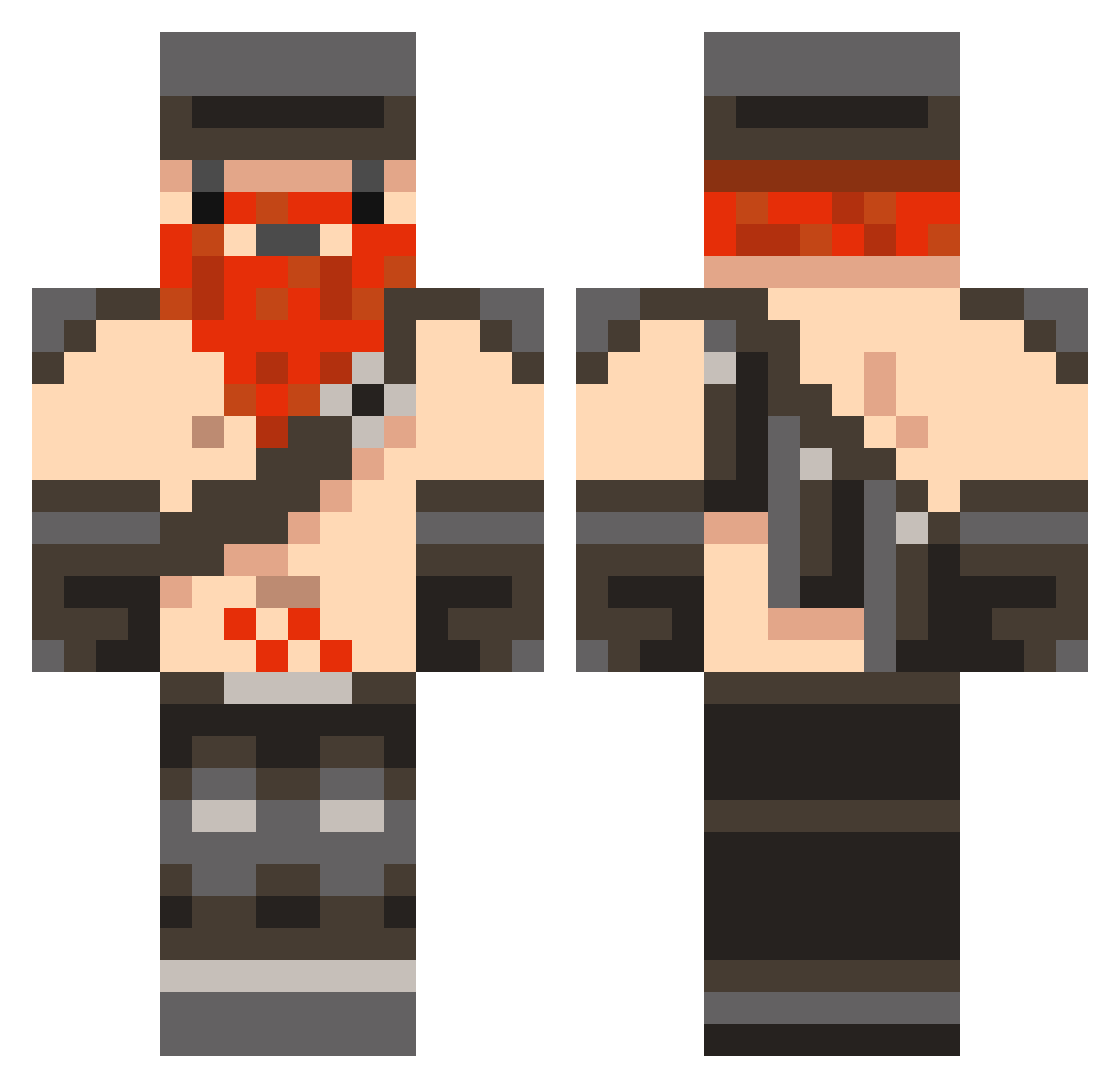
Current Minecraft skin of the player JakePino, loaded from the official Mojang API. Rotate the 3D model with your mouse or finger, then download the skin as a PNG file and use it in Minecraft: Bedrock Edition or Java Edition for free. When JakePino changes their skin, this page updates automatically and the old skin stays in the history below.
Other players with this skin (846)
JakePino was the 625th player we have seen with this skin, first spotted on 11.10.2026. The same skin was seen on these players. Open a nickname to see their current skin and skin history.
 Floetip mxday108 Arthen120 Smrst JoeMc7 Sunrisedemon Honeydew_015 TankerBuzz carsonrocks1313 Leois punkasspriest Coxie121 Mattw3000 rhysfar zombie_o XxParkerxX7360 Moist2 hijerey minions69 TheHevyy chris_straws taeland lashes007 Shadowthe1st Ather777 Aldarom1234 MOELLER9210 B_Dak jamienz1 lilg78920 mattgamer Rundrewrun BrandonV45 alexjcroft rozalind BrendenV Daniel_Farrell wedge2012 nukshot123 Tattling Zombor00 smellysock8 Light_Vader B007HY ganna2012 Honeydeww McSheitten DodgerDude2 momoplay Gaddyboy99 maksimusiss Ryukor andreas702184 Buttslaker creeperjocky Numu DynamiteExplode saulcool123 smiley6758 MacDonaldmc33
More Dwarf Minecraft skins
How to install the JakePino skin
- Press the Download button above to save the skin as a PNG file.
- Minecraft: Bedrock Edition (PE): open the Dressing Room from the main menu (or tap your character → Edit Character), go to Classic Skins → Owned, press the + (new skin) button, choose the downloaded PNG and pick the Classic (Steve) model. Works on PC and mobile; consoles cannot import custom skins.
- Minecraft: Java Edition: open the Minecraft Launcher, go to the Skins tab, click New Skin, load the PNG, pick the Classic (Steve) model and press Save & Use. You can also upload it at minecraft.net → Profile → Change Skin.
The skin does not show up after import - what should I do?
Restart Minecraft and open the Dressing Room again - imported skins sometimes appear only after a restart. Also make sure you selected the imported skin and picked the Classic (Steve) model.
Which model should I choose, Classic or Slim?
This skin is designed for the Classic (Steve) model. If you pick the wrong model, the arms of the skin will look stretched or squeezed.
Is the skin of JakePino free to download?
Yes. Press Download, save the PNG file and use it in Minecraft: Bedrock Edition or Java Edition - no payment or registration needed. The skin also works on multiplayer servers and Realms.
More skins
Looking for more? Go back to all Minecraft skins and check the top skins of the week, month and all time, or find any player's skin by nickname.