
JaimeVieira - Minecraft Skins & Skin History
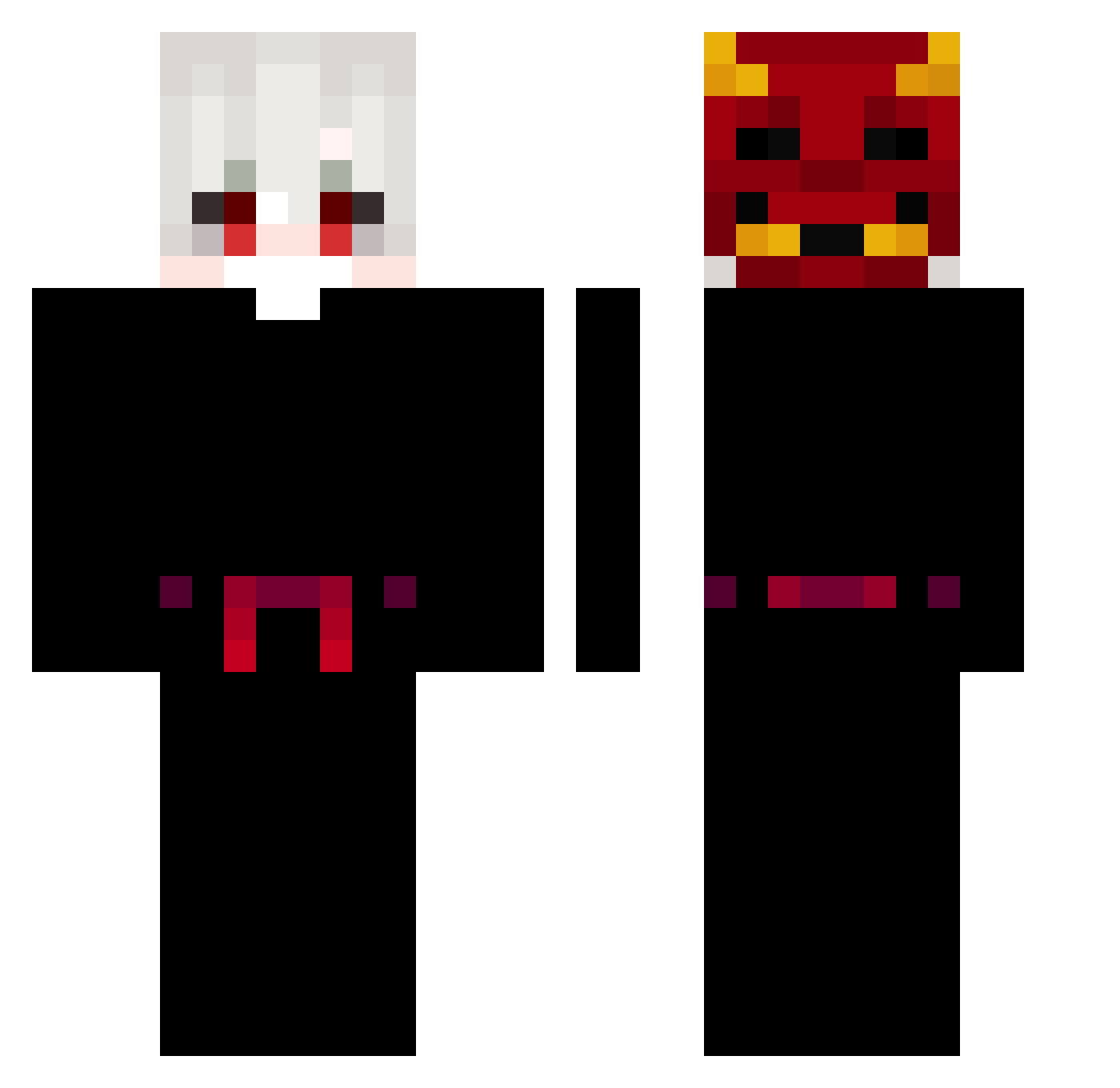
Current Minecraft skin of the player JaimeVieira, loaded from the official Mojang API. Rotate the 3D model with your mouse or finger, then download the skin as a PNG file and use it in Minecraft: Bedrock Edition or Java Edition for free. When JaimeVieira changes their skin, this page updates automatically and the old skin stays in the history below.
Other players with this skin (153)
JaimeVieira was the 98th player we have seen with this skin, first spotted on 02.10.2026. The same skin was seen on these players. Open a nickname to see their current skin and skin history.
 Sidtthor dkjetzt Dauntiings Todinn ONi_0626_ Silent_zail Sanguine_Ice ArizonaTeaaaa Victxr_ ally9087 swanoo ShadowNghtmr18 RYO0501 kkluis DonqQiwo SnayZzz_ MorganCrowl0000 PHhassan11 Cortyoda _404_err0r_ BOLABOLASJK Dewt OminixYT Ghost_8978 M1r7o Peppe_4199 jack07022007 Salmos121 Xenooyi FridaCali Humeurs AkameMNT hannan_oof Caioow7 HaruWasTaken Vibetoggled Glebsonek Hayaizo_ SlomoNick kondexd Yu_kai ExlyGHG zagy1998 YukiKhanya soapings KacUcHm1234 tHE_mKN morramarrr HzWestly Diamant8 Bradley_Garrod qrozy LoxeYox Rimby reserpina Ximero DerTypDaDer Sakkaku_ll MagicMann35 xPaqyRobert
More Oni Mask Minecraft skins
How to install the JaimeVieira skin
- Press the Download button above to save the skin as a PNG file.
- Minecraft: Bedrock Edition (PE): open the Dressing Room from the main menu (or tap your character → Edit Character), go to Classic Skins → Owned, press the + (new skin) button, choose the downloaded PNG and pick the Classic (Steve) model. Works on PC and mobile; consoles cannot import custom skins.
- Minecraft: Java Edition: open the Minecraft Launcher, go to the Skins tab, click New Skin, load the PNG, pick the Classic (Steve) model and press Save & Use. You can also upload it at minecraft.net → Profile → Change Skin.
The skin does not show up after import - what should I do?
Restart Minecraft and open the Dressing Room again - imported skins sometimes appear only after a restart. Also make sure you selected the imported skin and picked the Classic (Steve) model.
Which model should I choose, Classic or Slim?
This skin is designed for the Classic (Steve) model. If you pick the wrong model, the arms of the skin will look stretched or squeezed.
Is the skin of JaimeVieira free to download?
Yes. Press Download, save the PNG file and use it in Minecraft: Bedrock Edition or Java Edition - no payment or registration needed. The skin also works on multiplayer servers and Realms.
More skins
Looking for more? Go back to all Minecraft skins and check the top skins of the week, month and all time, or find any player's skin by nickname.