
JaiKlyde_ - Minecraft Skins & Skin History
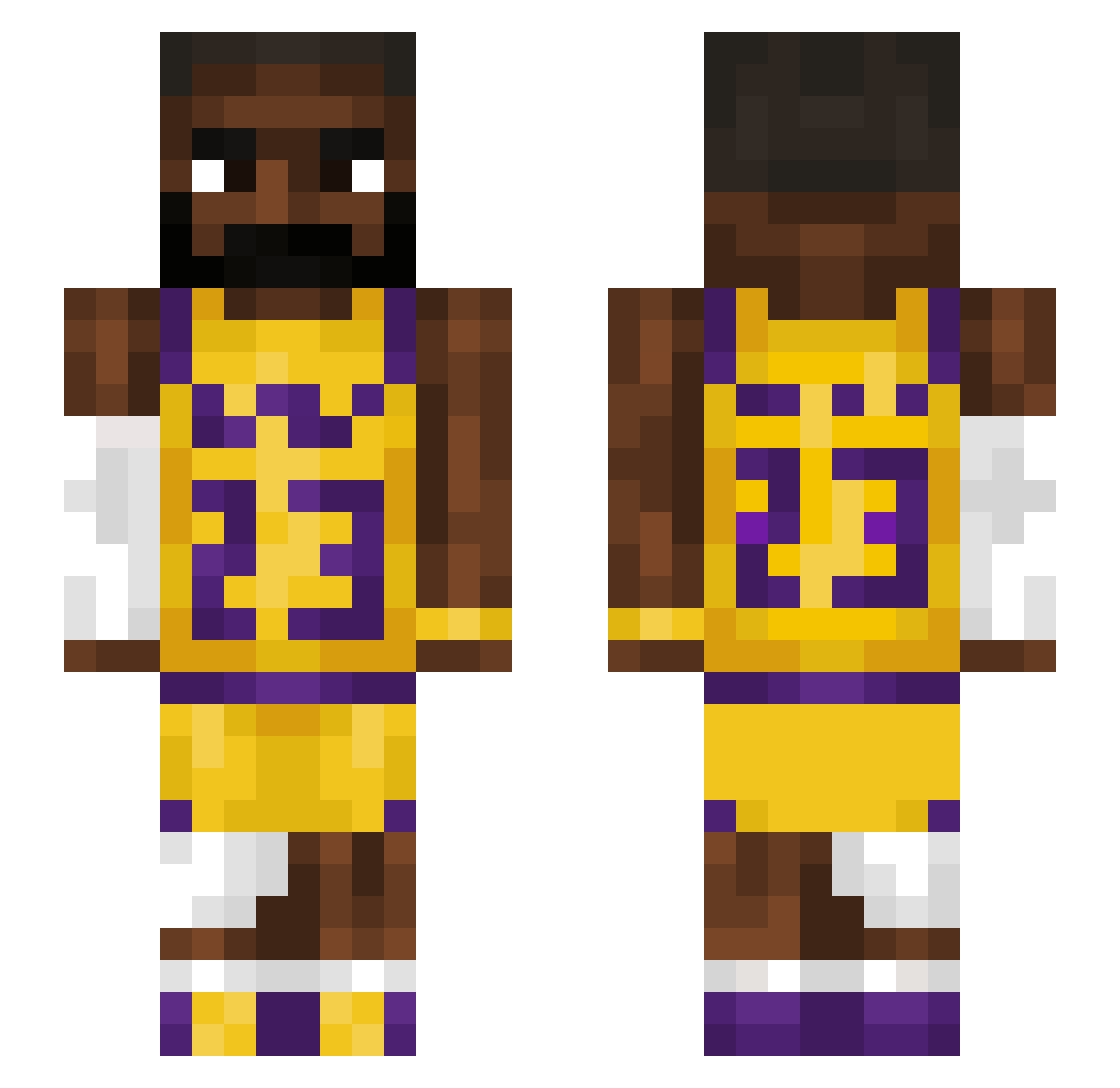
Current Minecraft skin of the player JaiKlyde_, loaded from the official Mojang API. Rotate the 3D model with your mouse or finger, then download the skin as a PNG file and use it in Minecraft: Bedrock Edition or Java Edition for free. When JaiKlyde_ changes their skin, this page updates automatically and the old skin stays in the history below.
Other players with this skin (1225)
JaiKlyde_ was the 556th player we have seen with this skin, first spotted on 03.09.2026. The same skin was seen on these players. Open a nickname to see their current skin and skin history.
 kbharis Ka1vinnn Aperise emer1ck Orioloo_2 CoolStory47 Ruzz_008 BDO0601 noobygamer69 BerlinerKindl98 etem27 Erpu2 EmBaits NuttyManz KingLightGamer au2t1n Dantipoo Tyler694201 FishFinger186 ghwst BauerWilli623 DrkDestroyer1955 xKryptonik SborraMan69 skelite211 drakiZ25 tamster832 STGoat6 Turtle_bones lizhy85 Stefaaa21 _Kysen_ Victorious256 Noodle0924
 BasR01 emilysoswaggy Food_Dude2158 StephenPaddock59 Ryoshikaa DarkenSuper dddone bappojr1 susnatra CleanupHook overchargings maddieful SwAcHk Hockey_boy321 Jdcorpin23 All1anc3 vercettiiiii1 krookq danilo2111 dadown2 darth007 amifly Vitchee zozef1 voidJJ PuffyMuf
More Lakers Minecraft skins
How to install the JaiKlyde_ skin
- Press the Download button above to save the skin as a PNG file.
- Minecraft: Bedrock Edition (PE): open the Dressing Room from the main menu (or tap your character → Edit Character), go to Classic Skins → Owned, press the + (new skin) button, choose the downloaded PNG and pick the Slim (Alex) model. Works on PC and mobile; consoles cannot import custom skins.
- Minecraft: Java Edition: open the Minecraft Launcher, go to the Skins tab, click New Skin, load the PNG, pick the Slim (Alex) model and press Save & Use. You can also upload it at minecraft.net → Profile → Change Skin.
The skin does not show up after import - what should I do?
Restart Minecraft and open the Dressing Room again - imported skins sometimes appear only after a restart. Also make sure you selected the imported skin and picked the Slim (Alex) model.
Which model should I choose, Classic or Slim?
This skin is designed for the Slim (Alex) model. If you pick the wrong model, the arms of the skin will look stretched or squeezed.
Is the skin of JaiKlyde_ free to download?
Yes. Press Download, save the PNG file and use it in Minecraft: Bedrock Edition or Java Edition - no payment or registration needed. The skin also works on multiplayer servers and Realms.
More skins
Looking for more? Go back to all Minecraft skins and check the top skins of the week, month and all time, or find any player's skin by nickname.