
JaCrispyNinja - Minecraft Skins & Skin History
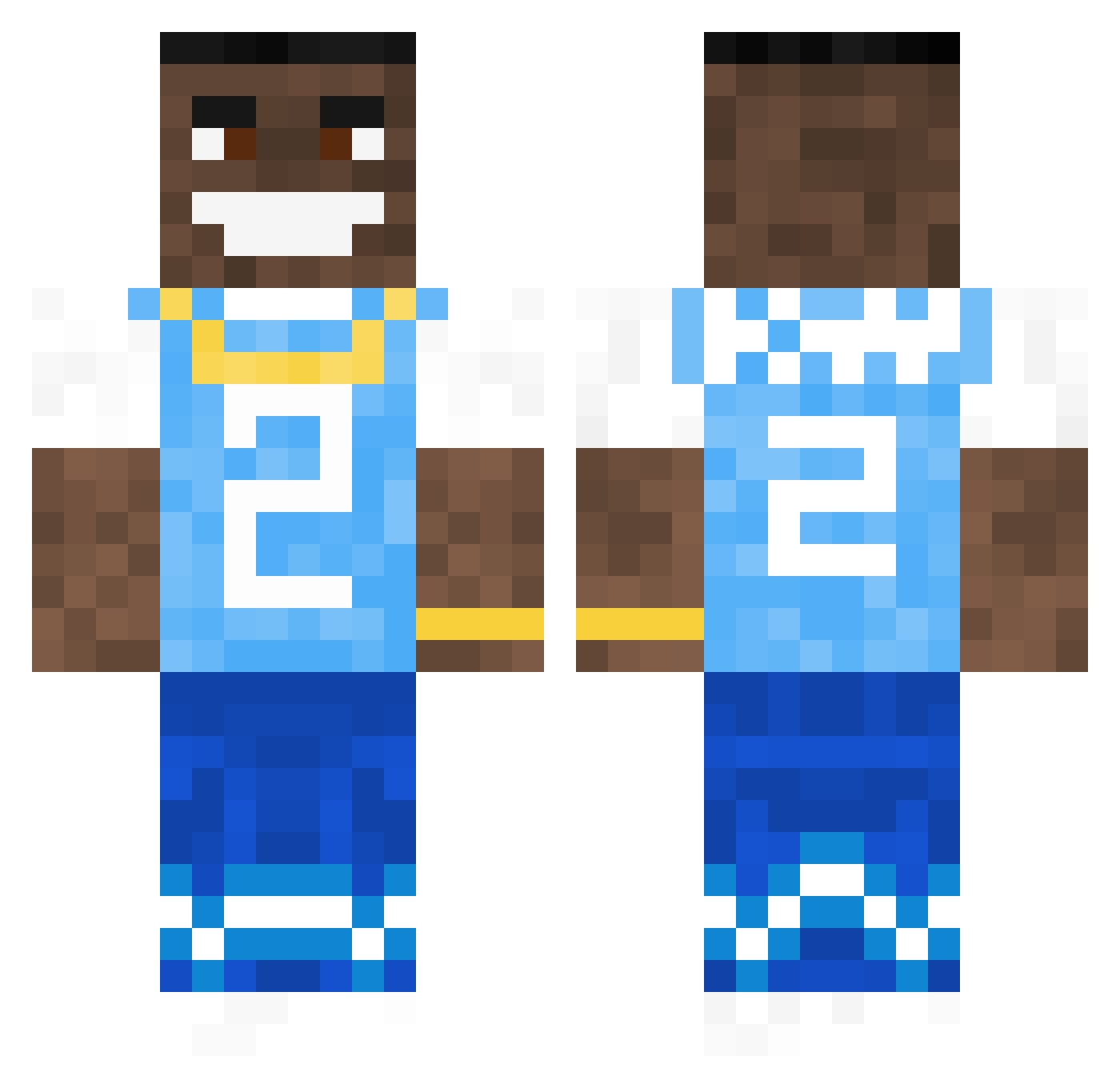
Current Minecraft skin of the player JaCrispyNinja, loaded from the official Mojang API. Rotate the 3D model with your mouse or finger, then download the skin as a PNG file and use it in Minecraft: Bedrock Edition or Java Edition for free. When JaCrispyNinja changes their skin, this page updates automatically and the old skin stays in the history below.
Other players with this skin (616)
JaCrispyNinja was the 507th player we have seen with this skin, first spotted on 08.10.2026. The same skin was seen on these players. Open a nickname to see their current skin and skin history.
 Flument CxdyYT bmwm318i Siurdoszczania HeyDanny41 GreatWallace SlimeSitoo A_bow1_of_cereal Vivipiu Ch3lly ScaryMacaroni cooldog987 VIZE6969 Mo_121 _Quixi_ fillfille1 Raf30999 em252505 Crispy_Mang0 SwaggDumpling TeccaSwag fomaj Nebbiey ApeCreatur3 Infinite_Nuts Evxn4 Aalok Kevark Jasonmoore2265 AlaoR_ TrevtrevALT1 Sweaty_Barry AlbinoMasterr TheBrain80 imemptxy Stormstoutt Kratzeis_3001 GameLeonard MyGirlQueeefs Prycee ashfintan Cobocop2000 Scemtrical Alfiebeswick zaddy_ 4hoofd guxyy nerfman12 FireFr3akz TonzeFN dank3rm3m3s CatchThisSTD MinisterMoral69 EVIL_231 MarcusBC007 BalazsaToas djnaglis Haloqs OBaby69 benja400
More Dababy Minecraft skins
How to install the JaCrispyNinja skin
- Press the Download button above to save the skin as a PNG file.
- Minecraft: Bedrock Edition (PE): open the Dressing Room from the main menu (or tap your character → Edit Character), go to Classic Skins → Owned, press the + (new skin) button, choose the downloaded PNG and pick the Classic (Steve) model. Works on PC and mobile; consoles cannot import custom skins.
- Minecraft: Java Edition: open the Minecraft Launcher, go to the Skins tab, click New Skin, load the PNG, pick the Classic (Steve) model and press Save & Use. You can also upload it at minecraft.net → Profile → Change Skin.
The skin does not show up after import - what should I do?
Restart Minecraft and open the Dressing Room again - imported skins sometimes appear only after a restart. Also make sure you selected the imported skin and picked the Classic (Steve) model.
Which model should I choose, Classic or Slim?
This skin is designed for the Classic (Steve) model. If you pick the wrong model, the arms of the skin will look stretched or squeezed.
Is the skin of JaCrispyNinja free to download?
Yes. Press Download, save the PNG file and use it in Minecraft: Bedrock Edition or Java Edition - no payment or registration needed. The skin also works on multiplayer servers and Realms.
More skins
Looking for more? Go back to all Minecraft skins and check the top skins of the week, month and all time, or find any player's skin by nickname.