
JUNYA_Z - Minecraft Skins & Skin History
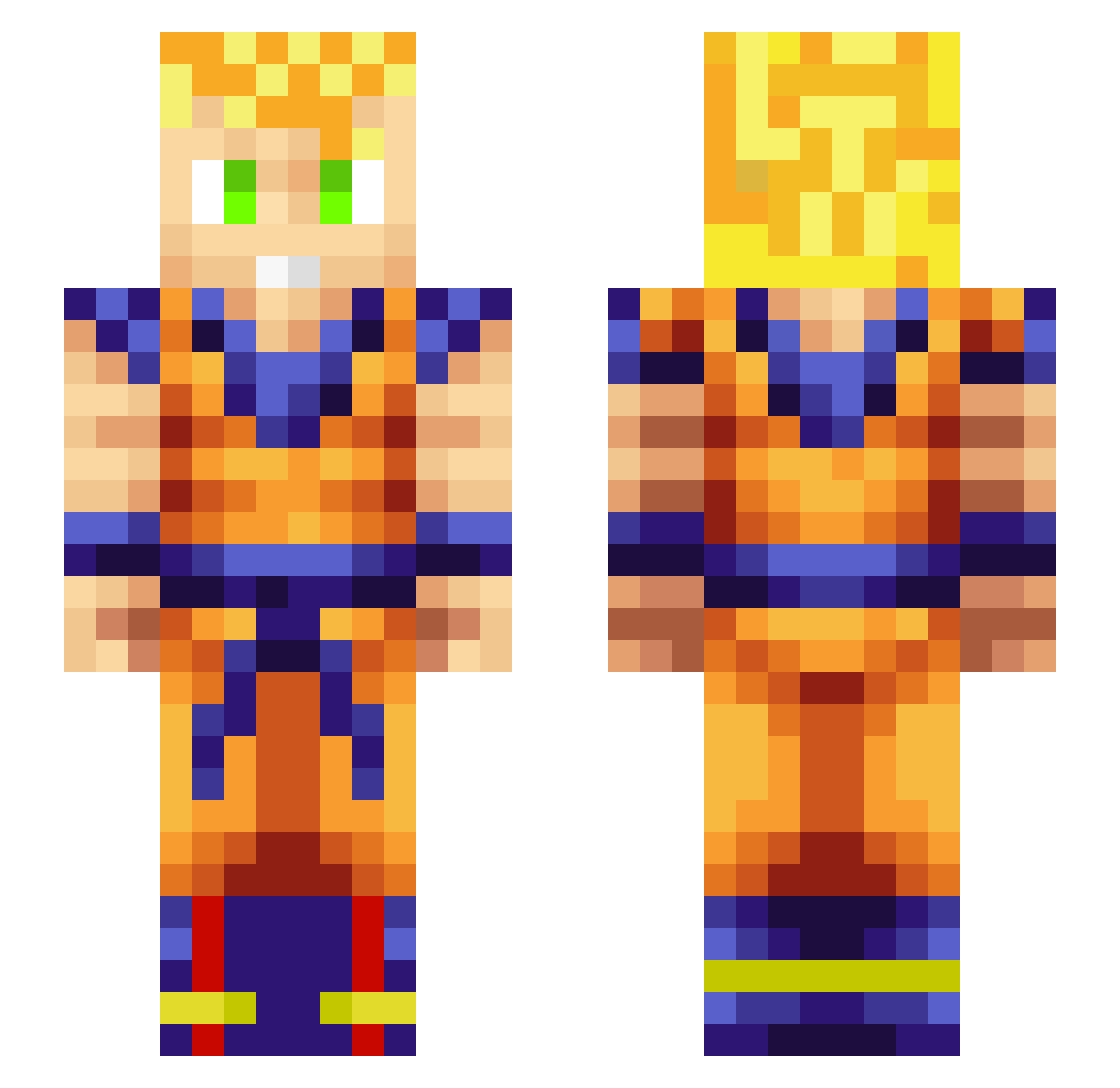
Current Minecraft skin of the player JUNYA_Z, loaded from the official Mojang API. Rotate the 3D model with your mouse or finger, then download the skin as a PNG file and use it in Minecraft: Bedrock Edition or Java Edition for free. When JUNYA_Z changes their skin, this page updates automatically and the old skin stays in the history below.
Other players with this skin (321)
JUNYA_Z was the 272nd player we have seen with this skin, first spotted on 21.10.2026. The same skin was seen on these players. Open a nickname to see their current skin and skin history.
 poopgan12 ChildOfTheFence JUANJOMSP azoz672 Safha joki91 ViciousKwa Krodic SteezyPhoenix ASAP_NICA02 AlbinoRumble424 Jonbon401 Th1sJustin TotallyNotVince vortees kb_6 MamaBenji itz_Vazz WillyDeVlieg LL404 dogruler_the4th Angelic_Eternal Botticelli10 nickritch Jewlio PreyEmpire ieatass5 Widow99 _P1cks_ ddouv4 Ordinary_Hero JJZ11 Serpenzo Kaithundertammer UhNingeeStar NandoAmbrose shong925 xiaoyangya MRen_ J21S Dexoneez JonnyB_YeSnT Vlone_Ben Trashman699 Tdog1234 SirVibes getoffmeho1 SOLYDUS Chiino97 Reiskanzler134 PhungShui Zoralana Bitiguinha dubosey05 ZorTun_59111 belsousan Philliam7 hutuxiaoyao DampBurrito69 JammaJohn
More Goku Minecraft skins
How to install the JUNYA_Z skin
- Press the Download button above to save the skin as a PNG file.
- Minecraft: Bedrock Edition (PE): open the Dressing Room from the main menu (or tap your character → Edit Character), go to Classic Skins → Owned, press the + (new skin) button, choose the downloaded PNG and pick the Slim (Alex) model. Works on PC and mobile; consoles cannot import custom skins.
- Minecraft: Java Edition: open the Minecraft Launcher, go to the Skins tab, click New Skin, load the PNG, pick the Slim (Alex) model and press Save & Use. You can also upload it at minecraft.net → Profile → Change Skin.
The skin does not show up after import - what should I do?
Restart Minecraft and open the Dressing Room again - imported skins sometimes appear only after a restart. Also make sure you selected the imported skin and picked the Slim (Alex) model.
Which model should I choose, Classic or Slim?
This skin is designed for the Slim (Alex) model. If you pick the wrong model, the arms of the skin will look stretched or squeezed.
Is the skin of JUNYA_Z free to download?
Yes. Press Download, save the PNG file and use it in Minecraft: Bedrock Edition or Java Edition - no payment or registration needed. The skin also works on multiplayer servers and Realms.
More skins
Looking for more? Go back to all Minecraft skins and check the top skins of the week, month and all time, or find any player's skin by nickname.