
JPudj - Minecraft Skins & Skin History
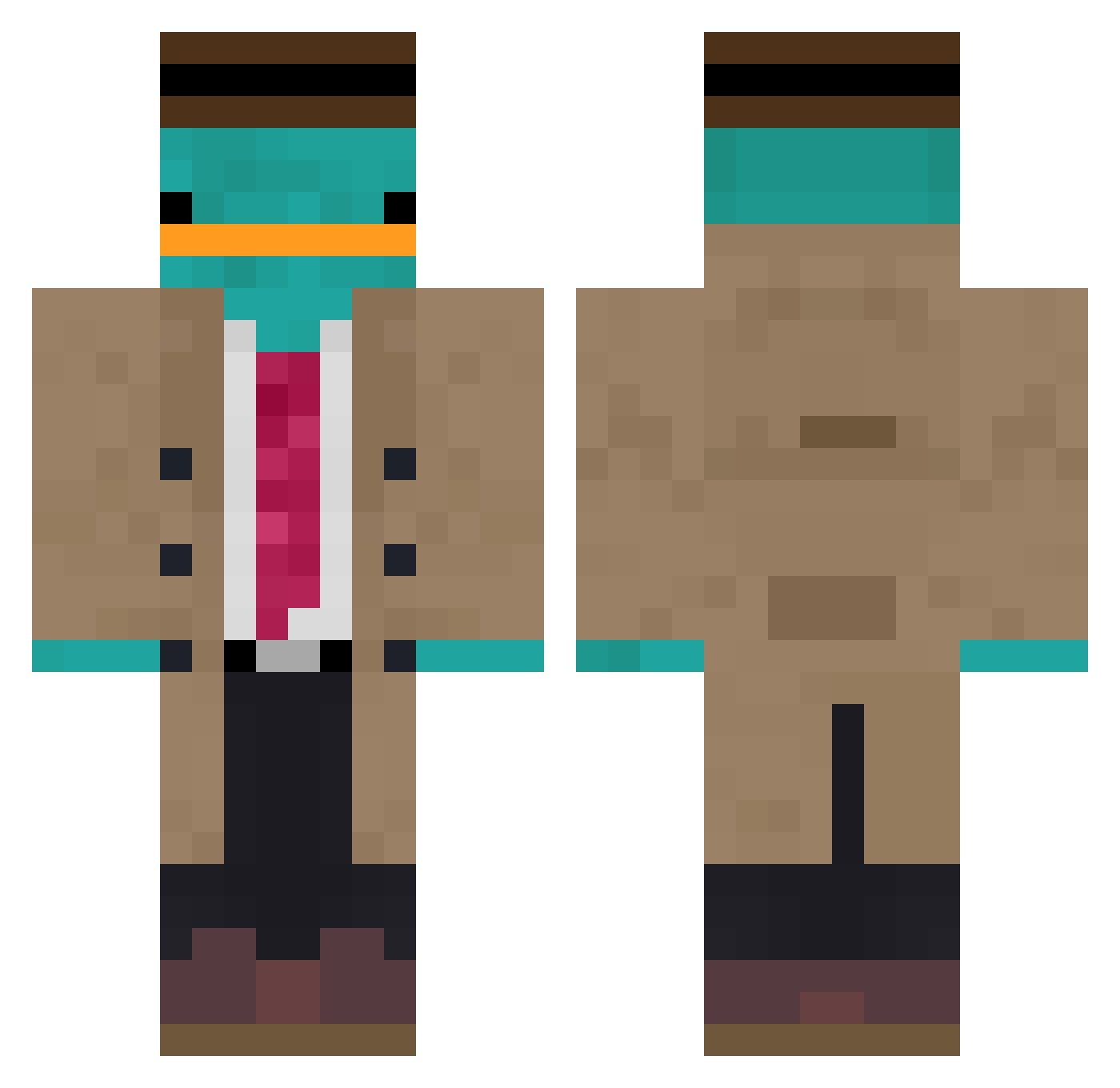
Current Minecraft skin of the player JPudj, loaded from the official Mojang API. Rotate the 3D model with your mouse or finger, then download the skin as a PNG file and use it in Minecraft: Bedrock Edition or Java Edition for free. When JPudj changes their skin, this page updates automatically and the old skin stays in the history below.
Other players with this skin (867)
JPudj was the 119th player we have seen with this skin, first spotted on 05.08.2026. The same skin was seen on these players. Open a nickname to see their current skin and skin history.
 NWord2 Bushman711 oni07br emirbishop MontyLeo Jly__ Focus0708 Daniluxx DUMPo_0 yigitozgurg Szpaku1504 space4all 0rkide IquickscopedMLK PrivateDuckie Null1ty HarryPr0pper JoeWinterz joaobros TuskedHydra bloouuno colechef82 Renan03062 CosTyNNNN Kirkmode Yubron babiesbreath G_G_EX reruha VyelleCosmos Lashlord Niklas1399 jesse21lopez skapteppe MasterStrix Slym0 Deathbr1nger898 Enze_Gamer duiculete Dogslop St3f4m twitchlonatv_ GodllyDoge Mineboss5000 Axigeek Okmas22 NiklasHD Demonangel243 Goodler_229 shen_zijie Talibanistan MrSnais Ashleycow W_A_R_B_E_A_S_T NouhBang Spaghettiislife Liliocelote Giga_Who lorenzopolino Cappum
More Platypus Minecraft skins
How to install the JPudj skin
- Press the Download button above to save the skin as a PNG file.
- Minecraft: Bedrock Edition (PE): open the Dressing Room from the main menu (or tap your character → Edit Character), go to Classic Skins → Owned, press the + (new skin) button, choose the downloaded PNG and pick the Classic (Steve) model. Works on PC and mobile; consoles cannot import custom skins.
- Minecraft: Java Edition: open the Minecraft Launcher, go to the Skins tab, click New Skin, load the PNG, pick the Classic (Steve) model and press Save & Use. You can also upload it at minecraft.net → Profile → Change Skin.
The skin does not show up after import - what should I do?
Restart Minecraft and open the Dressing Room again - imported skins sometimes appear only after a restart. Also make sure you selected the imported skin and picked the Classic (Steve) model.
Which model should I choose, Classic or Slim?
This skin is designed for the Classic (Steve) model. If you pick the wrong model, the arms of the skin will look stretched or squeezed.
Is the skin of JPudj free to download?
Yes. Press Download, save the PNG file and use it in Minecraft: Bedrock Edition or Java Edition - no payment or registration needed. The skin also works on multiplayer servers and Realms.
More skins
Looking for more? Go back to all Minecraft skins and check the top skins of the week, month and all time, or find any player's skin by nickname.