
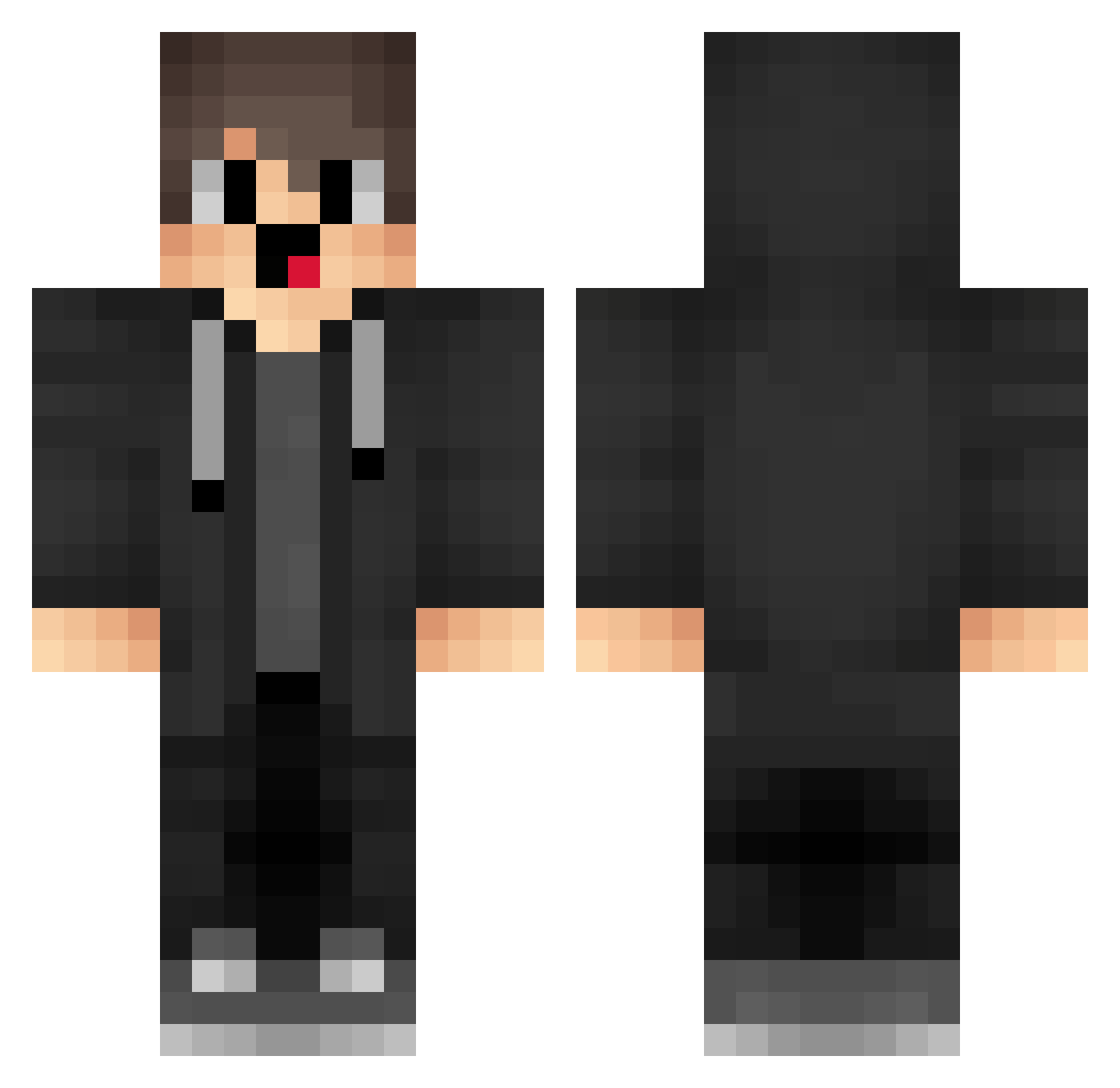
Current Minecraft skin of the player JJk814, loaded from the official Mojang API. Rotate the 3D model with your mouse or finger, then download the skin as a PNG file and use it in Minecraft: Bedrock Edition or Java Edition for free. When JJk814 changes their skin, this page updates automatically and the old skin stays in the history below.
Other players with this skin (1279)
JJk814 was the 32nd player we have seen with this skin, first spotted on 24.07.2026. The same skin was seen on these players. Open a nickname to see their current skin and skin history.
 HLJ406 box_LNKEtlAsQ556 sVw248 RwJ964 mbN448 box_IxQGtkKrv115 box_VnDVXawLL146 Nifty_Nate yoO767 jIO18 AAq359 lKw813 Sa3ura_2007 box_UBmZQVCYw329 zbH397 nqlek STc266 jUE708 5208 bGg72 roundstripes DsZ989 MisakaXGP_nvy941 DrippyDeath EmrahCkr LXx982 IxEIVA Wqn603
 aqvg YVl856 MX_Snow EKd340 GhR78 YRK782 CWE265 aKx900 BZQ57 Kqa275 noHacker_1 NMSense_oiuhwskl VcC276 Ama_pFSWvu_ranth mLl839 Rto666 FlK871 TEp899 BV13z421i7fW tHU914 Lpe994 qKT235 bbu130 bum831 TVr219 OtN907 MisakaXGP_TUv304 OYV458 vuW118 Psp118 SSA530 QRW879
How to install the JJk814 skin
- Press the Download button above to save the skin as a PNG file.
- Minecraft: Bedrock Edition (PE): open the Dressing Room from the main menu (or tap your character → Edit Character), go to Classic Skins → Owned, press the + (new skin) button, choose the downloaded PNG and pick the Classic (Steve) model. Works on PC and mobile; consoles cannot import custom skins.
- Minecraft: Java Edition: open the Minecraft Launcher, go to the Skins tab, click New Skin, load the PNG, pick the Classic (Steve) model and press Save & Use. You can also upload it at minecraft.net → Profile → Change Skin.
The skin does not show up after import - what should I do?
Restart Minecraft and open the Dressing Room again - imported skins sometimes appear only after a restart. Also make sure you selected the imported skin and picked the Classic (Steve) model.
Which model should I choose, Classic or Slim?
This skin is designed for the Classic (Steve) model. If you pick the wrong model, the arms of the skin will look stretched or squeezed.
Is the skin of JJk814 free to download?
Yes. Press Download, save the PNG file and use it in Minecraft: Bedrock Edition or Java Edition - no payment or registration needed. The skin also works on multiplayer servers and Realms.
More skins
Looking for more? Go back to all Minecraft skins and check the top skins of the week, month and all time, or find any player's skin by nickname.