
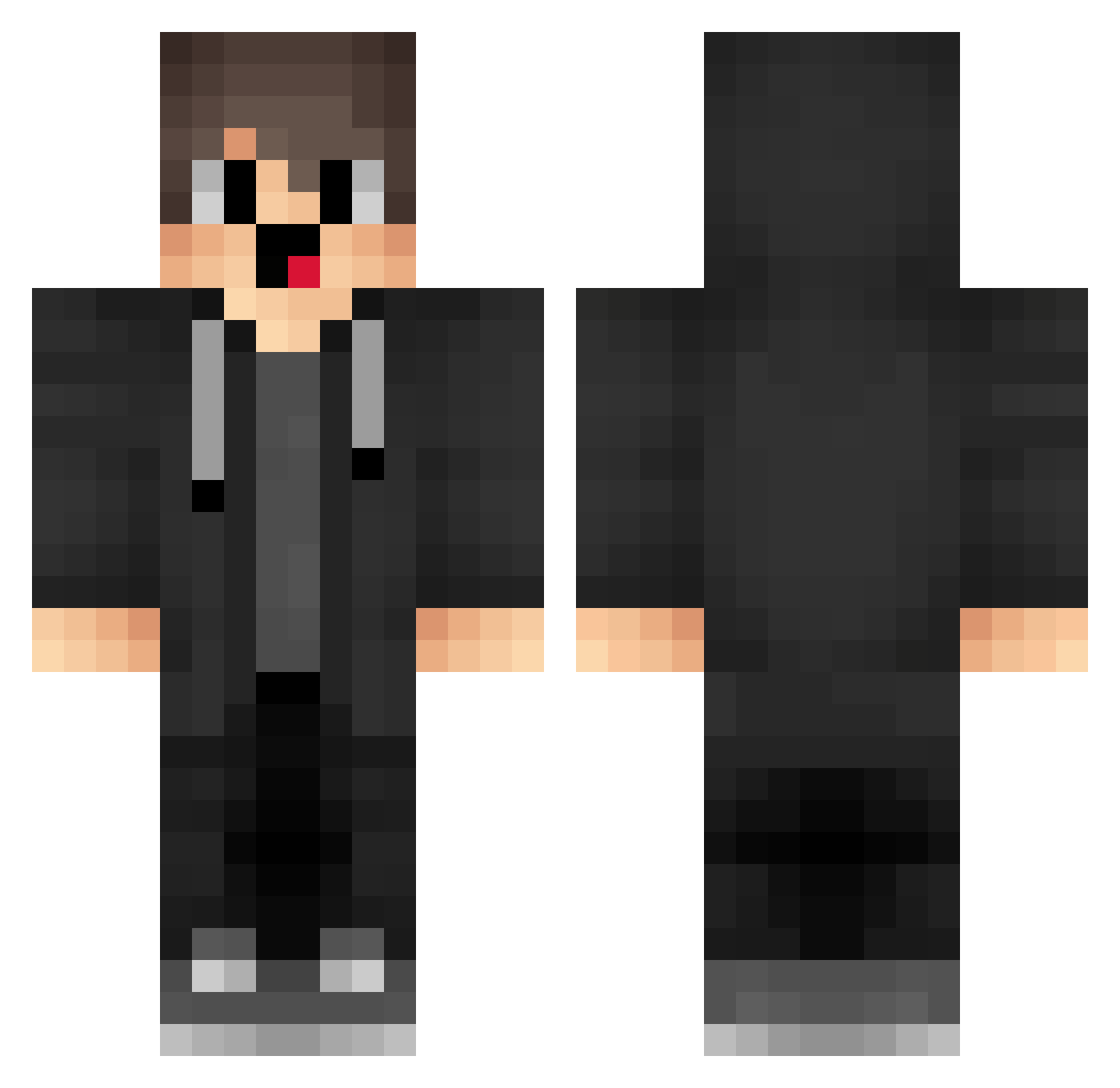
Current Minecraft skin of the player JJRoyale2, loaded from the official Mojang API. Rotate the 3D model with your mouse or finger, then download the skin as a PNG file and use it in Minecraft: Bedrock Edition or Java Edition for free. When JJRoyale2 changes their skin, this page updates automatically and the old skin stays in the history below.
Other players with this skin (1279)
JJRoyale2 was the 564th player we have seen with this skin, first spotted on 01.09.2026. The same skin was seen on these players. Open a nickname to see their current skin and skin history.
 Png703 CQq301 zrX620 yJu880 GodStars FiercePlum34791 Ama_oxXTST_ranth MuZhiGo nwZ350 iVD824 box_FUIINwMRu289 LCL409 Merryzzzzzz luckymc666 HUTAO_MH_Rfgw914 eVk243 puV422 cNT854 hiU541 uwU474 oWX67 OMI759 m0ch3ck3r pVr570 NPg184 sebi_206 aFS2 EZu884 Kqdly BlaseData842842 QFw330 lFY302 XWj875 cuI985 NnD188 FWH14 nfy495 LyR532 oUB981 FuF250 oDF508 tsP942 dhn105 gTx285 Cnu663 YWD298 AsN405 mbd31 CheatWithBlink13 aih730 EGO353 cpZ323 AMZ520 lNS703 jrZ908 Gzw295 box_FEAifKANz697 ZtN92 lZc640 GCH310
How to install the JJRoyale2 skin
- Press the Download button above to save the skin as a PNG file.
- Minecraft: Bedrock Edition (PE): open the Dressing Room from the main menu (or tap your character → Edit Character), go to Classic Skins → Owned, press the + (new skin) button, choose the downloaded PNG and pick the Classic (Steve) model. Works on PC and mobile; consoles cannot import custom skins.
- Minecraft: Java Edition: open the Minecraft Launcher, go to the Skins tab, click New Skin, load the PNG, pick the Classic (Steve) model and press Save & Use. You can also upload it at minecraft.net → Profile → Change Skin.
The skin does not show up after import - what should I do?
Restart Minecraft and open the Dressing Room again - imported skins sometimes appear only after a restart. Also make sure you selected the imported skin and picked the Classic (Steve) model.
Which model should I choose, Classic or Slim?
This skin is designed for the Classic (Steve) model. If you pick the wrong model, the arms of the skin will look stretched or squeezed.
Is the skin of JJRoyale2 free to download?
Yes. Press Download, save the PNG file and use it in Minecraft: Bedrock Edition or Java Edition - no payment or registration needed. The skin also works on multiplayer servers and Realms.
More skins
Looking for more? Go back to all Minecraft skins and check the top skins of the week, month and all time, or find any player's skin by nickname.