
JC_Lara - Minecraft Skins & Skin History
Current Minecraft skin of the player JC_Lara, loaded from the official Mojang API. Rotate the 3D model with your mouse or finger, then download the skin as a PNG file and use it in Minecraft: Bedrock Edition or Java Edition for free. When JC_Lara changes their skin, this page updates automatically and the old skin stays in the history below.
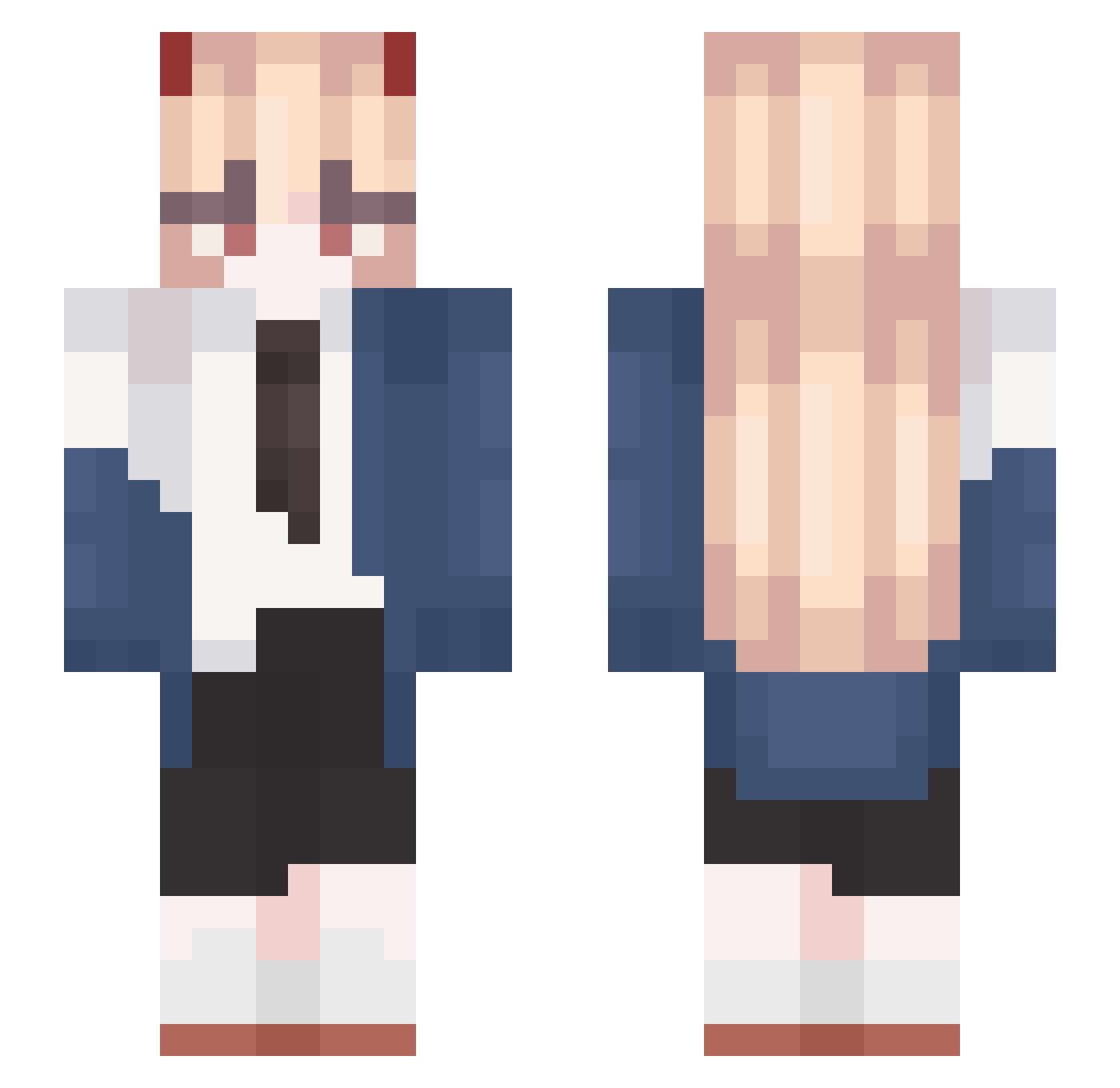
Other players with this skin (568)
JC_Lara was the 457th player we have seen with this skin, first spotted on 13.10.2026. The same skin was seen on these players. Open a nickname to see their current skin and skin history.
 CARLB0T BladeForm Myzkat02 Kai1168 junki_0930 im_so_hot sendadaren lSrAdri4n guillej2 sigmamama D0ppi02 huhwhatyuh onedayIwastrain Qiv0 fajakibs yawarakasozai kyunndere Nimacori elasado BananaPhoness AzulaMC Xryy6631 Carcinco DragonMaster7836 nnnnnninn Kazun11 CloudSay Crosixx DMNM SUNGBIN_11 loappleol arque10 una233 Steve112358 sarahxps FireKid80808 Daniella_pro brandflakes567 ribiberry BROWDER1 sofaking0508 rnjstjdgh123 _ILoveUIHxteU Jae1127 sleepyreap1 TakedaIsHot Whitefang1305 ThyLuckyOnee nalmada fanlous 8toto8 Liadrel Sir_Nik__ xieshang2296899 barnabyn felix_1170 ID11O4 Lupcs ElinOkita iLuci
More Power Minecraft skins
How to install the JC_Lara skin
- Press the Download button above to save the skin as a PNG file.
- Minecraft: Bedrock Edition (PE): open the Dressing Room from the main menu (or tap your character → Edit Character), go to Classic Skins → Owned, press the + (new skin) button, choose the downloaded PNG and pick the Slim (Alex) model. Works on PC and mobile; consoles cannot import custom skins.
- Minecraft: Java Edition: open the Minecraft Launcher, go to the Skins tab, click New Skin, load the PNG, pick the Slim (Alex) model and press Save & Use. You can also upload it at minecraft.net → Profile → Change Skin.
The skin does not show up after import - what should I do?
Restart Minecraft and open the Dressing Room again - imported skins sometimes appear only after a restart. Also make sure you selected the imported skin and picked the Slim (Alex) model.
Which model should I choose, Classic or Slim?
This skin is designed for the Slim (Alex) model. If you pick the wrong model, the arms of the skin will look stretched or squeezed.
Is the skin of JC_Lara free to download?
Yes. Press Download, save the PNG file and use it in Minecraft: Bedrock Edition or Java Edition - no payment or registration needed. The skin also works on multiplayer servers and Realms.
More skins
Looking for more? Go back to all Minecraft skins and check the top skins of the week, month and all time, or find any player's skin by nickname.