
JAKETHESNAKE607 - Minecraft Skins & Skin History
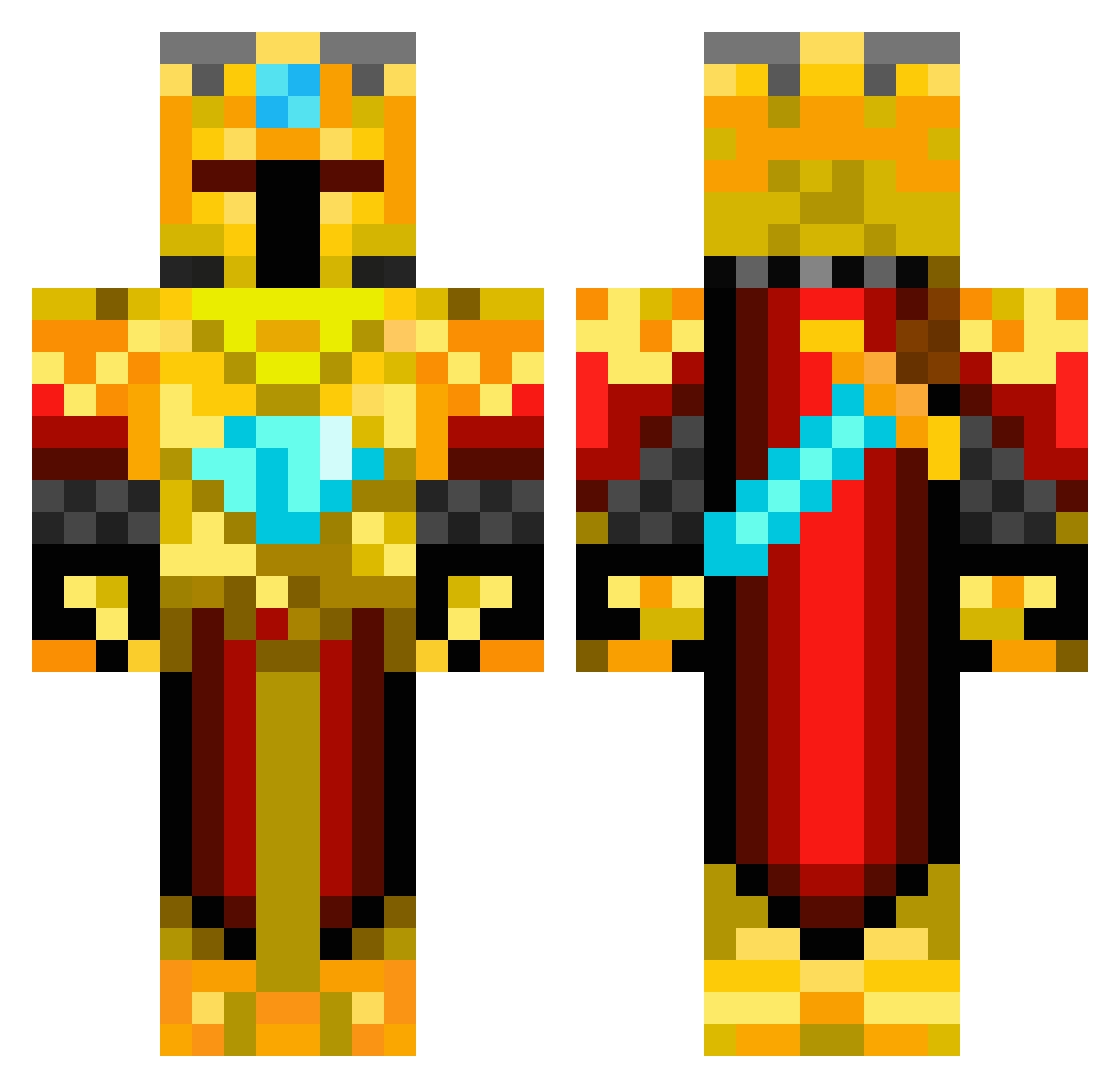
Current Minecraft skin of the player JAKETHESNAKE607, loaded from the official Mojang API. Rotate the 3D model with your mouse or finger, then download the skin as a PNG file and use it in Minecraft: Bedrock Edition or Java Edition for free. When JAKETHESNAKE607 changes their skin, this page updates automatically and the old skin stays in the history below.
Other players with this skin (419)
JAKETHESNAKE607 was the 166th player we have seen with this skin, first spotted on 01.09.2026. The same skin was seen on these players. Open a nickname to see their current skin and skin history.
 JamesAndrewR JakeC628 BBall_Legend20 Ondaben HoneybeeMiles Dalor02 Axon1980 ncn04 Paome2 emilg1234 MerlynDoom wigulf milan3103 Darkri334 Ender_Dragon323 Eandas JDMCDude Impaired1122 Epix120_ SuperJonny2000 CoopOnMinecraft9 NeymarDez King_Cam23 Minecraft___King tjengeron butterninga2012 ButterBoy531 Saltyghost ryan09172001 thebutterpolice GavDog56 FEARtheFRO Tbest20 Kleinertoy Lukerossi Lord_Daireus Chezzy DaBoss90 Guerillah chocoboy123 Fyrewalker MrFaCe01 Konriking Carloss23 Henderman22 RetahdedCrobahhh KHKKRIF idcofing Freakskills hope92698 Maattyy99 BusyB33 reymystyrio16 Dragonbolt4 ejorgy1994 plingpling BellumHeros Halodog123 ank122004 mathiasqaz
More Golden Armor Minecraft skins
See all 170 Golden Armor skins
How to install the JAKETHESNAKE607 skin
- Press the Download button above to save the skin as a PNG file.
- Minecraft: Bedrock Edition (PE): open the Dressing Room from the main menu (or tap your character → Edit Character), go to Classic Skins → Owned, press the + (new skin) button, choose the downloaded PNG and pick the Classic (Steve) model. Works on PC and mobile; consoles cannot import custom skins.
- Minecraft: Java Edition: open the Minecraft Launcher, go to the Skins tab, click New Skin, load the PNG, pick the Classic (Steve) model and press Save & Use. You can also upload it at minecraft.net → Profile → Change Skin.
The skin does not show up after import - what should I do?
Restart Minecraft and open the Dressing Room again - imported skins sometimes appear only after a restart. Also make sure you selected the imported skin and picked the Classic (Steve) model.
Which model should I choose, Classic or Slim?
This skin is designed for the Classic (Steve) model. If you pick the wrong model, the arms of the skin will look stretched or squeezed.
Is the skin of JAKETHESNAKE607 free to download?
Yes. Press Download, save the PNG file and use it in Minecraft: Bedrock Edition or Java Edition - no payment or registration needed. The skin also works on multiplayer servers and Realms.
More skins
Looking for more? Go back to all Minecraft skins and check the top skins of the week, month and all time, or find any player's skin by nickname.