
Izumou - Minecraft Skins & Skin History
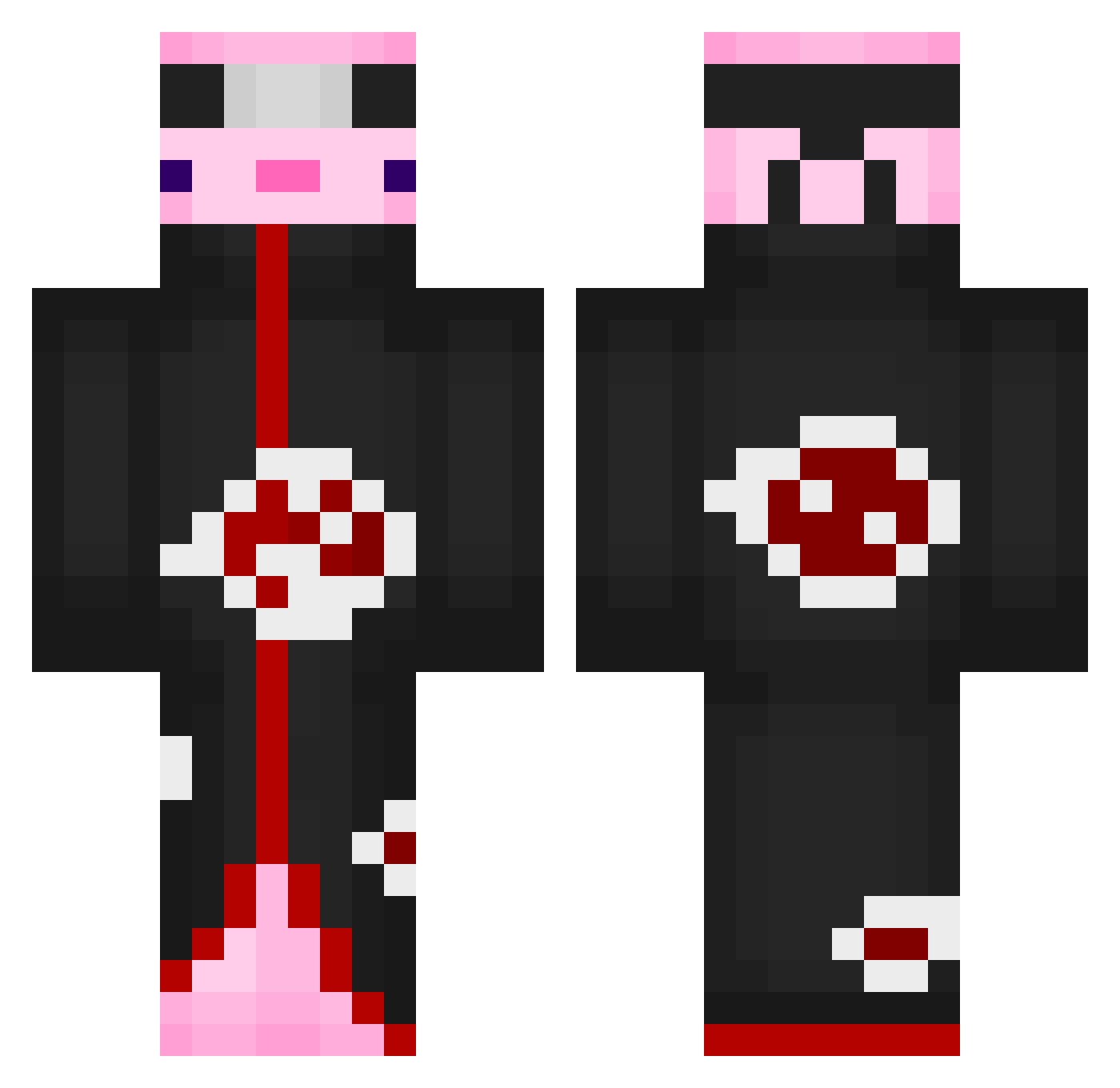
Current Minecraft skin of the player Izumou, loaded from the official Mojang API. Rotate the 3D model with your mouse or finger, then download the skin as a PNG file and use it in Minecraft: Bedrock Edition or Java Edition for free. When Izumou changes their skin, this page updates automatically and the old skin stays in the history below.
Other players with this skin (552)
Izumou was the 378th player we have seen with this skin, first spotted on 30.09.2026. The same skin was seen on these players. Open a nickname to see their current skin and skin history.
 LJayy11 ArthurBlade_ Tu0zz_0 lunisi Joschyou TonChienEnTutu zandercont Anonymax77 ch1huahua Molkis255 alkoloic Ay5z PhantomCoast364 CyrusL0 jmkahs luca_727 EvilAdri MASAKIKU Risuke033 Stevanoooo MrAyers16 Prozin_sx noab445 Humber7o JoDo2000 bloomstaken ESBY2T na0mi_mimi Ciphex KathrynF1111 Azako00 MrYoHadaHada Ida7189 leetaeho71 Kass444 SmokeyRiku Benni_955 AliCrysis GalavizC Farhadlul BuckyLarson88 aqua__dude oso_panqueque epicquickscope_4 980502BEAR Corqil peter171028 PlayGGuys Hao0325 Electro_Alex Alekssander OverallRock21 Squartlex NotSniperMan YUITYUIL Lebkuchen339 xlebushek123123 yuK1ch4 Slixcee Nzymaa
More Akatsuki Minecraft skins
How to install the Izumou skin
- Press the Download button above to save the skin as a PNG file.
- Minecraft: Bedrock Edition (PE): open the Dressing Room from the main menu (or tap your character → Edit Character), go to Classic Skins → Owned, press the + (new skin) button, choose the downloaded PNG and pick the Classic (Steve) model. Works on PC and mobile; consoles cannot import custom skins.
- Minecraft: Java Edition: open the Minecraft Launcher, go to the Skins tab, click New Skin, load the PNG, pick the Classic (Steve) model and press Save & Use. You can also upload it at minecraft.net → Profile → Change Skin.
The skin does not show up after import - what should I do?
Restart Minecraft and open the Dressing Room again - imported skins sometimes appear only after a restart. Also make sure you selected the imported skin and picked the Classic (Steve) model.
Which model should I choose, Classic or Slim?
This skin is designed for the Classic (Steve) model. If you pick the wrong model, the arms of the skin will look stretched or squeezed.
Is the skin of Izumou free to download?
Yes. Press Download, save the PNG file and use it in Minecraft: Bedrock Edition or Java Edition - no payment or registration needed. The skin also works on multiplayer servers and Realms.
More skins
Looking for more? Go back to all Minecraft skins and check the top skins of the week, month and all time, or find any player's skin by nickname.