
IvanMasterHD - Minecraft Skins & Skin History
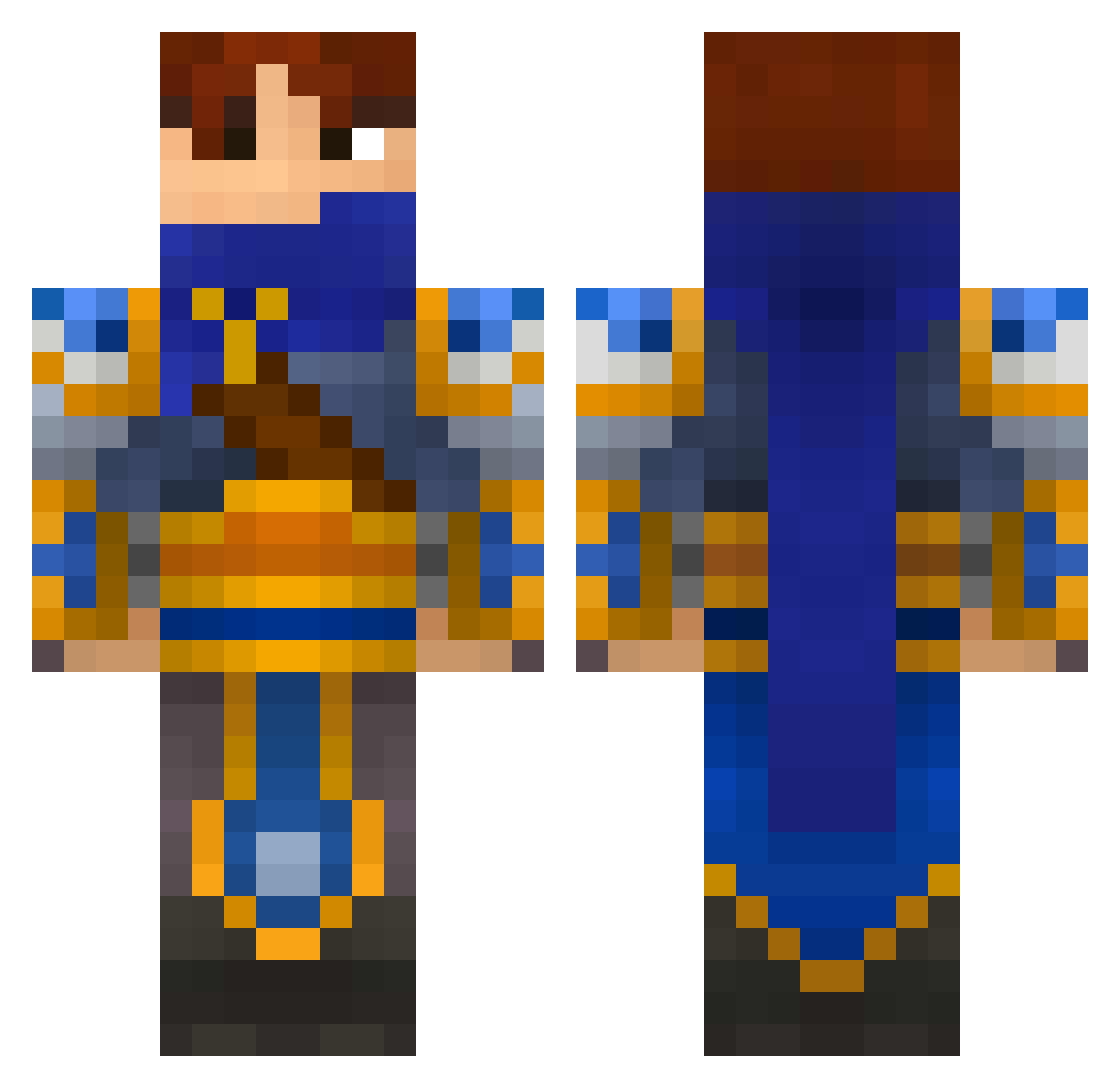
Current Minecraft skin of the player IvanMasterHD, loaded from the official Mojang API. Rotate the 3D model with your mouse or finger, then download the skin as a PNG file and use it in Minecraft: Bedrock Edition or Java Edition for free. When IvanMasterHD changes their skin, this page updates automatically and the old skin stays in the history below.
Other players with this skin (170)
IvanMasterHD was the 47th player we have seen with this skin, first spotted on 21.08.2026. The same skin was seen on these players. Open a nickname to see their current skin and skin history.
 MrPixiio ghost_wolf2016 TEKXS Koeles woaiKFC Mathis69pelo felixbelex Hambaluk wieselotter Nef4las Galilebro rookieYOON J_ci Pimpalella TORRE91 TREFEKING ZYDDY10 peelard Arlesch _Mitocraft_ Ahmechi pedrigan2000
 maxonyx666 Luncoln7 onpc CapinQueso Wokenshield IPlay_LP Embeddedsilver2 Yiiimu BIGBOG2333 C1oudX_X Bestia1790 Lord_Shadowsbane Charki34 Hafnium_1 Cali033 Moetology Nieraki xavi1990 trosstn SirSaintSnake2 J0X2 StonyMonster564 Hasu_0513 kkking123 Death4Rent FALANMMM choch25 Babushka153 Mr_Bipppp chuanweimian Ephreim Karlosey Elsa_Frost minecraftst0re17 rymcimcim ppbert 1erGaou NoahXO
More Fantasy Minecraft skins
How to install the IvanMasterHD skin
- Press the Download button above to save the skin as a PNG file.
- Minecraft: Bedrock Edition (PE): open the Dressing Room from the main menu (or tap your character → Edit Character), go to Classic Skins → Owned, press the + (new skin) button, choose the downloaded PNG and pick the Classic (Steve) model. Works on PC and mobile; consoles cannot import custom skins.
- Minecraft: Java Edition: open the Minecraft Launcher, go to the Skins tab, click New Skin, load the PNG, pick the Classic (Steve) model and press Save & Use. You can also upload it at minecraft.net → Profile → Change Skin.
The skin does not show up after import - what should I do?
Restart Minecraft and open the Dressing Room again - imported skins sometimes appear only after a restart. Also make sure you selected the imported skin and picked the Classic (Steve) model.
Which model should I choose, Classic or Slim?
This skin is designed for the Classic (Steve) model. If you pick the wrong model, the arms of the skin will look stretched or squeezed.
Is the skin of IvanMasterHD free to download?
Yes. Press Download, save the PNG file and use it in Minecraft: Bedrock Edition or Java Edition - no payment or registration needed. The skin also works on multiplayer servers and Realms.
More skins
Looking for more? Go back to all Minecraft skins and check the top skins of the week, month and all time, or find any player's skin by nickname.