
Isra0416 - Minecraft Skins & Skin History
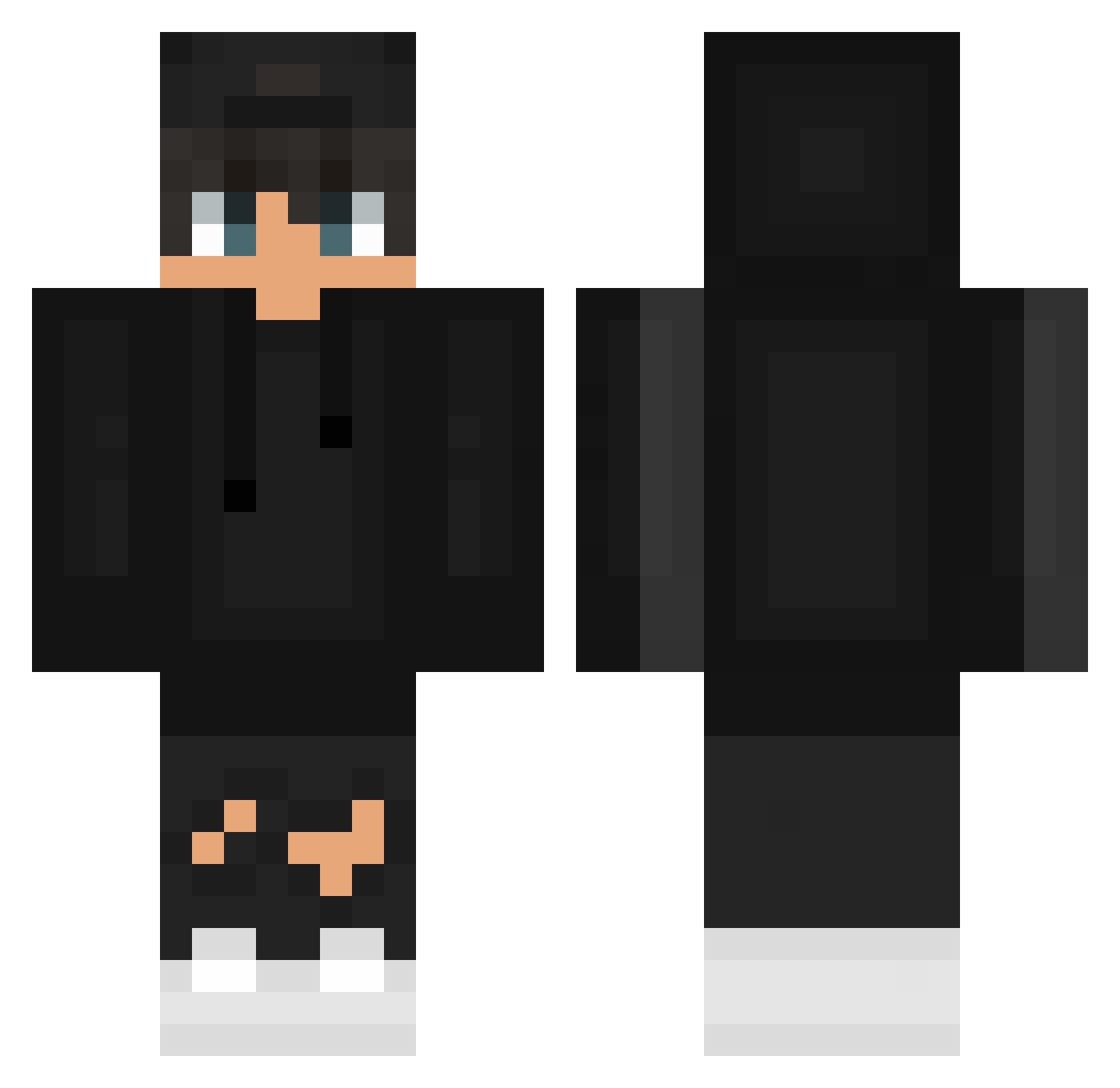
Current Minecraft skin of the player Isra0416, loaded from the official Mojang API. Rotate the 3D model with your mouse or finger, then download the skin as a PNG file and use it in Minecraft: Bedrock Edition or Java Edition for free. When Isra0416 changes their skin, this page updates automatically and the old skin stays in the history below.
Other players with this skin (628)
Isra0416 was the 375th player we have seen with this skin, first spotted on 29.09.2026. The same skin was seen on these players. Open a nickname to see their current skin and skin history.
 Archer_54 Snotra_Saga IliasAndKitty123 egoismic tu16212 Jooriiiss urboighost MrZimoneq solite02 imChunkyD0ry Mahoraga89 Johnnyelpro82 ShiNNy10 SAVAGE_SHA xProLex ilgino17dodo Telmioo Rocker2506 CaveyJr Oggyxic7 RealDege GaryJasper 3z0_2 _m3y_ Kodyccc HaxorusFr DedeMallen TakeThisRatio yRyzzmac Piecko xTryLamaMC Anonimowy9445 gekisora12 posterland8103 tavip RockMint0910 mrozemrozekk Norgedaviking Tobi6117 dawix64 MarceloDsauter Braimus mr_br00m rhy1thm Itzz_MeLegend_ DriftiorasPacas LGE_NIXU Tomica12 Ivsoneqq pitaking BenziMcFly DuduleLeVrai BBackbbackE2 Morty92 06MK06 Fxwa K_ten Hanjio477 Vorraa Alexov_minecraft
How to install the Isra0416 skin
- Press the Download button above to save the skin as a PNG file.
- Minecraft: Bedrock Edition (PE): open the Dressing Room from the main menu (or tap your character → Edit Character), go to Classic Skins → Owned, press the + (new skin) button, choose the downloaded PNG and pick the Classic (Steve) model. Works on PC and mobile; consoles cannot import custom skins.
- Minecraft: Java Edition: open the Minecraft Launcher, go to the Skins tab, click New Skin, load the PNG, pick the Classic (Steve) model and press Save & Use. You can also upload it at minecraft.net → Profile → Change Skin.
The skin does not show up after import - what should I do?
Restart Minecraft and open the Dressing Room again - imported skins sometimes appear only after a restart. Also make sure you selected the imported skin and picked the Classic (Steve) model.
Which model should I choose, Classic or Slim?
This skin is designed for the Classic (Steve) model. If you pick the wrong model, the arms of the skin will look stretched or squeezed.
Is the skin of Isra0416 free to download?
Yes. Press Download, save the PNG file and use it in Minecraft: Bedrock Edition or Java Edition - no payment or registration needed. The skin also works on multiplayer servers and Realms.
More skins
Looking for more? Go back to all Minecraft skins and check the top skins of the week, month and all time, or find any player's skin by nickname.