
IsakVissing - Minecraft Skins & Skin History
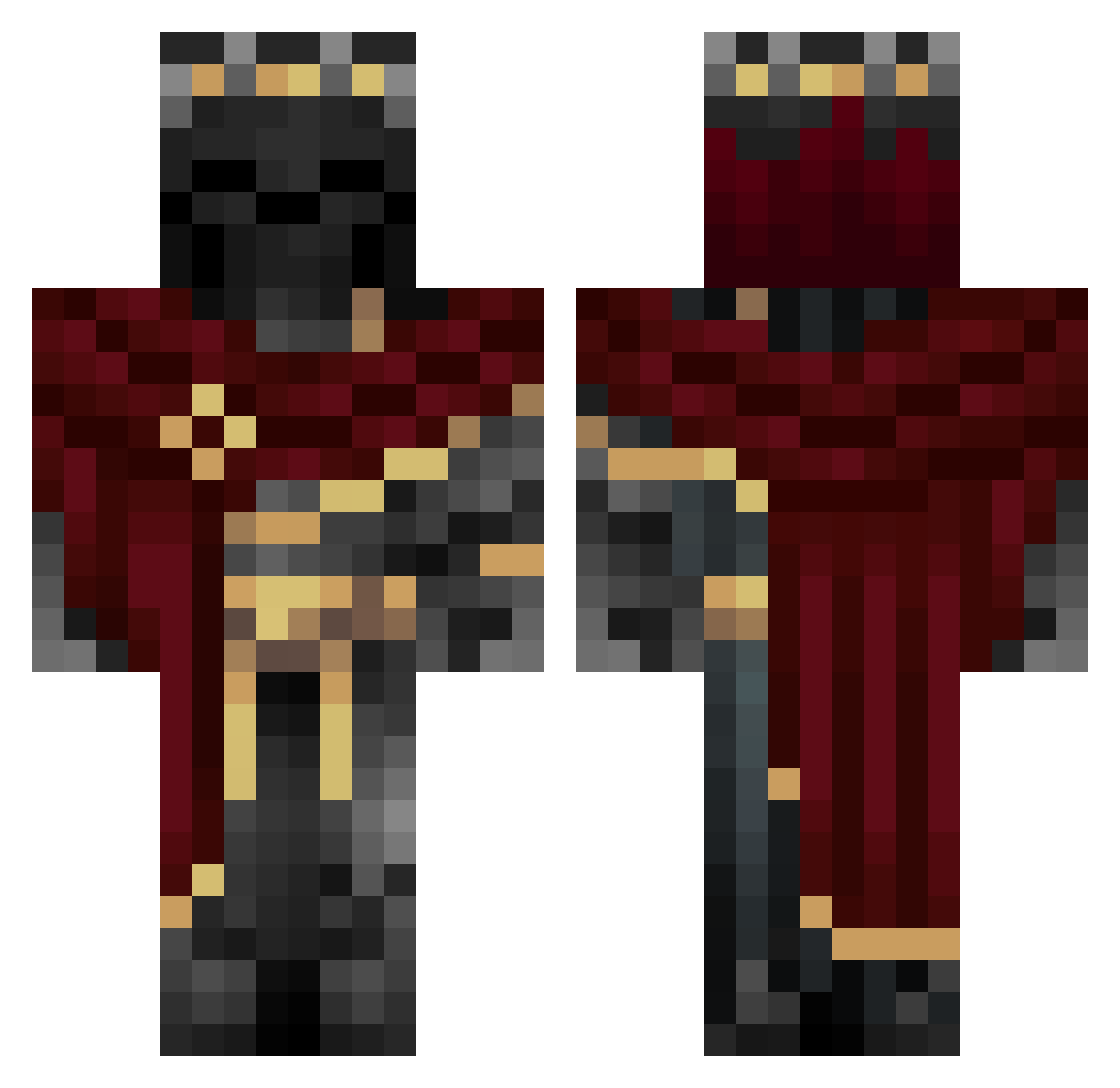
Current Minecraft skin of the player IsakVissing, loaded from the official Mojang API. Rotate the 3D model with your mouse or finger, then download the skin as a PNG file and use it in Minecraft: Bedrock Edition or Java Edition for free. When IsakVissing changes their skin, this page updates automatically and the old skin stays in the history below.
Other players with this skin (1006)
IsakVissing was the 22nd player we have seen with this skin, first spotted on 23.07.2026. The same skin was seen on these players. Open a nickname to see their current skin and skin history.
 deathstriker390 T0YB0X Marostica05 Lunatix03 theca_ Sh4d0wn RustyCrack69 riammu AceOfSpades1022 HMSA5 mxxv8 _Knows___ _takitaki Jgl701 Seven_killing YaBoiZone Joshiboi04 Dtravel3r Bevensback 830gmipioaer_rda
 Lobzin minjaehwi JaviWinEz srcat69 michaelri15 LoneWolfest82 iLucas0_ LichKing7744 MARTINBANANA Albwancake _Sparda_ CrimsonReaper2 wikes01 ChickenOTC NightFury_8 Kenkyoch Senkosan8239589 Drift5726 Darkdragon_12919 Dark_death112 Pixorr Warahail ra6y Niceman081 MyGame365 Ehk0e Thz0 aplb12qw BCsBarni Dustik59 Immy05x Demon13579 Clemsyx shadowing055 HollowHowl Razvanor z33k_mc Deathless_Knight
 Wumbalol Izcxll
More King Minecraft skins
How to install the IsakVissing skin
- Press the Download button above to save the skin as a PNG file.
- Minecraft: Bedrock Edition (PE): open the Dressing Room from the main menu (or tap your character → Edit Character), go to Classic Skins → Owned, press the + (new skin) button, choose the downloaded PNG and pick the Classic (Steve) model. Works on PC and mobile; consoles cannot import custom skins.
- Minecraft: Java Edition: open the Minecraft Launcher, go to the Skins tab, click New Skin, load the PNG, pick the Classic (Steve) model and press Save & Use. You can also upload it at minecraft.net → Profile → Change Skin.
The skin does not show up after import - what should I do?
Restart Minecraft and open the Dressing Room again - imported skins sometimes appear only after a restart. Also make sure you selected the imported skin and picked the Classic (Steve) model.
Which model should I choose, Classic or Slim?
This skin is designed for the Classic (Steve) model. If you pick the wrong model, the arms of the skin will look stretched or squeezed.
Is the skin of IsakVissing free to download?
Yes. Press Download, save the PNG file and use it in Minecraft: Bedrock Edition or Java Edition - no payment or registration needed. The skin also works on multiplayer servers and Realms.
More skins
Looking for more? Go back to all Minecraft skins and check the top skins of the week, month and all time, or find any player's skin by nickname.