
IsaiahKhaoz - Minecraft Skins & Skin History
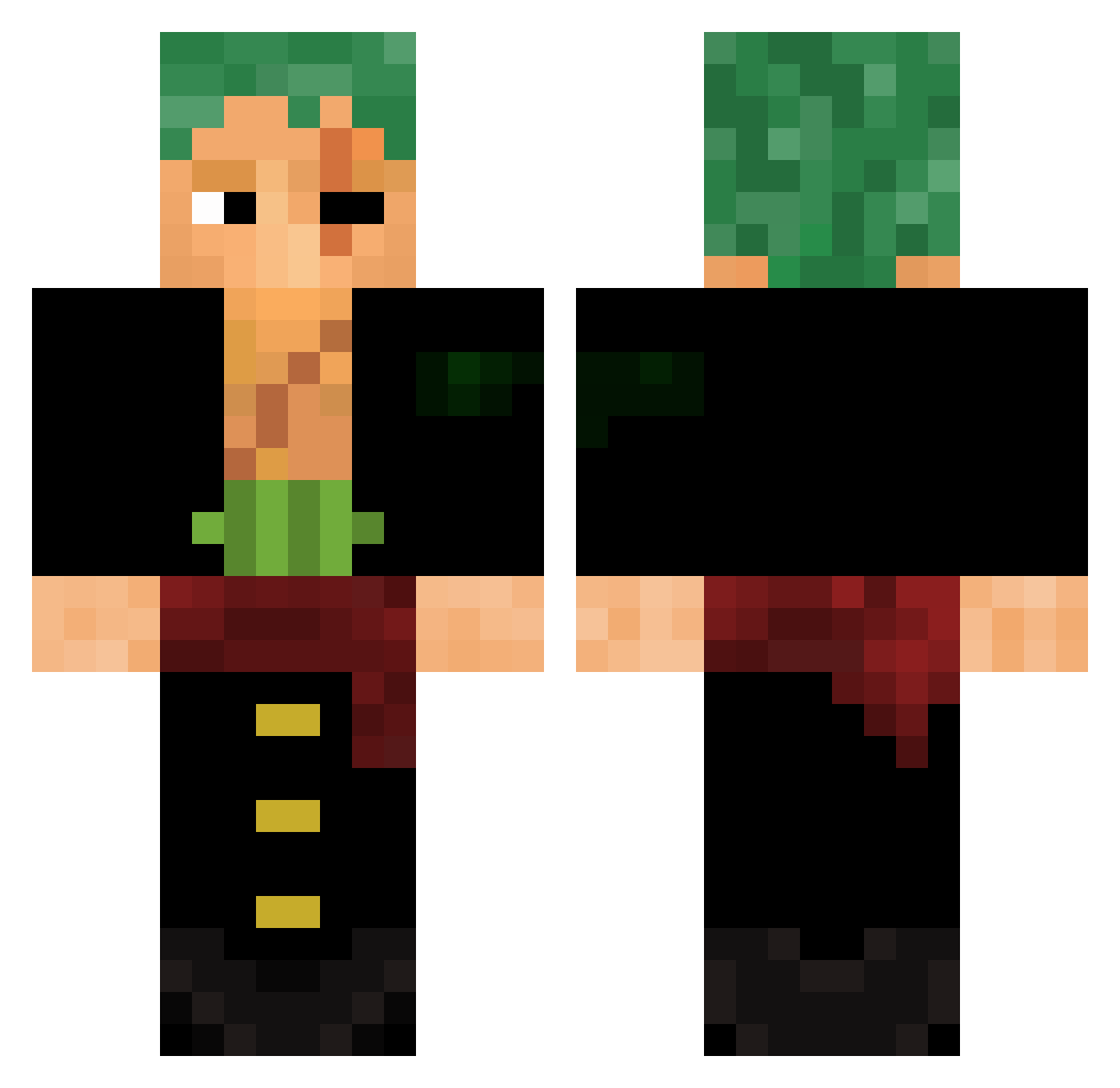
Current Minecraft skin of the player IsaiahKhaoz, loaded from the official Mojang API. Rotate the 3D model with your mouse or finger, then download the skin as a PNG file and use it in Minecraft: Bedrock Edition or Java Edition for free. When IsaiahKhaoz changes their skin, this page updates automatically and the old skin stays in the history below.
Other players with this skin (672)
IsaiahKhaoz was the 638th player we have seen with this skin, first spotted on 15.11.2026. The same skin was seen on these players. Open a nickname to see their current skin and skin history.
 SaveTheKiwis ThunderBlaack lfdp _Draken_Kun Eldelbar9 ZataraGod ZORO0110 rodi0037 Ishbaal24 Rayan4471 B3r1c0 Faisall_ AlphaNesse s3m3m4n lazuribere Atxmiccc Achilleusgod nesraClol Sagry98 Gexther234 Monkey_D_Atakan GabrielCoradin flohopf1 CookieDawg 7lj5 Flygohr Abdomhinn euvitinho KobyQ Jean_CDC KuyaZoro xMathu93 _TBou_AnGeJlo4eK MoodyWasp LukeAGT KingLouis014 Spankerboy TTomazos _priv iQuiKzU commanderPopy Rxy350 TechnoLogiRTX Neko_Toast ZorroPiece SaggitariusThanu juanM_11 destroyr2019 magutnut kozuxii YU1002 FaRRioRoV jaxsg_0 bigfootgolfer Abanoz58 wsh0 Pa70 Malte_Creeper Chad1 Zaftiago
More Roronoa Zoro Minecraft skins
See all 366 Roronoa Zoro skins
How to install the IsaiahKhaoz skin
- Press the Download button above to save the skin as a PNG file.
- Minecraft: Bedrock Edition (PE): open the Dressing Room from the main menu (or tap your character → Edit Character), go to Classic Skins → Owned, press the + (new skin) button, choose the downloaded PNG and pick the Classic (Steve) model. Works on PC and mobile; consoles cannot import custom skins.
- Minecraft: Java Edition: open the Minecraft Launcher, go to the Skins tab, click New Skin, load the PNG, pick the Classic (Steve) model and press Save & Use. You can also upload it at minecraft.net → Profile → Change Skin.
The skin does not show up after import - what should I do?
Restart Minecraft and open the Dressing Room again - imported skins sometimes appear only after a restart. Also make sure you selected the imported skin and picked the Classic (Steve) model.
Which model should I choose, Classic or Slim?
This skin is designed for the Classic (Steve) model. If you pick the wrong model, the arms of the skin will look stretched or squeezed.
Is the skin of IsaiahKhaoz free to download?
Yes. Press Download, save the PNG file and use it in Minecraft: Bedrock Edition or Java Edition - no payment or registration needed. The skin also works on multiplayer servers and Realms.
More skins
Looking for more? Go back to all Minecraft skins and check the top skins of the week, month and all time, or find any player's skin by nickname.