
Irucanji - Minecraft Skins & Skin History
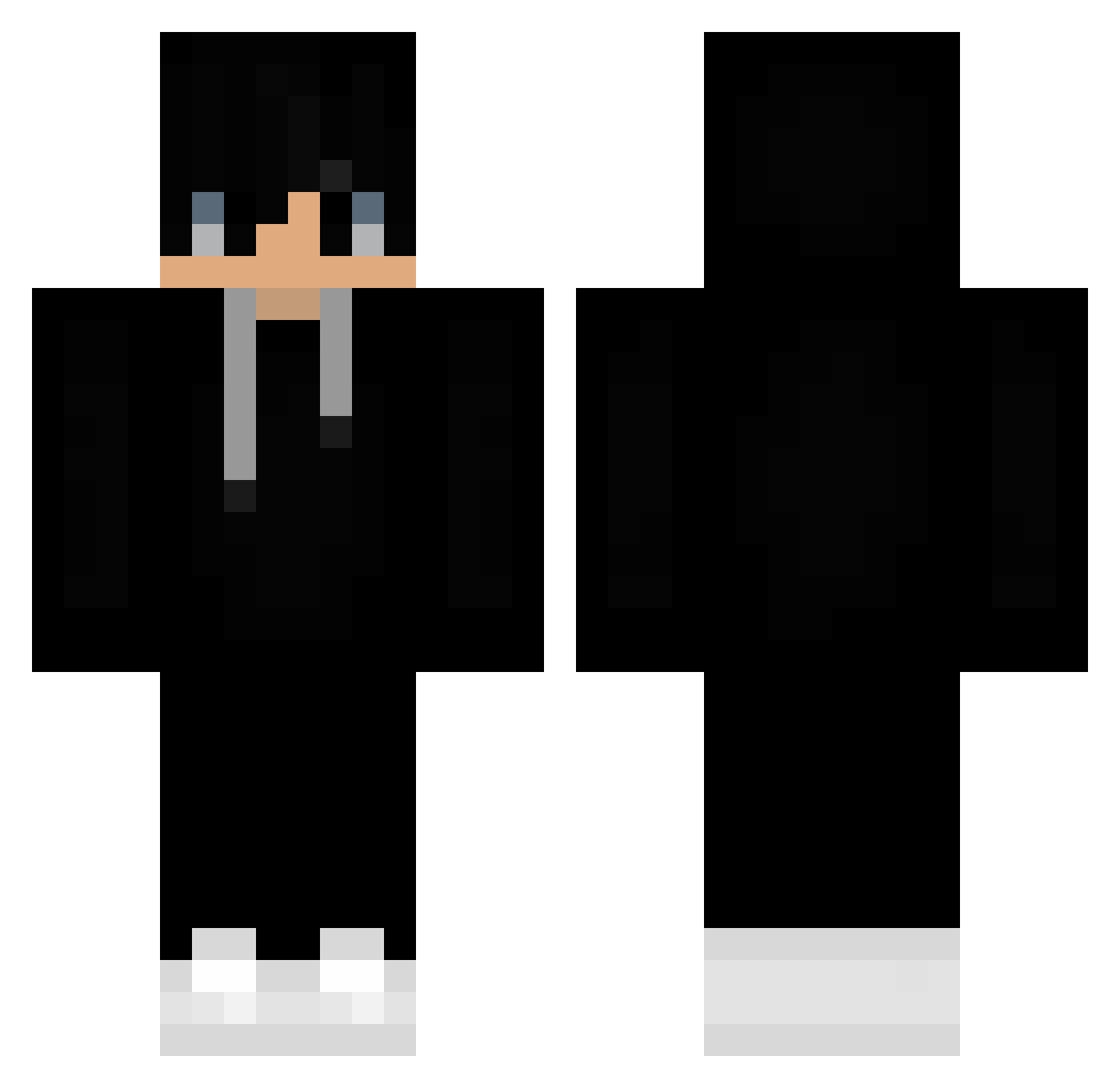
Current Minecraft skin of the player Irucanji, loaded from the official Mojang API. Rotate the 3D model with your mouse or finger, then download the skin as a PNG file and use it in Minecraft: Bedrock Edition or Java Edition for free. When Irucanji changes their skin, this page updates automatically and the old skin stays in the history below.
Other players with this skin (383)
Irucanji was the 134th player we have seen with this skin, first spotted on 26.08.2026. The same skin was seen on these players. Open a nickname to see their current skin and skin history.
 Fal3n4ngel Jacopo155 Zachary11637 kkairsewrt0043 Umang_Raj
 theroyali Lavishshots monkeysky123ooh TheBrawlyWolf Frezzyx vhg000 SYCOclapz_ JustJay299 TNF_Reaper CheesyKow Diego_lmao Nextcall D1kX EricNathaniel OLDPSC Kristopher99 RhobischesIQ0 Saturnkarina Patek18 Cyberdelta88 Fresiy_23 Pazditokoks avbisi hahasmith1807 The_Xen0n spacesnacky RedLex1717 1I00 DNF7254 cyu115 TechnicallyIQ immanentTelepat JACthunderbird HumbertoZE18 KonePlay dylanncitoo BerenstienBear KalashnikO joonmo12 jude9595 M1SSTv Akiro57 Gurjot_Singh AndrewSki62 ink_MGR AkshayOnceAgain oKxzor Vivaan_02 Darlong12 Tigerx74 totalgameing94 kaede199611 SakuraBeerus Adix_256 EL_soory
More Sneakers Minecraft skins
How to install the Irucanji skin
- Press the Download button above to save the skin as a PNG file.
- Minecraft: Bedrock Edition (PE): open the Dressing Room from the main menu (or tap your character → Edit Character), go to Classic Skins → Owned, press the + (new skin) button, choose the downloaded PNG and pick the Classic (Steve) model. Works on PC and mobile; consoles cannot import custom skins.
- Minecraft: Java Edition: open the Minecraft Launcher, go to the Skins tab, click New Skin, load the PNG, pick the Classic (Steve) model and press Save & Use. You can also upload it at minecraft.net → Profile → Change Skin.
The skin does not show up after import - what should I do?
Restart Minecraft and open the Dressing Room again - imported skins sometimes appear only after a restart. Also make sure you selected the imported skin and picked the Classic (Steve) model.
Which model should I choose, Classic or Slim?
This skin is designed for the Classic (Steve) model. If you pick the wrong model, the arms of the skin will look stretched or squeezed.
Is the skin of Irucanji free to download?
Yes. Press Download, save the PNG file and use it in Minecraft: Bedrock Edition or Java Edition - no payment or registration needed. The skin also works on multiplayer servers and Realms.
More skins
Looking for more? Go back to all Minecraft skins and check the top skins of the week, month and all time, or find any player's skin by nickname.