
Inspects - Minecraft Skins & Skin History
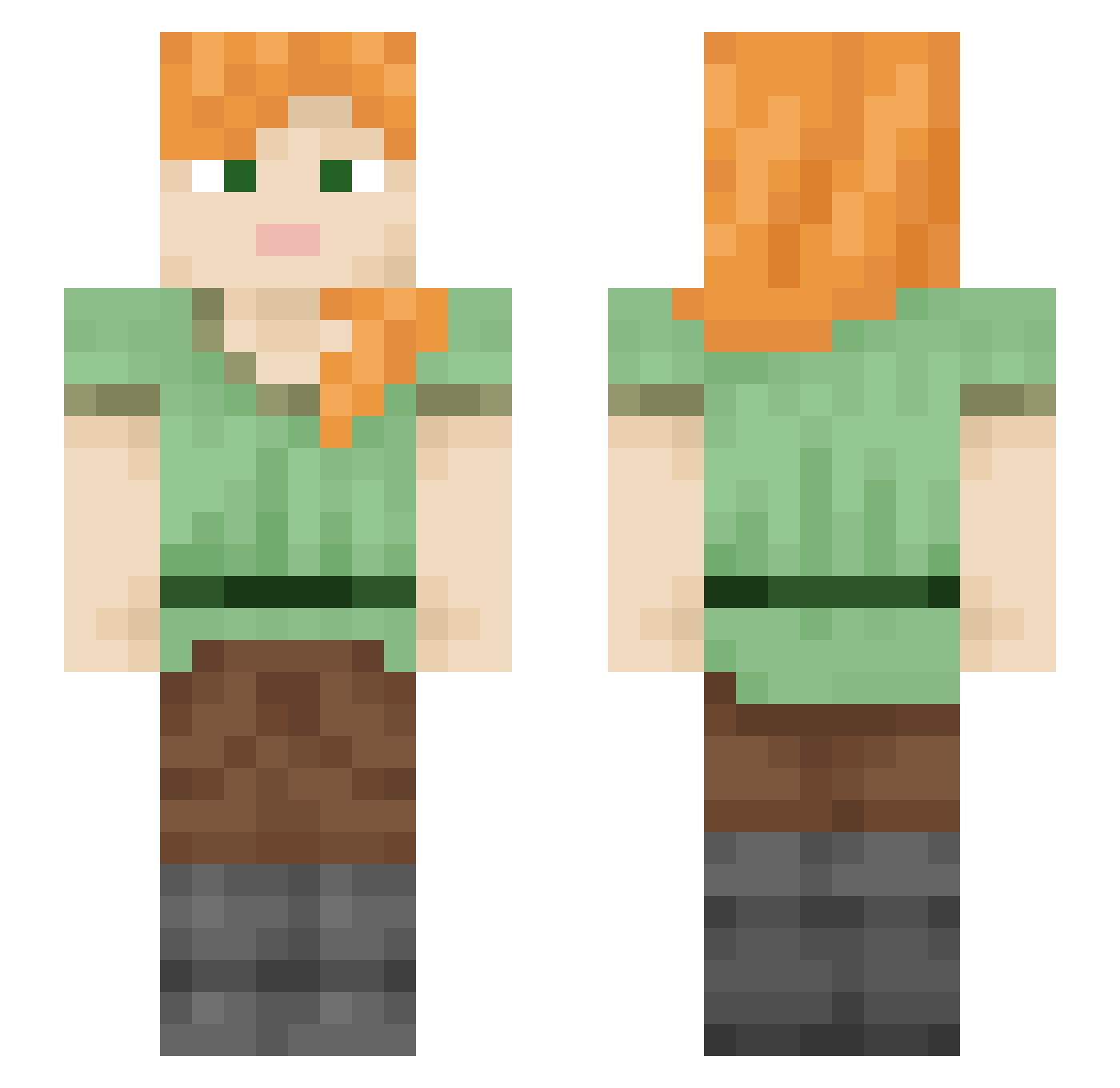
Current Minecraft skin of the player Inspects, loaded from the official Mojang API. Rotate the 3D model with your mouse or finger, then download the skin as a PNG file and use it in Minecraft: Bedrock Edition or Java Edition for free. When Inspects changes their skin, this page updates automatically and the old skin stays in the history below.
Other players with this skin (2112)
Inspects was the 64th player we have seen with this skin, first spotted on 27.07.2026. The same skin was seen on these players. Open a nickname to see their current skin and skin history.
 HydraTwo22 AUGXRY medaHUNTER123 simnoris demark91 JuStanesco nobody2dot0 BluestVelvet CONA0225 totogoat1248 blackheart76 Elsa55_ Circumambient
 Mo_momilk Nominalist s_nne minzecraft1 HOON_E Emerod EquiVoque zoanthidae irishdavid wopochop gobbels12345 YaNolJa18 _gml FinBear2002 Excidio1989 Axle skn8 blockmonster_1 dadicorduser MrrRomeo thatd lkd0456 GarlicFling openhanded OxGang MariaEduarda711 Dyewood FlyingCarpet
 Tae_min_27 TskTsk MissPandochka Red_Eye1981 SashaBZH
 DonWarrior EdvinMonkey youngyoung0911 Oxford ipax FloralAva14
 AngelAftrAll Mine_Caua kangyoonkoo deathball214 Wifes Adenosis SpottyNerd Caroba
How to install the Inspects skin
- Press the Download button above to save the skin as a PNG file.
- Minecraft: Bedrock Edition (PE): open the Dressing Room from the main menu (or tap your character → Edit Character), go to Classic Skins → Owned, press the + (new skin) button, choose the downloaded PNG and pick the Slim (Alex) model. Works on PC and mobile; consoles cannot import custom skins.
- Minecraft: Java Edition: open the Minecraft Launcher, go to the Skins tab, click New Skin, load the PNG, pick the Slim (Alex) model and press Save & Use. You can also upload it at minecraft.net → Profile → Change Skin.
The skin does not show up after import - what should I do?
Restart Minecraft and open the Dressing Room again - imported skins sometimes appear only after a restart. Also make sure you selected the imported skin and picked the Slim (Alex) model.
Which model should I choose, Classic or Slim?
This skin is designed for the Slim (Alex) model. If you pick the wrong model, the arms of the skin will look stretched or squeezed.
Is the skin of Inspects free to download?
Yes. Press Download, save the PNG file and use it in Minecraft: Bedrock Edition or Java Edition - no payment or registration needed. The skin also works on multiplayer servers and Realms.
More skins
Looking for more? Go back to all Minecraft skins and check the top skins of the week, month and all time, or find any player's skin by nickname.