
InnateWheat43 - Minecraft Skins & Skin History
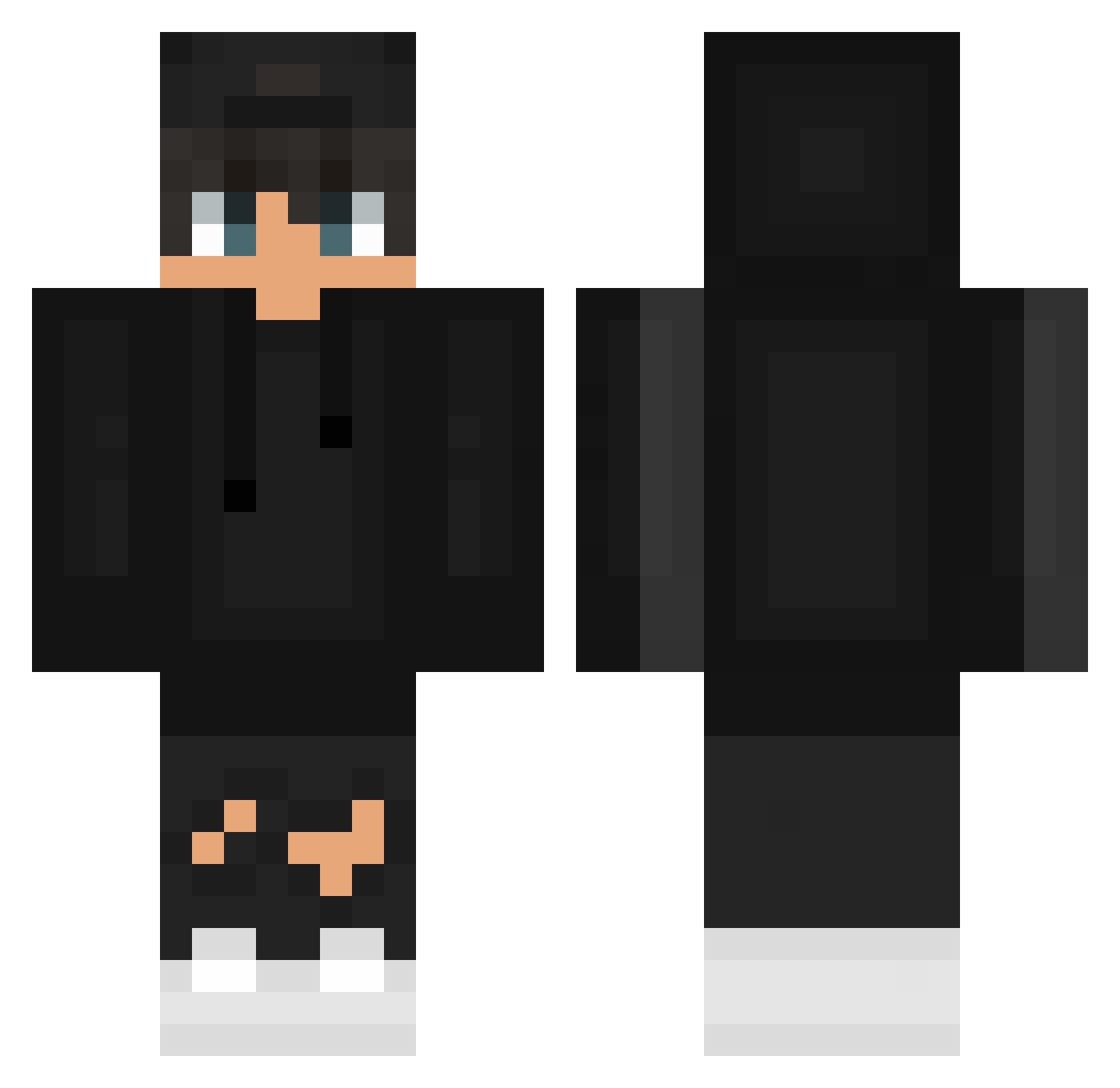
Current Minecraft skin of the player InnateWheat43, loaded from the official Mojang API. Rotate the 3D model with your mouse or finger, then download the skin as a PNG file and use it in Minecraft: Bedrock Edition or Java Edition for free. When InnateWheat43 changes their skin, this page updates automatically and the old skin stays in the history below.
Other players with this skin (628)
InnateWheat43 was the 281st player we have seen with this skin, first spotted on 16.09.2026. The same skin was seen on these players. Open a nickname to see their current skin and skin history.
 Zombeyyy Niklas2202 kauan_do_mine nandoxjm karam27 Filomel09 LionS2 Matheus__10 danievitor302007 Releasedranger ILrAgAzZoAnSiosO tomillo123 LinhyaGAt1228 rubepc Skrooker14 UnLeqitGuy673 SrBiel0210 dbwjdals725 KritischerHase ThePawelx TaylorSimsy mr_m1chi Arman_Senpai Kuborx_ Aka_Sub biquette3711 Magnuz_ Touche_ Rinne_024 duque9292 S3venTen LosteerX NegoDoce7 Linskyt FL13ST enzowcs AnonymosBR1 StellarLC algrazaar KillerXCloudy JAXX_MC RayZeur_203 water_melon2011 movieking1224 Helios343 PerfoDeX MastDio19 LowHealthh Exisual
 TheFallen08 Berhucik goodnightmaxik AxisAl TallinH Esprit_Brise IVAN4IK321 hongjun0322 _Xenon12_ D3VL_23 Marcusz_21
How to install the InnateWheat43 skin
- Press the Download button above to save the skin as a PNG file.
- Minecraft: Bedrock Edition (PE): open the Dressing Room from the main menu (or tap your character → Edit Character), go to Classic Skins → Owned, press the + (new skin) button, choose the downloaded PNG and pick the Classic (Steve) model. Works on PC and mobile; consoles cannot import custom skins.
- Minecraft: Java Edition: open the Minecraft Launcher, go to the Skins tab, click New Skin, load the PNG, pick the Classic (Steve) model and press Save & Use. You can also upload it at minecraft.net → Profile → Change Skin.
The skin does not show up after import - what should I do?
Restart Minecraft and open the Dressing Room again - imported skins sometimes appear only after a restart. Also make sure you selected the imported skin and picked the Classic (Steve) model.
Which model should I choose, Classic or Slim?
This skin is designed for the Classic (Steve) model. If you pick the wrong model, the arms of the skin will look stretched or squeezed.
Is the skin of InnateWheat43 free to download?
Yes. Press Download, save the PNG file and use it in Minecraft: Bedrock Edition or Java Edition - no payment or registration needed. The skin also works on multiplayer servers and Realms.
More skins
Looking for more? Go back to all Minecraft skins and check the top skins of the week, month and all time, or find any player's skin by nickname.