
Imprecate - Minecraft Skins & Skin History
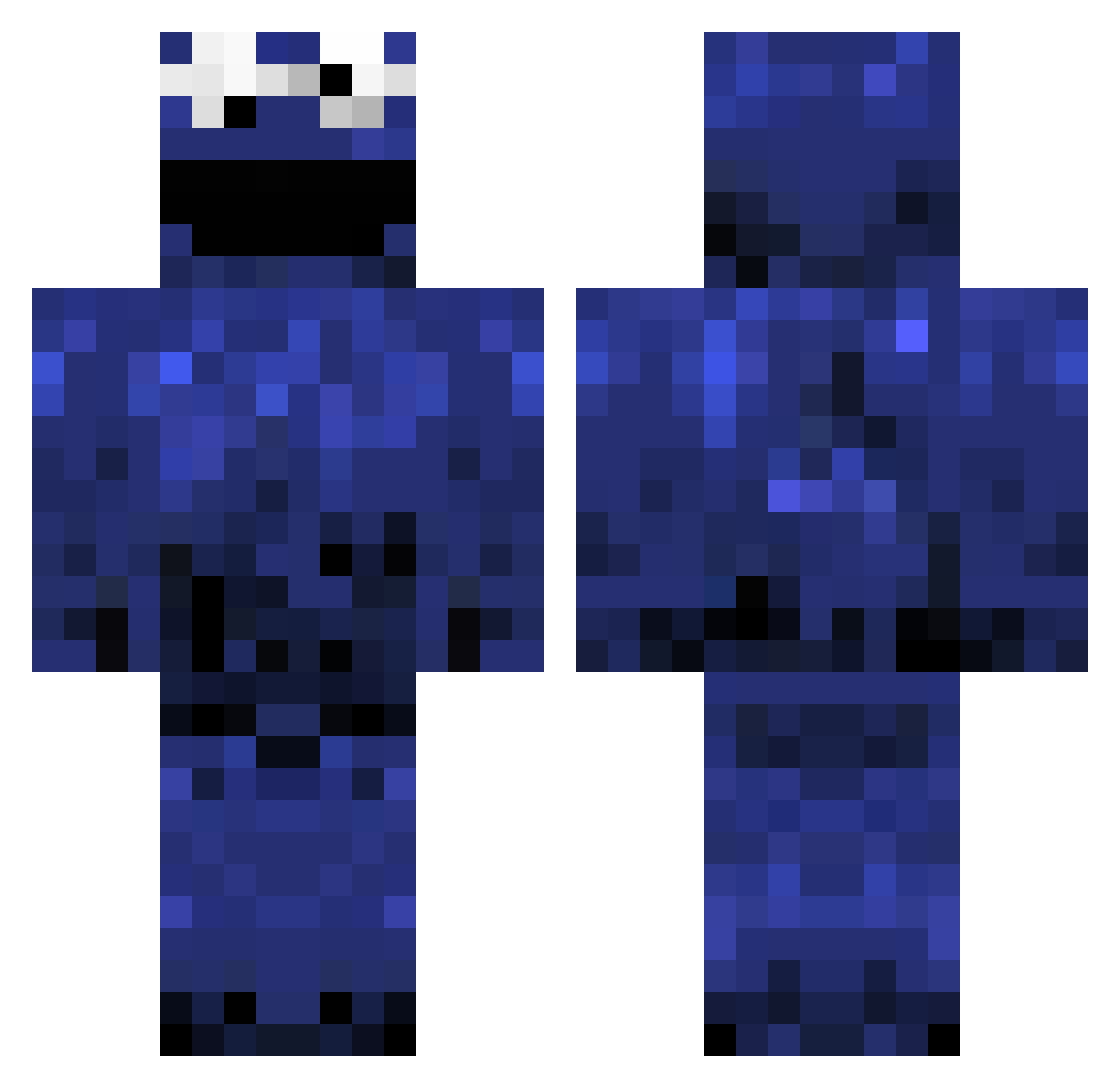
Current Minecraft skin of the player Imprecate, loaded from the official Mojang API. Rotate the 3D model with your mouse or finger, then download the skin as a PNG file and use it in Minecraft: Bedrock Edition or Java Edition for free. When Imprecate changes their skin, this page updates automatically and the old skin stays in the history below.
Other players with this skin (982)
Imprecate was the 422nd player we have seen with this skin, first spotted on 05.09.2026. The same skin was seen on these players. Open a nickname to see their current skin and skin history.
 KuuckieEins Mr_GTime sphericalcow conman123cdd triffstar xSycho101x pieuwer Coenwnl BondoApe c00kie_monster6 beastmode13317 TheRealSid BrandonLVera callumdallas Rubygriffon Geekster ProNightz jackl_3 funzotheclown shootercube MYMUNA04 orip JackAttackBack ironman21999 ericyung CoreyCopo TheCookiePlays sicknotes Bierkasten12 CODY624 PurplePancakeYT kenzie01 Necromsis Mihaikenz Midra xxthreedogxx liki_tiki1 OnlineHerman CookieCrafterFTW Murray066 zephe6 christi37 daveclement thedugsbaws Cosmicen hairykid980 neilyx1990 ashirn12 ajnix Beuker2001 raideon weatherbeaten xavidias WoWRefugee YouRusted mrmuffin1337 SaraTheMan russlaplante JordanTasker jesse456
More Cookie Monster Minecraft skins
See all 241 Cookie Monster skins
How to install the Imprecate skin
- Press the Download button above to save the skin as a PNG file.
- Minecraft: Bedrock Edition (PE): open the Dressing Room from the main menu (or tap your character → Edit Character), go to Classic Skins → Owned, press the + (new skin) button, choose the downloaded PNG and pick the Classic (Steve) model. Works on PC and mobile; consoles cannot import custom skins.
- Minecraft: Java Edition: open the Minecraft Launcher, go to the Skins tab, click New Skin, load the PNG, pick the Classic (Steve) model and press Save & Use. You can also upload it at minecraft.net → Profile → Change Skin.
The skin does not show up after import - what should I do?
Restart Minecraft and open the Dressing Room again - imported skins sometimes appear only after a restart. Also make sure you selected the imported skin and picked the Classic (Steve) model.
Which model should I choose, Classic or Slim?
This skin is designed for the Classic (Steve) model. If you pick the wrong model, the arms of the skin will look stretched or squeezed.
Is the skin of Imprecate free to download?
Yes. Press Download, save the PNG file and use it in Minecraft: Bedrock Edition or Java Edition - no payment or registration needed. The skin also works on multiplayer servers and Realms.
More skins
Looking for more? Go back to all Minecraft skins and check the top skins of the week, month and all time, or find any player's skin by nickname.