
Imperial_Meep - Minecraft Skins & Skin History
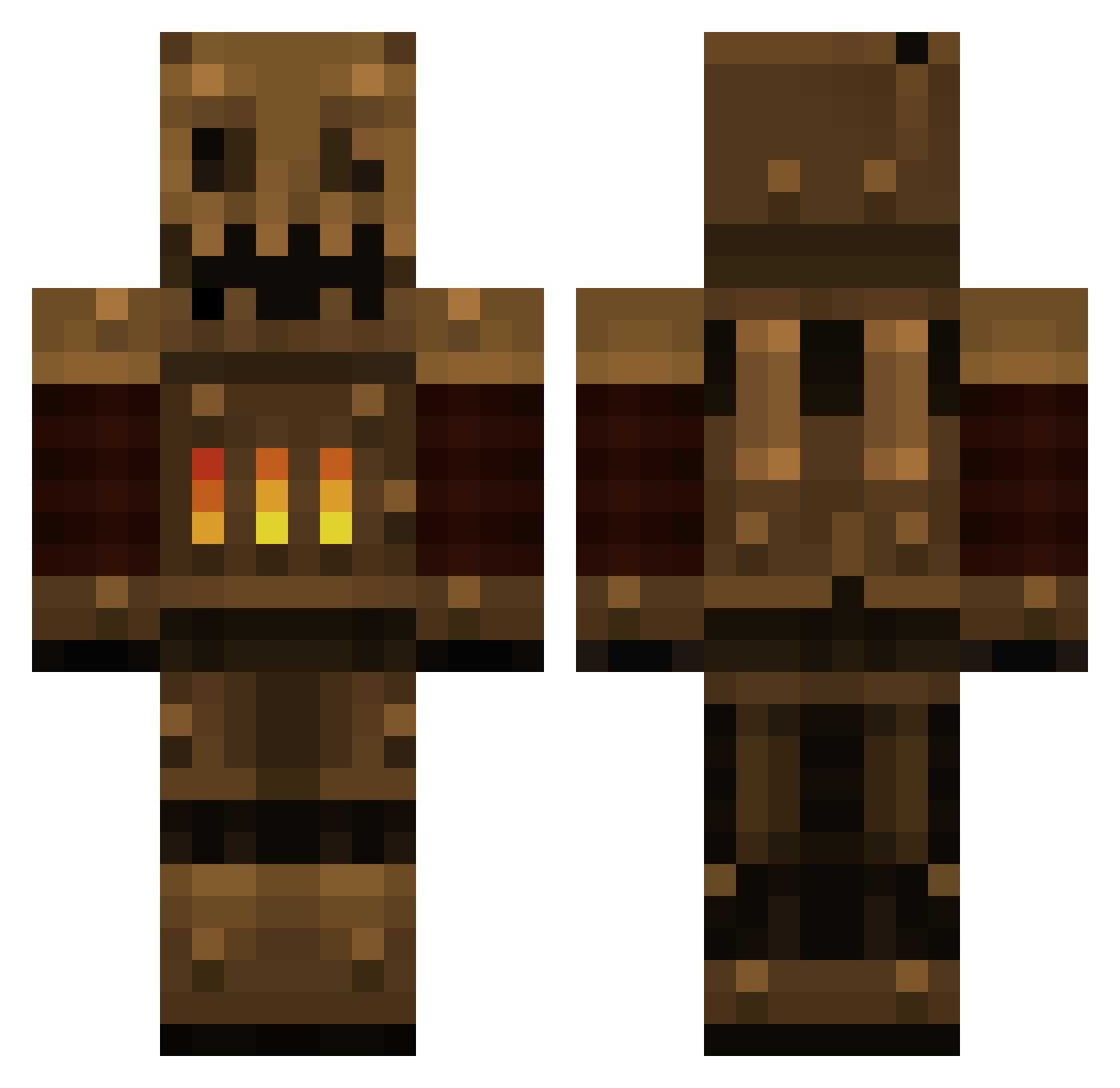
Current Minecraft skin of the player Imperial_Meep, loaded from the official Mojang API. Rotate the 3D model with your mouse or finger, then download the skin as a PNG file and use it in Minecraft: Bedrock Edition or Java Edition for free. When Imperial_Meep changes their skin, this page updates automatically and the old skin stays in the history below.
Other players with this skin (511)
Imperial_Meep was the 417th player we have seen with this skin, first spotted on 26.10.2026. The same skin was seen on these players. Open a nickname to see their current skin and skin history.
 The_Das cloclofripouilla Abotimus Daveo88 Sojobos DelFlamingo JeetDoO pinkrain25 cheasify Wowlord123 DevilDevan Tuddly_Chuggs Zevik popbobs_mom CHINESEPOTATO546 ximcookiex tornadosx Mathenia ilikerobotsalot Bearclops SighVI AleksiM98 UNRE5T procoleman test_subject_02 JohnnyMusicX 1linguini1 Debra_Weembs Laechler77 Rameshino constructor531 Jellyrok Tigria NoNotReally Zhos ArchaicSentinel LexNeminis Ellecc 5chnitzl LANKY_MANBEAR ScrubL0rd_5000 iaoeio dinittotony newyear 2KPitufo blockboss66 Necrocrafter Sicksock roon90 Cander2005 Juggynaunt Entac Britoun Retcus wonjeheo acwinicker QuietTempest colt_os5 Gringolizer LinearCensus
More Scarecrow Minecraft skins
How to install the Imperial_Meep skin
- Press the Download button above to save the skin as a PNG file.
- Minecraft: Bedrock Edition (PE): open the Dressing Room from the main menu (or tap your character → Edit Character), go to Classic Skins → Owned, press the + (new skin) button, choose the downloaded PNG and pick the Classic (Steve) model. Works on PC and mobile; consoles cannot import custom skins.
- Minecraft: Java Edition: open the Minecraft Launcher, go to the Skins tab, click New Skin, load the PNG, pick the Classic (Steve) model and press Save & Use. You can also upload it at minecraft.net → Profile → Change Skin.
The skin does not show up after import - what should I do?
Restart Minecraft and open the Dressing Room again - imported skins sometimes appear only after a restart. Also make sure you selected the imported skin and picked the Classic (Steve) model.
Which model should I choose, Classic or Slim?
This skin is designed for the Classic (Steve) model. If you pick the wrong model, the arms of the skin will look stretched or squeezed.
Is the skin of Imperial_Meep free to download?
Yes. Press Download, save the PNG file and use it in Minecraft: Bedrock Edition or Java Edition - no payment or registration needed. The skin also works on multiplayer servers and Realms.
More skins
Looking for more? Go back to all Minecraft skins and check the top skins of the week, month and all time, or find any player's skin by nickname.