
ImLuigix - Minecraft Skins & Skin History
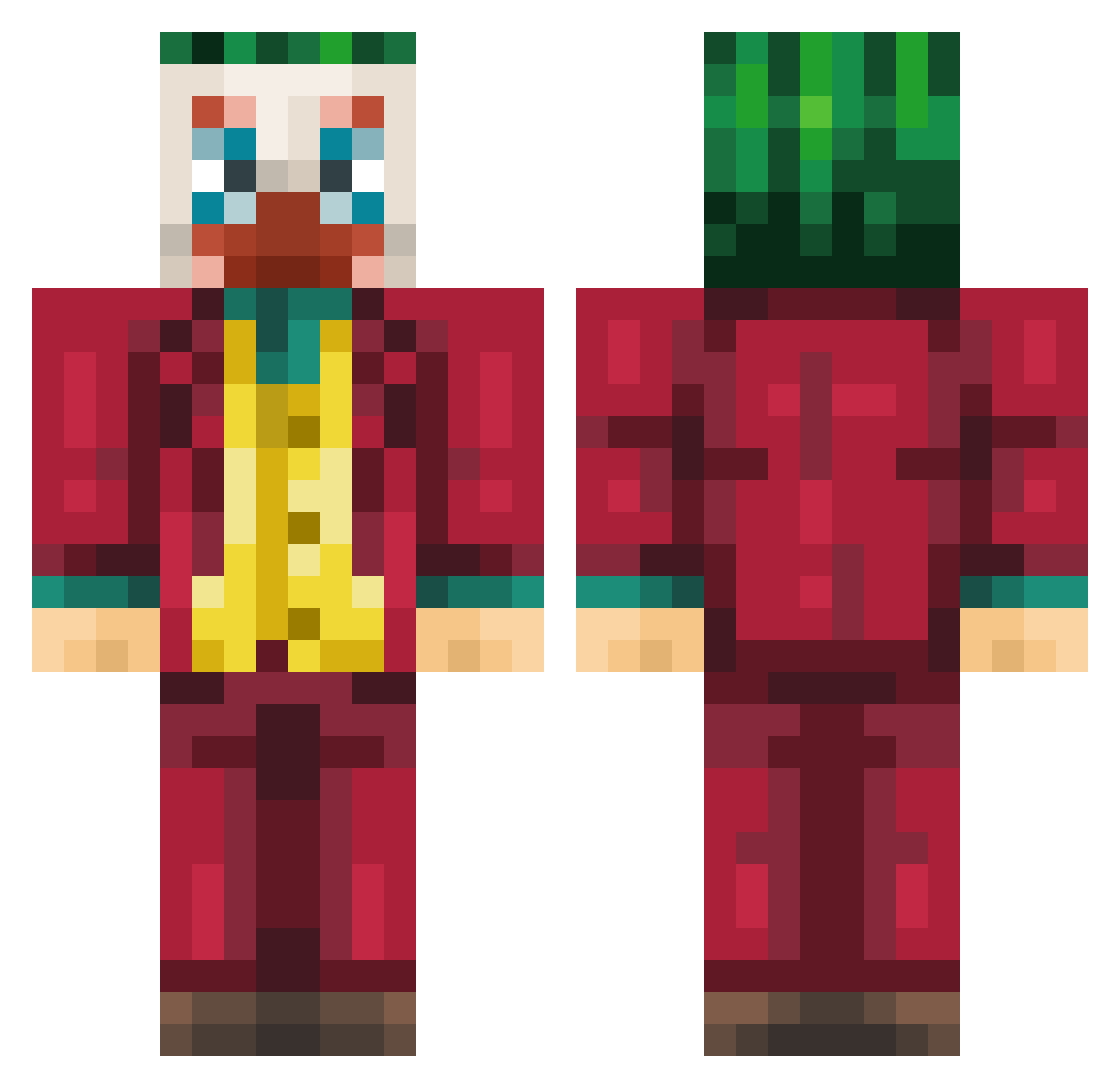
Current Minecraft skin of the player ImLuigix, loaded from the official Mojang API. Rotate the 3D model with your mouse or finger, then download the skin as a PNG file and use it in Minecraft: Bedrock Edition or Java Edition for free. When ImLuigix changes their skin, this page updates automatically and the old skin stays in the history below.
Other players with this skin (217)
ImLuigix was the 63rd player we have seen with this skin, first spotted on 26.08.2026. The same skin was seen on these players. Open a nickname to see their current skin and skin history.
 Maciej98756 cyberola umjun6 NSI Leapings Bagr69 orange152 Pittezakje Galekzera Sha_Tae tjdflal aywaPaco Fyemi1 Borquez08 JJTB_YT zo3llob _ParkTaeil_ D1HARD salyex55 EuGiio CelinJr alexkid55 trioxin_ Deathbag RemsziW_ NOCACUTAX Caash215 stolle98 flamelmp228 Enfinit_ Gony54 thousand_moon XurupitaBR Kubisonek skillyfriend rebekoi Sumwo yeu hzy044 Deoxy04 R33KoLA RAVIOLI667 SamH0607 Skypig08 Hoppler park1ron Miguelvf kan73k Secodont juszhe 2725 KinqTiger Luigi_NecroMante Blunt_Boy LCPA31
 Ramramyu jongtaku AhmettHD MrColin_98 ArowFlyy
More The Joker Minecraft skins
How to install the ImLuigix skin
- Press the Download button above to save the skin as a PNG file.
- Minecraft: Bedrock Edition (PE): open the Dressing Room from the main menu (or tap your character → Edit Character), go to Classic Skins → Owned, press the + (new skin) button, choose the downloaded PNG and pick the Classic (Steve) model. Works on PC and mobile; consoles cannot import custom skins.
- Minecraft: Java Edition: open the Minecraft Launcher, go to the Skins tab, click New Skin, load the PNG, pick the Classic (Steve) model and press Save & Use. You can also upload it at minecraft.net → Profile → Change Skin.
The skin does not show up after import - what should I do?
Restart Minecraft and open the Dressing Room again - imported skins sometimes appear only after a restart. Also make sure you selected the imported skin and picked the Classic (Steve) model.
Which model should I choose, Classic or Slim?
This skin is designed for the Classic (Steve) model. If you pick the wrong model, the arms of the skin will look stretched or squeezed.
Is the skin of ImLuigix free to download?
Yes. Press Download, save the PNG file and use it in Minecraft: Bedrock Edition or Java Edition - no payment or registration needed. The skin also works on multiplayer servers and Realms.
More skins
Looking for more? Go back to all Minecraft skins and check the top skins of the week, month and all time, or find any player's skin by nickname.