
Ily_Misery - Minecraft Skins & Skin History
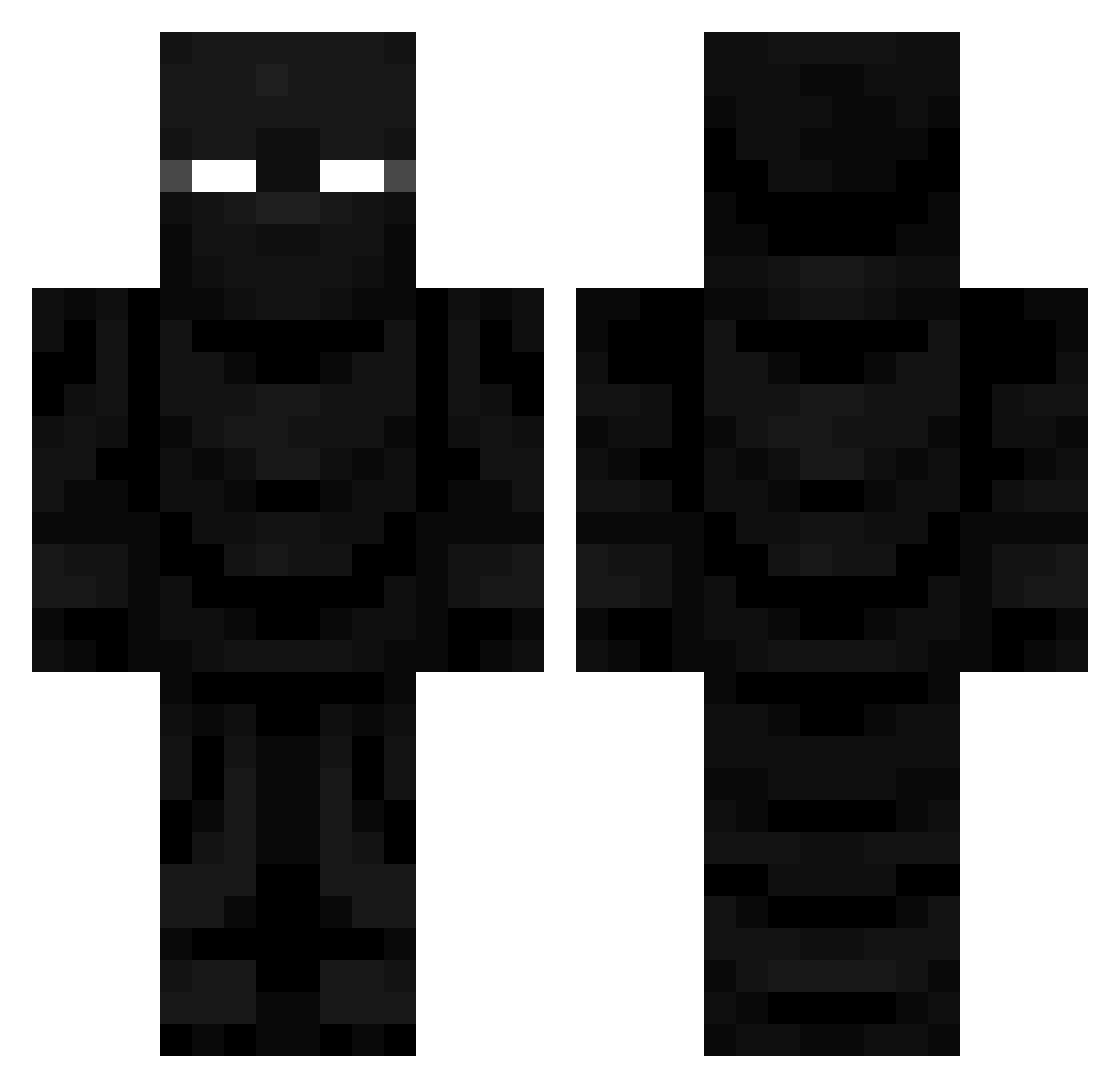
Current Minecraft skin of the player Ily_Misery, loaded from the official Mojang API. Rotate the 3D model with your mouse or finger, then download the skin as a PNG file and use it in Minecraft: Bedrock Edition or Java Edition for free. When Ily_Misery changes their skin, this page updates automatically and the old skin stays in the history below.
Other players with this skin (681)
Ily_Misery was the 499th player we have seen with this skin, first spotted on 09.10.2026. The same skin was seen on these players. Open a nickname to see their current skin and skin history.
 VicTA35 Drakkan1 Ghostplays1323 jojoklx140 Templarius_ Mickster6691 DaddyAkambe assman_214 MortisXV Hotzl mindoong93 SteakSompong Chaos34877 TLoxe_ cjiasheng adokid forqst Albaniandude1 Dorid0 NeboSlayer Enderfall68 qmtl Racconlin_ Rokka005 WangHeavy kmr8bl8x1 xXSinCadeXx DemonFoxGamer05 MonsterBullet Andyyyy30 GODZILLAS5112 6skates9 mechvibe Saturn1n DerBrixer88 BosGov LittleKhaos420 Isaiah_god3 TobiasMonroe Black_Crow ItzTomZog AuthorVoid Ragebaitist dedexo Wraith0_0 milogtownn i_eat_bricks_ Mega635 PhantomElephant ltledaw Fyexor IchBinDumm001 Hoppie912 deadmamn Ronin_SFG MastJagermeister equipoisespam PixilatedMAF moodyLOL GorillaRoach
More Ninja Minecraft skins
How to install the Ily_Misery skin
- Press the Download button above to save the skin as a PNG file.
- Minecraft: Bedrock Edition (PE): open the Dressing Room from the main menu (or tap your character → Edit Character), go to Classic Skins → Owned, press the + (new skin) button, choose the downloaded PNG and pick the Classic (Steve) model. Works on PC and mobile; consoles cannot import custom skins.
- Minecraft: Java Edition: open the Minecraft Launcher, go to the Skins tab, click New Skin, load the PNG, pick the Classic (Steve) model and press Save & Use. You can also upload it at minecraft.net → Profile → Change Skin.
The skin does not show up after import - what should I do?
Restart Minecraft and open the Dressing Room again - imported skins sometimes appear only after a restart. Also make sure you selected the imported skin and picked the Classic (Steve) model.
Which model should I choose, Classic or Slim?
This skin is designed for the Classic (Steve) model. If you pick the wrong model, the arms of the skin will look stretched or squeezed.
Is the skin of Ily_Misery free to download?
Yes. Press Download, save the PNG file and use it in Minecraft: Bedrock Edition or Java Edition - no payment or registration needed. The skin also works on multiplayer servers and Realms.
More skins
Looking for more? Go back to all Minecraft skins and check the top skins of the week, month and all time, or find any player's skin by nickname.