
Ikmat18 - Minecraft Skins & Skin History
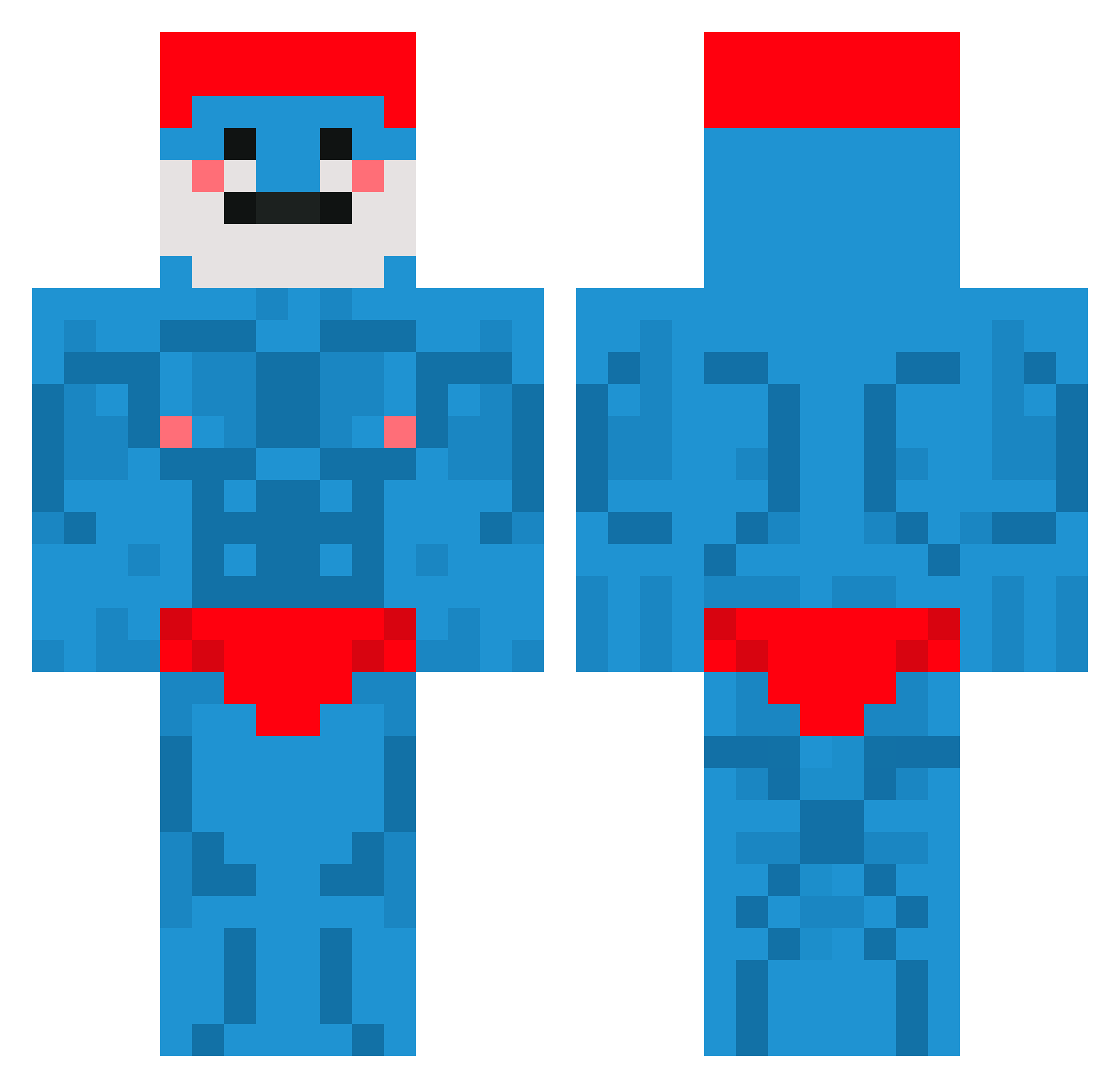
Current Minecraft skin of the player Ikmat18, loaded from the official Mojang API. Rotate the 3D model with your mouse or finger, then download the skin as a PNG file and use it in Minecraft: Bedrock Edition or Java Edition for free. When Ikmat18 changes their skin, this page updates automatically and the old skin stays in the history below.
Other players with this skin (660)
Ikmat18 was the 137th player we have seen with this skin, first spotted on 14.08.2026. The same skin was seen on these players. Open a nickname to see their current skin and skin history.
 FARTBLASTERZ materiin Lord_Fefe Sobaal WotterMelon69 Blafmakker Gribo_ Mkguided RaczeQ_ TedBoii Keyzerspot BBread_1 Zaad_Slikker toughmuf S4xCRAZY_ DedUshka4 Wavelike gkei Apeligex IamFloriano Skales_ NightAtom126625 Joker3225 flogowrdm PapaMunkChubsV2 Iattenrost PapiLechosoo toejam_147 MenmaQT Paco_der tortenboden02 Darien5 DIV7NE UtahsPrivateJunk memakif15 Maglinz uhmuhdeyis JuanCena333 Blueewe noxos9302 Zoxeo Bobert4709 SchrubHauber PickelDead Wenkstein GROOOOO0OT Copper_r crazenzo thebobb132 Benimaru_9 luvnikx yonatancool1000 D3pset withoutsense2 MikeRotchburnz Ziemniak213799 mecksie Nonolerigolo5 DetroitCitizen Dyndal22
More Bodybuilder Minecraft skins
See all 1175 Bodybuilder skins
How to install the Ikmat18 skin
- Press the Download button above to save the skin as a PNG file.
- Minecraft: Bedrock Edition (PE): open the Dressing Room from the main menu (or tap your character → Edit Character), go to Classic Skins → Owned, press the + (new skin) button, choose the downloaded PNG and pick the Classic (Steve) model. Works on PC and mobile; consoles cannot import custom skins.
- Minecraft: Java Edition: open the Minecraft Launcher, go to the Skins tab, click New Skin, load the PNG, pick the Classic (Steve) model and press Save & Use. You can also upload it at minecraft.net → Profile → Change Skin.
The skin does not show up after import - what should I do?
Restart Minecraft and open the Dressing Room again - imported skins sometimes appear only after a restart. Also make sure you selected the imported skin and picked the Classic (Steve) model.
Which model should I choose, Classic or Slim?
This skin is designed for the Classic (Steve) model. If you pick the wrong model, the arms of the skin will look stretched or squeezed.
Is the skin of Ikmat18 free to download?
Yes. Press Download, save the PNG file and use it in Minecraft: Bedrock Edition or Java Edition - no payment or registration needed. The skin also works on multiplayer servers and Realms.
More skins
Looking for more? Go back to all Minecraft skins and check the top skins of the week, month and all time, or find any player's skin by nickname.