
Ijkjk - Minecraft Skins & Skin History
Current Minecraft skin of the player Ijkjk, loaded from the official Mojang API. Rotate the 3D model with your mouse or finger, then download the skin as a PNG file and use it in Minecraft: Bedrock Edition or Java Edition for free. When Ijkjk changes their skin, this page updates automatically and the old skin stays in the history below.
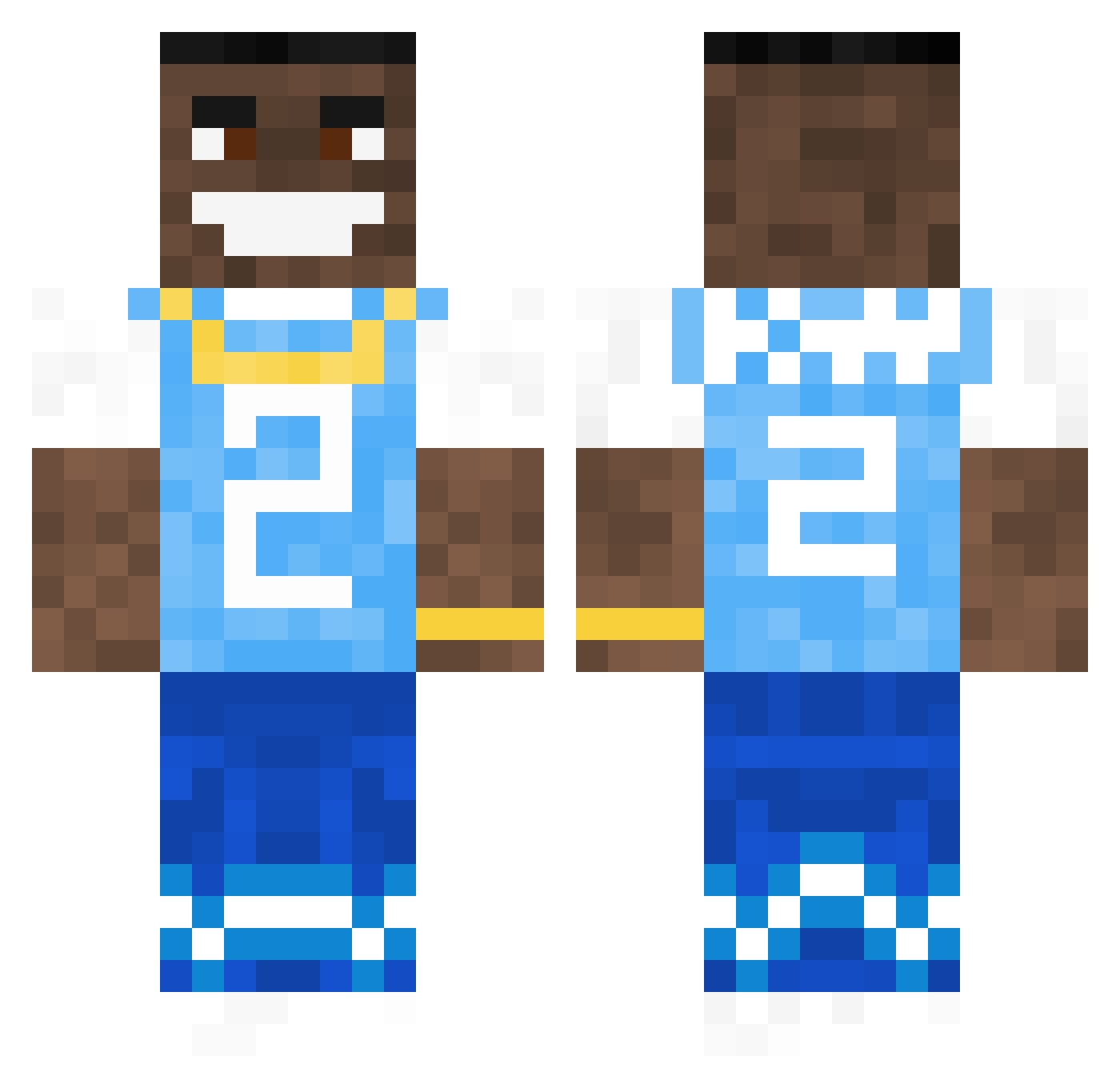
Other players with this skin (616)
Ijkjk was the 200th player we have seen with this skin, first spotted on 24.08.2026. The same skin was seen on these players. Open a nickname to see their current skin and skin history.
 Itsyeboikush4 Oar14 nick3553 _PooLo_ Lazarno
 Aryhu DABABY_LETS_GOOO Chang69 Ivchaka JulesWq Col877 artothelouis brandowando byliteu SaucyWasi Koekblik69 nevo66 Tzeusz12 minecraftb69 TysonXoff CreeperSniper17 kevinkoneil lucasfcw 59192 Bear06 Lucapotomus kaoseren1 kian678 aLLupINyoFace00 dababyOnBroadway Prince_Weed EO31 PizzaDaddyDaigs DamiaH505 OustinAkuma BallSpacks masemoney2 Braav0 CherryMxBrown mange69 notcoleatall FireShardXD yung_sej TGR_Capalot pocketJiggities cheezer23 Dashexx NootPinguin weplica PeterLamborghini JoJoCo102 SeAH4Wkz_3pIC glacierboy02 AnshKyt zoarel f1fi_ Shaz1337 LogxnTxylor Gurachka ItzzRogee
More Dababy Minecraft skins
How to install the Ijkjk skin
- Press the Download button above to save the skin as a PNG file.
- Minecraft: Bedrock Edition (PE): open the Dressing Room from the main menu (or tap your character → Edit Character), go to Classic Skins → Owned, press the + (new skin) button, choose the downloaded PNG and pick the Classic (Steve) model. Works on PC and mobile; consoles cannot import custom skins.
- Minecraft: Java Edition: open the Minecraft Launcher, go to the Skins tab, click New Skin, load the PNG, pick the Classic (Steve) model and press Save & Use. You can also upload it at minecraft.net → Profile → Change Skin.
The skin does not show up after import - what should I do?
Restart Minecraft and open the Dressing Room again - imported skins sometimes appear only after a restart. Also make sure you selected the imported skin and picked the Classic (Steve) model.
Which model should I choose, Classic or Slim?
This skin is designed for the Classic (Steve) model. If you pick the wrong model, the arms of the skin will look stretched or squeezed.
Is the skin of Ijkjk free to download?
Yes. Press Download, save the PNG file and use it in Minecraft: Bedrock Edition or Java Edition - no payment or registration needed. The skin also works on multiplayer servers and Realms.
More skins
Looking for more? Go back to all Minecraft skins and check the top skins of the week, month and all time, or find any player's skin by nickname.