
Ibcca - Minecraft Skins & Skin History
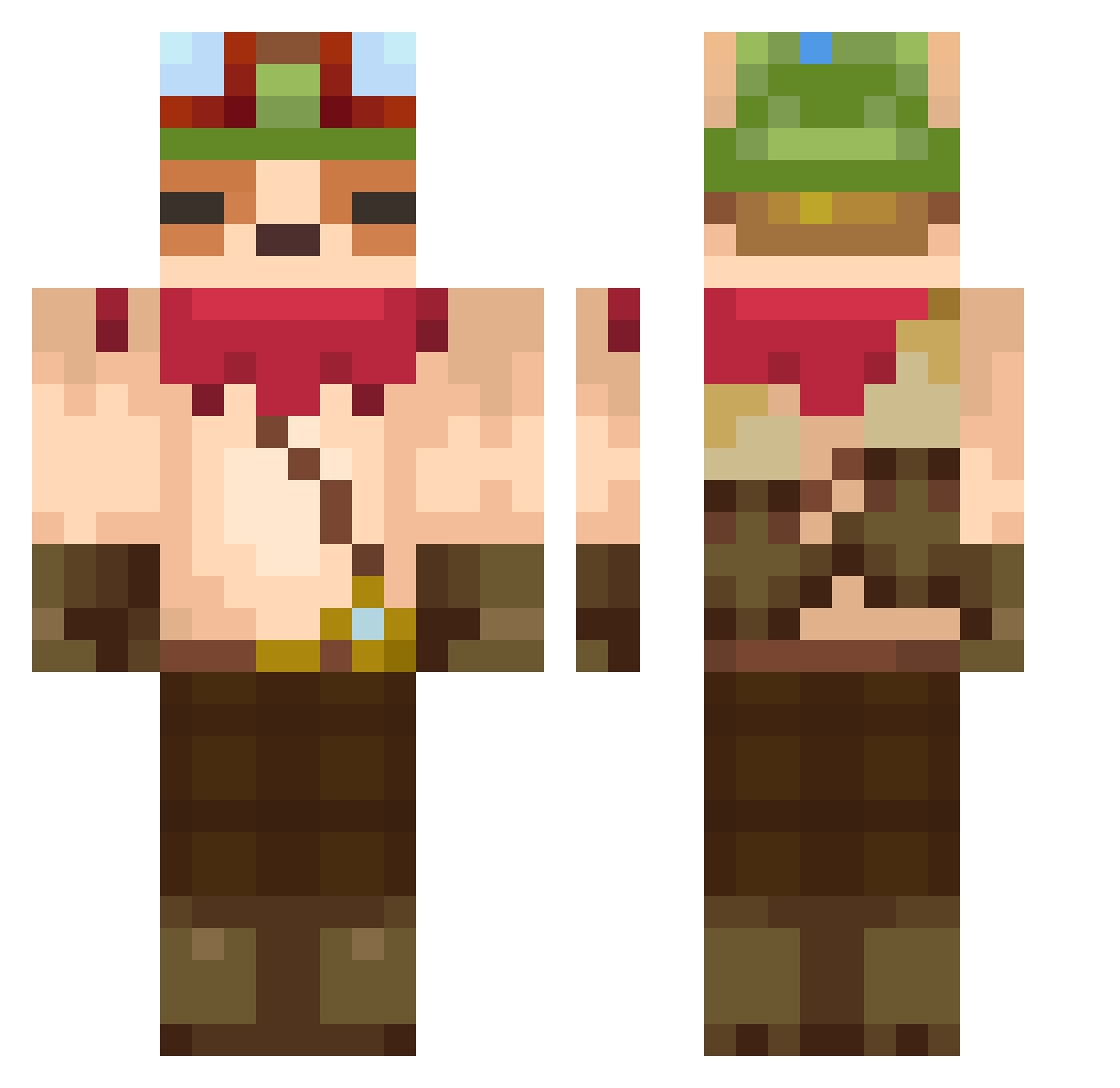
Current Minecraft skin of the player Ibcca, loaded from the official Mojang API. Rotate the 3D model with your mouse or finger, then download the skin as a PNG file and use it in Minecraft: Bedrock Edition or Java Edition for free. When Ibcca changes their skin, this page updates automatically and the old skin stays in the history below.
Other players with this skin (113)
Ibcca was the 29th player we have seen with this skin, first spotted on 15.08.2026. The same skin was seen on these players. Open a nickname to see their current skin and skin history.
 Nacho_md Ayd58 Impossion xxRamen Dezzy7s elvirgusinac searo08 ProudMunch Lilli08 ren_5858 Wamaso afuran_ Macramix Goat_u WOWCKing FranzackeLP Pan_Luzinho SkyyKingg12321 Galaxiiar NovasMH Darkener99 LaBeaner Zhakey JujuLeKing DeffDred ppopkr44 BIGPOGGER29 Distance8256 Elzuu15 amuku mkL2400 PatrickSPN GYR05 TooMow Spectralty Udait fhot PetriNoVici CorwinTV PRIPRAVA69
 KingColeSlawIV Bidy74 drudiz IncognitoFrost Donferret BLACKEDACTOR dankata071 rohitugnait Mijure Merlot96 Souls_Cloudss Heupels GregusPL FrankOceania TheBubble98 Kariimel Furyxxxxx Razoor42 jmjm0421 Faustodemambo1
More Aviator Hat Minecraft skins
How to install the Ibcca skin
- Press the Download button above to save the skin as a PNG file.
- Minecraft: Bedrock Edition (PE): open the Dressing Room from the main menu (or tap your character → Edit Character), go to Classic Skins → Owned, press the + (new skin) button, choose the downloaded PNG and pick the Classic (Steve) model. Works on PC and mobile; consoles cannot import custom skins.
- Minecraft: Java Edition: open the Minecraft Launcher, go to the Skins tab, click New Skin, load the PNG, pick the Classic (Steve) model and press Save & Use. You can also upload it at minecraft.net → Profile → Change Skin.
The skin does not show up after import - what should I do?
Restart Minecraft and open the Dressing Room again - imported skins sometimes appear only after a restart. Also make sure you selected the imported skin and picked the Classic (Steve) model.
Which model should I choose, Classic or Slim?
This skin is designed for the Classic (Steve) model. If you pick the wrong model, the arms of the skin will look stretched or squeezed.
Is the skin of Ibcca free to download?
Yes. Press Download, save the PNG file and use it in Minecraft: Bedrock Edition or Java Edition - no payment or registration needed. The skin also works on multiplayer servers and Realms.
More skins
Looking for more? Go back to all Minecraft skins and check the top skins of the week, month and all time, or find any player's skin by nickname.