
IWasTheSun - Minecraft Skins & Skin History
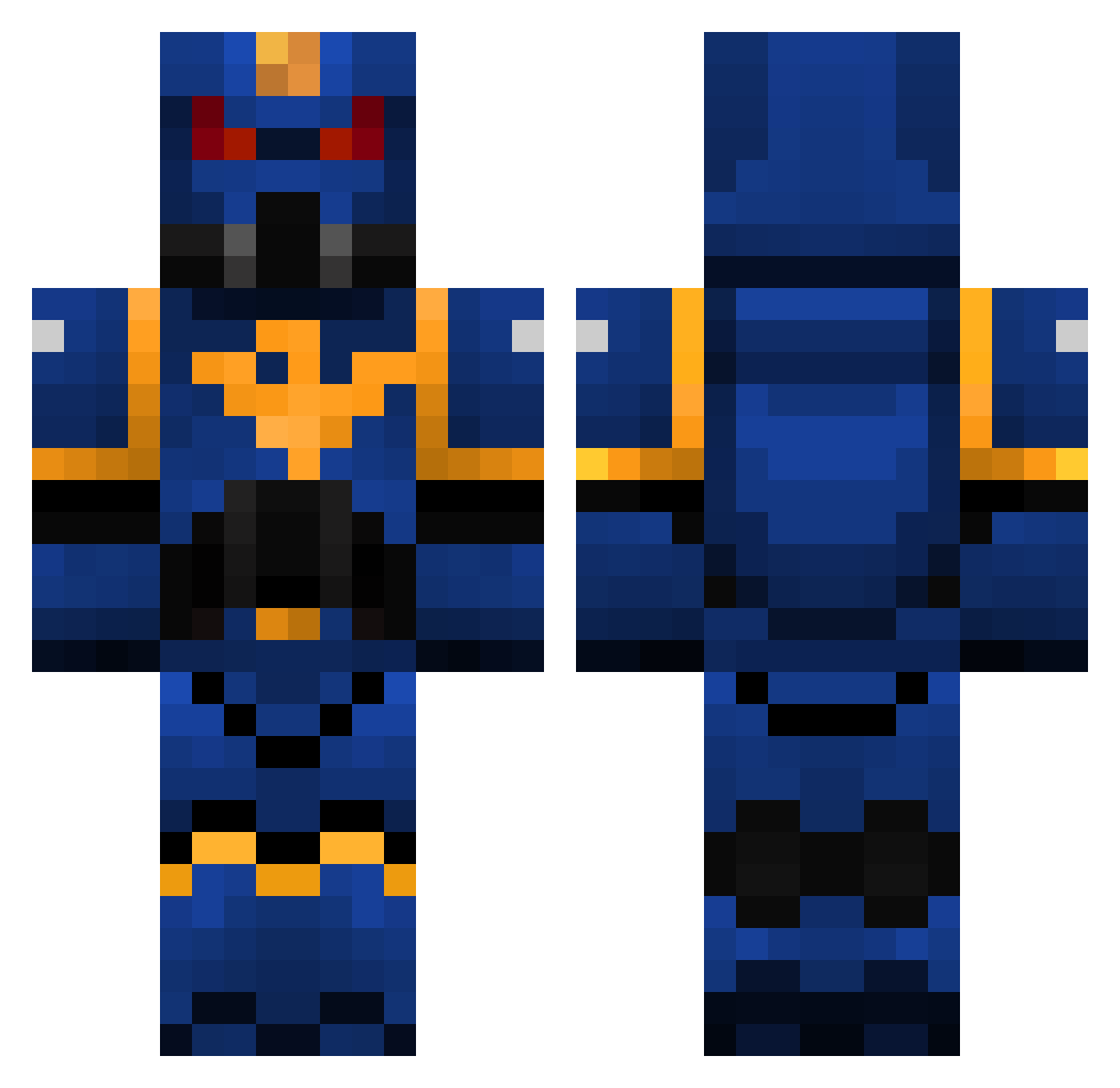
Current Minecraft skin of the player IWasTheSun, loaded from the official Mojang API. Rotate the 3D model with your mouse or finger, then download the skin as a PNG file and use it in Minecraft: Bedrock Edition or Java Edition for free. When IWasTheSun changes their skin, this page updates automatically and the old skin stays in the history below.
Other players with this skin (108)
IWasTheSun was the 48th player we have seen with this skin, first spotted on 03.09.2026. The same skin was seen on these players. Open a nickname to see their current skin and skin history.
 JORIK_306 Kwack_ Victrix_Guard stonium413 BES_SoulStorm JhonSalchichon GIGAGAMER911 loltrolgamer RiceCake0925 Princey819 Rokhtar Ravared Baliryon KalKal6065 Maickol Nubythekid atomik_bzh LordAlvster
 raptor1272 VCWQ Mynamejeb101 Az4th0th Drop_Bear_ YologuysV2 DarthRevan99 Snipzach DaBushChicken Alguinio Tiny_Tarry lazydog777 Ashkandi tremorzanna jamesh1131 Barney05 Nicho123 Banehammer ayumko VoxCinder Enderman5676 ragno002 Martinss04 BuYa412 Matsplatt DonLight94 RyeBread71098 Peaplanter50 Grom_Prevost Zerathus007 westerlyleaf NightKnight57 Yatimate Turin666 CamionRapide OperatorKaren Yantock123 GooseMachina gael315 Ojamapower23 OumaShu97 Yungdaggerdik820
More Warhammer Minecraft skins
How to install the IWasTheSun skin
- Press the Download button above to save the skin as a PNG file.
- Minecraft: Bedrock Edition (PE): open the Dressing Room from the main menu (or tap your character → Edit Character), go to Classic Skins → Owned, press the + (new skin) button, choose the downloaded PNG and pick the Classic (Steve) model. Works on PC and mobile; consoles cannot import custom skins.
- Minecraft: Java Edition: open the Minecraft Launcher, go to the Skins tab, click New Skin, load the PNG, pick the Classic (Steve) model and press Save & Use. You can also upload it at minecraft.net → Profile → Change Skin.
The skin does not show up after import - what should I do?
Restart Minecraft and open the Dressing Room again - imported skins sometimes appear only after a restart. Also make sure you selected the imported skin and picked the Classic (Steve) model.
Which model should I choose, Classic or Slim?
This skin is designed for the Classic (Steve) model. If you pick the wrong model, the arms of the skin will look stretched or squeezed.
Is the skin of IWasTheSun free to download?
Yes. Press Download, save the PNG file and use it in Minecraft: Bedrock Edition or Java Edition - no payment or registration needed. The skin also works on multiplayer servers and Realms.
More skins
Looking for more? Go back to all Minecraft skins and check the top skins of the week, month and all time, or find any player's skin by nickname.