
IUp179 - Minecraft Skins & Skin History
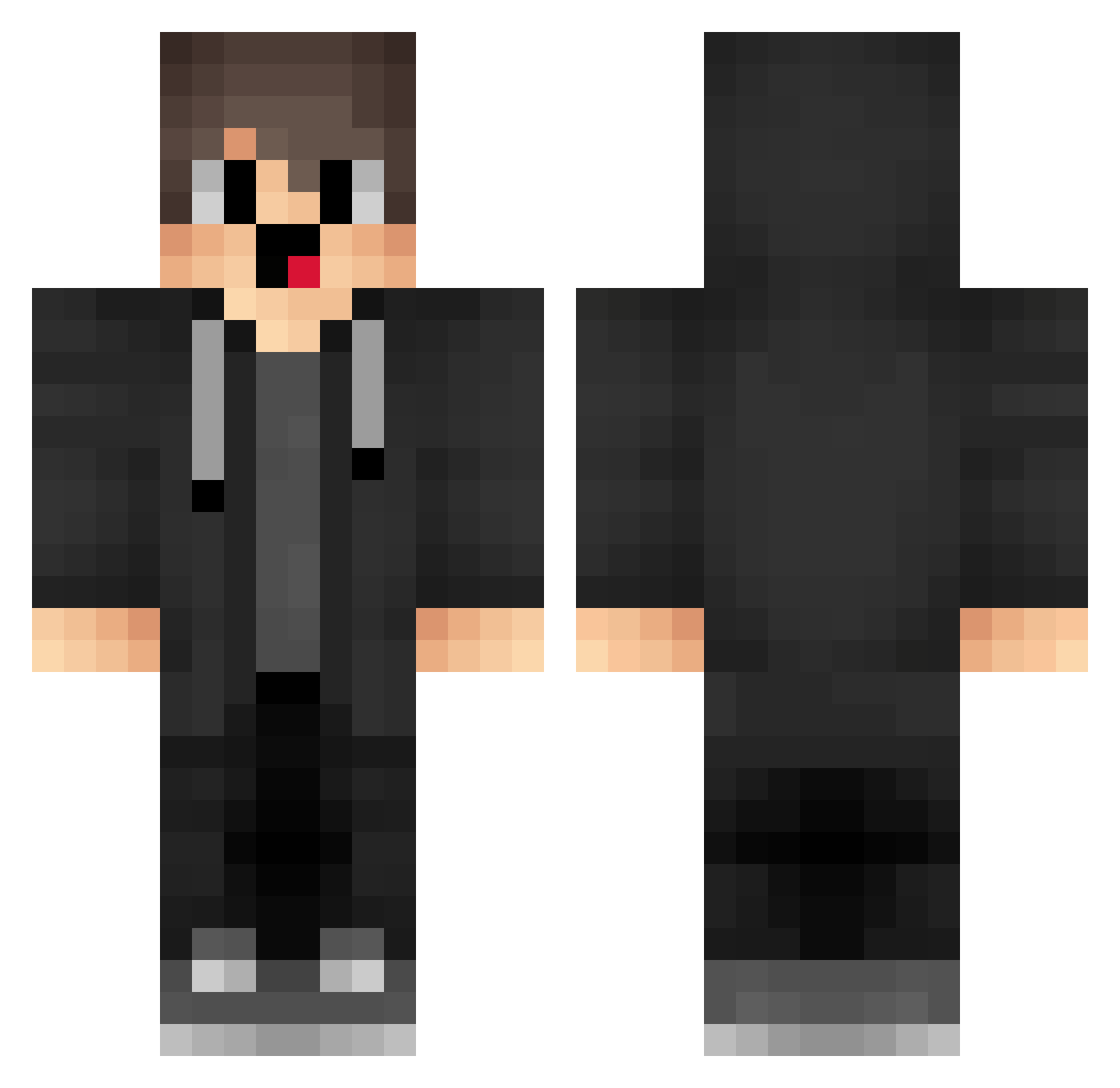
Current Minecraft skin of the player IUp179, loaded from the official Mojang API. Rotate the 3D model with your mouse or finger, then download the skin as a PNG file and use it in Minecraft: Bedrock Edition or Java Edition for free. When IUp179 changes their skin, this page updates automatically and the old skin stays in the history below.
Other players with this skin (1878)
IUp179 was the 1801st player we have seen with this skin, first spotted on 14.11.2026. The same skin was seen on these players. Open a nickname to see their current skin and skin history.
 Yej330 hnnuy_ yRA654 allahyokbeyler mrG753 cCa880 rqB683 TYr865 GOz911 ogB963 iTE217 rDe11 riX779 box_WtqmlIehE548 LorhYT wab588 mgt159 QXF540 drY649 NUz85 CNMerryzz1 GqE305 Milkyways67928 VHY904 LGmerryzz Leyeti44 ipU472 XiaosiGame WkW138 bdz78 mLm843 Alr385 LowIQKid0055 LKm696 aHw330 JCO59 GzO893 Yed471 Mezzio XAa651 OwW199 JazzyEra workingouthurts AYy468 BCj89 CkD926 Ysaio captainblob Sa3ura_18 xiMeng_ TSg361 IyY631 ZhQ488 ged755 box_iTtHAcguC652 MKq848 Hcg297 cFp367 RvN962 cZh372
How to install the IUp179 skin
- Press the Download button above to save the skin as a PNG file.
- Minecraft: Bedrock Edition (PE): open the Dressing Room from the main menu (or tap your character → Edit Character), go to Classic Skins → Owned, press the + (new skin) button, choose the downloaded PNG and pick the Classic (Steve) model. Works on PC and mobile; consoles cannot import custom skins.
- Minecraft: Java Edition: open the Minecraft Launcher, go to the Skins tab, click New Skin, load the PNG, pick the Classic (Steve) model and press Save & Use. You can also upload it at minecraft.net → Profile → Change Skin.
The skin does not show up after import - what should I do?
Restart Minecraft and open the Dressing Room again - imported skins sometimes appear only after a restart. Also make sure you selected the imported skin and picked the Classic (Steve) model.
Which model should I choose, Classic or Slim?
This skin is designed for the Classic (Steve) model. If you pick the wrong model, the arms of the skin will look stretched or squeezed.
Is the skin of IUp179 free to download?
Yes. Press Download, save the PNG file and use it in Minecraft: Bedrock Edition or Java Edition - no payment or registration needed. The skin also works on multiplayer servers and Realms.
More skins
Looking for more? Go back to all Minecraft skins and check the top skins of the week, month and all time, or find any player's skin by nickname.