
ILoveLeft4Dead - Minecraft Skins & Skin History
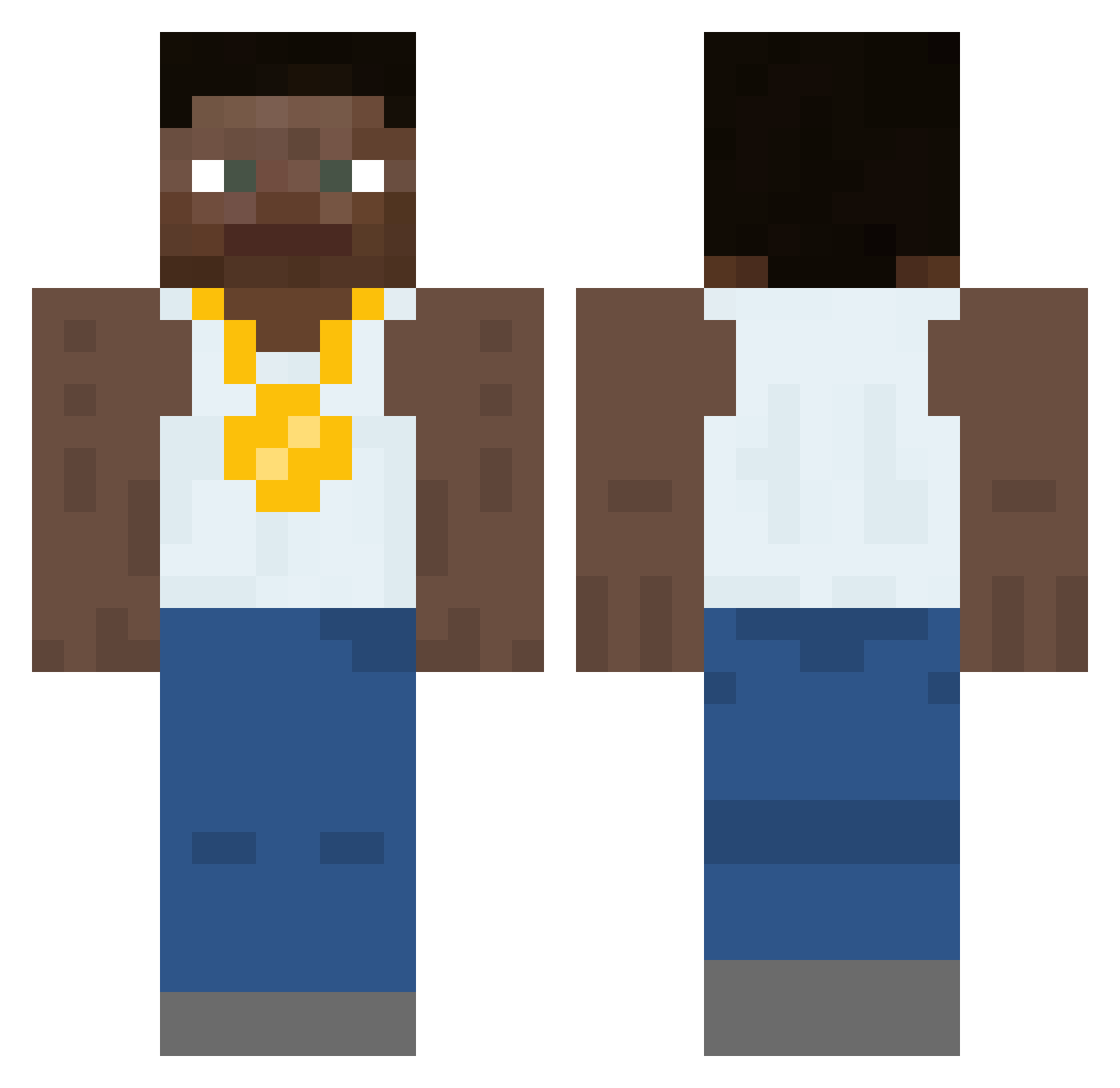
Current Minecraft skin of the player ILoveLeft4Dead, loaded from the official Mojang API. Rotate the 3D model with your mouse or finger, then download the skin as a PNG file and use it in Minecraft: Bedrock Edition or Java Edition for free. When ILoveLeft4Dead changes their skin, this page updates automatically and the old skin stays in the history below.
Other players with this skin (452)
ILoveLeft4Dead was the 184th player we have seen with this skin, first spotted on 08.09.2026. The same skin was seen on these players. Open a nickname to see their current skin and skin history.
 womanmilk BigLucky1124 xanax911 caprizl
 Mieseratte_ ReeseU
 MMeatGrinder Fanning nebu1a_ ihatewomen Chickencreed Derkhai 10170 Israelochoa PedoPaul69 Junior_x14 Sacaguwea19 SherlockGnomes jaydenthebeast0 BigSmartManDan Jibster6 Afro_Jason Soomies EvilandNasty Bepper StevenVanilla
 ripflaf vitalsam1k wltuh SubDivine ThehomieNate pinojunk Terufex Cool_Katzz evnk_ reginaldpork Athletic_Steve1 Ganzo69 nantheman007 sinisterterrag DazBoomdart2 panda02525 FixIsDaddy causticx Dissa01 kakuji123 Studs14 YungBron420 paco77 Jim_Pickings KowalZycia Kechura Fiskarrn Rob_Off1400 RndmOrng SYNDROME511 okke213 jingljangljung ItsGhostGalaxy Lil_x_adrian
More Gold Chain Minecraft skins
How to install the ILoveLeft4Dead skin
- Press the Download button above to save the skin as a PNG file.
- Minecraft: Bedrock Edition (PE): open the Dressing Room from the main menu (or tap your character → Edit Character), go to Classic Skins → Owned, press the + (new skin) button, choose the downloaded PNG and pick the Classic (Steve) model. Works on PC and mobile; consoles cannot import custom skins.
- Minecraft: Java Edition: open the Minecraft Launcher, go to the Skins tab, click New Skin, load the PNG, pick the Classic (Steve) model and press Save & Use. You can also upload it at minecraft.net → Profile → Change Skin.
The skin does not show up after import - what should I do?
Restart Minecraft and open the Dressing Room again - imported skins sometimes appear only after a restart. Also make sure you selected the imported skin and picked the Classic (Steve) model.
Which model should I choose, Classic or Slim?
This skin is designed for the Classic (Steve) model. If you pick the wrong model, the arms of the skin will look stretched or squeezed.
Is the skin of ILoveLeft4Dead free to download?
Yes. Press Download, save the PNG file and use it in Minecraft: Bedrock Edition or Java Edition - no payment or registration needed. The skin also works on multiplayer servers and Realms.
More skins
Looking for more? Go back to all Minecraft skins and check the top skins of the week, month and all time, or find any player's skin by nickname.