
IGAODAKEKE - Minecraft Skins & Skin History
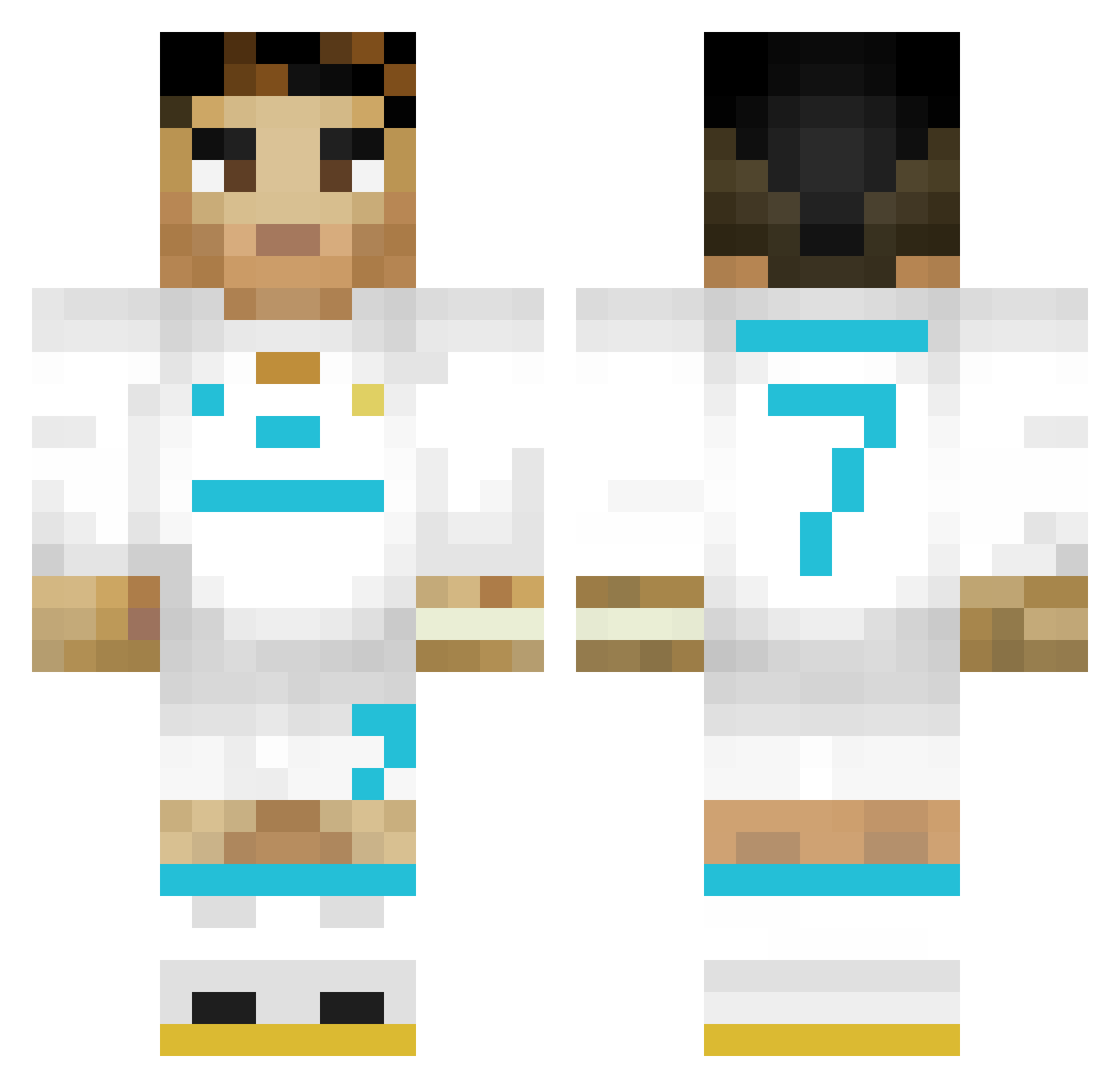
Current Minecraft skin of the player IGAODAKEKE, loaded from the official Mojang API. Rotate the 3D model with your mouse or finger, then download the skin as a PNG file and use it in Minecraft: Bedrock Edition or Java Edition for free. When IGAODAKEKE changes their skin, this page updates automatically and the old skin stays in the history below.
Other players with this skin (353)
IGAODAKEKE was the 313th player we have seen with this skin, first spotted on 22.10.2026. The same skin was seen on these players. Open a nickname to see their current skin and skin history.
 migueluchooo CapitanMau Caszilla zaylou Rekir11 Kekinhoo freshbeast123 astoncool 4TheHuzz darkslayer09641 kubsooon__ korea0741 Shaadowlucas Wasserpfeife leonbasso Emil_Gang bigmancarlito jeppech77 Aqmis3 vini_viii Dimandra_2006 elpolloncolgon kagan12323 Noel0364 OghuzA10 Lazrail1903 SeFrEnks BeamyAlarm43878 wafflecrispss gabri3lito Dashz1 alexanDOOR28 05_RAZVAN Jona27809 Alex0970 Edurdino Rekipo Nasston Larsek10 FIRTINA6161 Jeqaioa MelikCR7 KROW0877 SantinoYri124 RealMadrid_CR_7 ScranitXhaka Mercelesis Ronaldo_Yunus XNOOPE DaDDy2404 ELMATCHO2021 Kerryca13 Ze_Espanhol RodrigoNeubas mosso5241 XShout0 Aurelien_54000 adinuss123 Leisech Kwellman
More Cristiano Ronaldo Minecraft skins
See all 204 Cristiano Ronaldo skins
How to install the IGAODAKEKE skin
- Press the Download button above to save the skin as a PNG file.
- Minecraft: Bedrock Edition (PE): open the Dressing Room from the main menu (or tap your character → Edit Character), go to Classic Skins → Owned, press the + (new skin) button, choose the downloaded PNG and pick the Classic (Steve) model. Works on PC and mobile; consoles cannot import custom skins.
- Minecraft: Java Edition: open the Minecraft Launcher, go to the Skins tab, click New Skin, load the PNG, pick the Classic (Steve) model and press Save & Use. You can also upload it at minecraft.net → Profile → Change Skin.
The skin does not show up after import - what should I do?
Restart Minecraft and open the Dressing Room again - imported skins sometimes appear only after a restart. Also make sure you selected the imported skin and picked the Classic (Steve) model.
Which model should I choose, Classic or Slim?
This skin is designed for the Classic (Steve) model. If you pick the wrong model, the arms of the skin will look stretched or squeezed.
Is the skin of IGAODAKEKE free to download?
Yes. Press Download, save the PNG file and use it in Minecraft: Bedrock Edition or Java Edition - no payment or registration needed. The skin also works on multiplayer servers and Realms.
More skins
Looking for more? Go back to all Minecraft skins and check the top skins of the week, month and all time, or find any player's skin by nickname.