
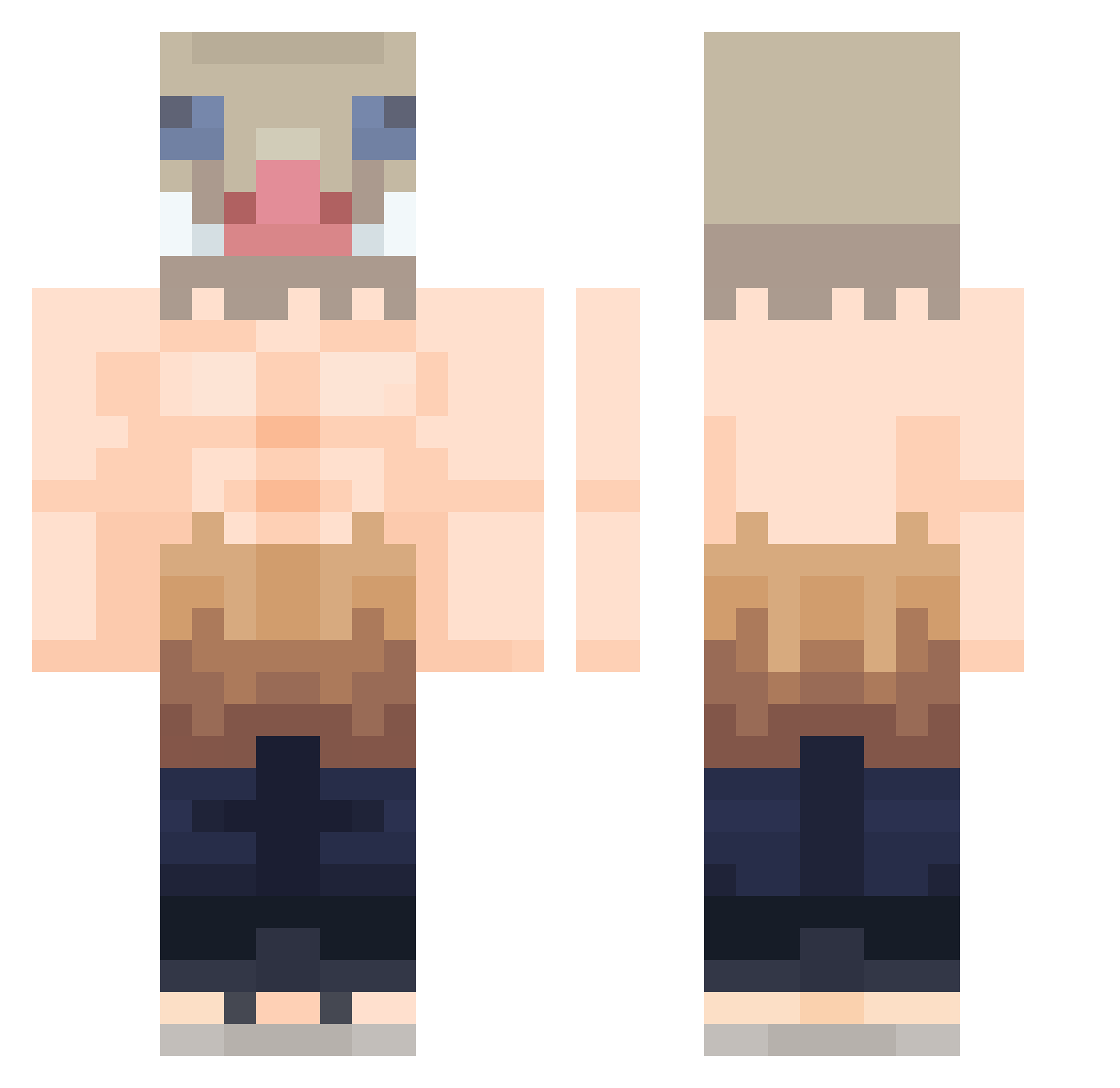
Current Minecraft skin of the player IDeathWishI, loaded from the official Mojang API. Rotate the 3D model with your mouse or finger, then download the skin as a PNG file and use it in Minecraft: Bedrock Edition or Java Edition for free. When IDeathWishI changes their skin, this page updates automatically and the old skin stays in the history below.
Other players with this skin (346)
IDeathWishI was the 101st player we have seen with this skin, first spotted on 19.08.2026. The same skin was seen on these players. Open a nickname to see their current skin and skin history.
 Apex87 amedeus2k IKlauz S_S_W_ Haythem_XD miojonhamnham Si0ny Tyrfuk Pogkage El_WIZZA OphPapitel AbelRico08 lil_kha Leal992 Boesjie TAllTO iTz_Crome EXxElior Sosa0125 Milmoi00 yoyu43 Vinisolaa ShakenBake704 maxx66 Xapsps Pejo FranciscoGR SapiroXD IvanJ11 Kobal17 Darkmbp SETTS21 DhavidGG Thiomir TrainerHalo Tommybq75 JOHNMAYL1VES Rizexexe Radrude mauxpassants Se3bxcio TaoLaPerzik S3TH99 Inosuke_Gay32_ grossqweef frnuwu phatcheesecake raselx1 lilasian12 RuBiX666 jenrique16 Beatleball Metanabolix Pitiiix IvarRedfox Ome_n will8350 MrTrifouillis MooseDuff AzTeK199
More Boar Mask Minecraft skins
How to install the IDeathWishI skin
- Press the Download button above to save the skin as a PNG file.
- Minecraft: Bedrock Edition (PE): open the Dressing Room from the main menu (or tap your character → Edit Character), go to Classic Skins → Owned, press the + (new skin) button, choose the downloaded PNG and pick the Classic (Steve) model. Works on PC and mobile; consoles cannot import custom skins.
- Minecraft: Java Edition: open the Minecraft Launcher, go to the Skins tab, click New Skin, load the PNG, pick the Classic (Steve) model and press Save & Use. You can also upload it at minecraft.net → Profile → Change Skin.
The skin does not show up after import - what should I do?
Restart Minecraft and open the Dressing Room again - imported skins sometimes appear only after a restart. Also make sure you selected the imported skin and picked the Classic (Steve) model.
Which model should I choose, Classic or Slim?
This skin is designed for the Classic (Steve) model. If you pick the wrong model, the arms of the skin will look stretched or squeezed.
Is the skin of IDeathWishI free to download?
Yes. Press Download, save the PNG file and use it in Minecraft: Bedrock Edition or Java Edition - no payment or registration needed. The skin also works on multiplayer servers and Realms.
More skins
Looking for more? Go back to all Minecraft skins and check the top skins of the week, month and all time, or find any player's skin by nickname.