
ICU478 - Minecraft Skins & Skin History
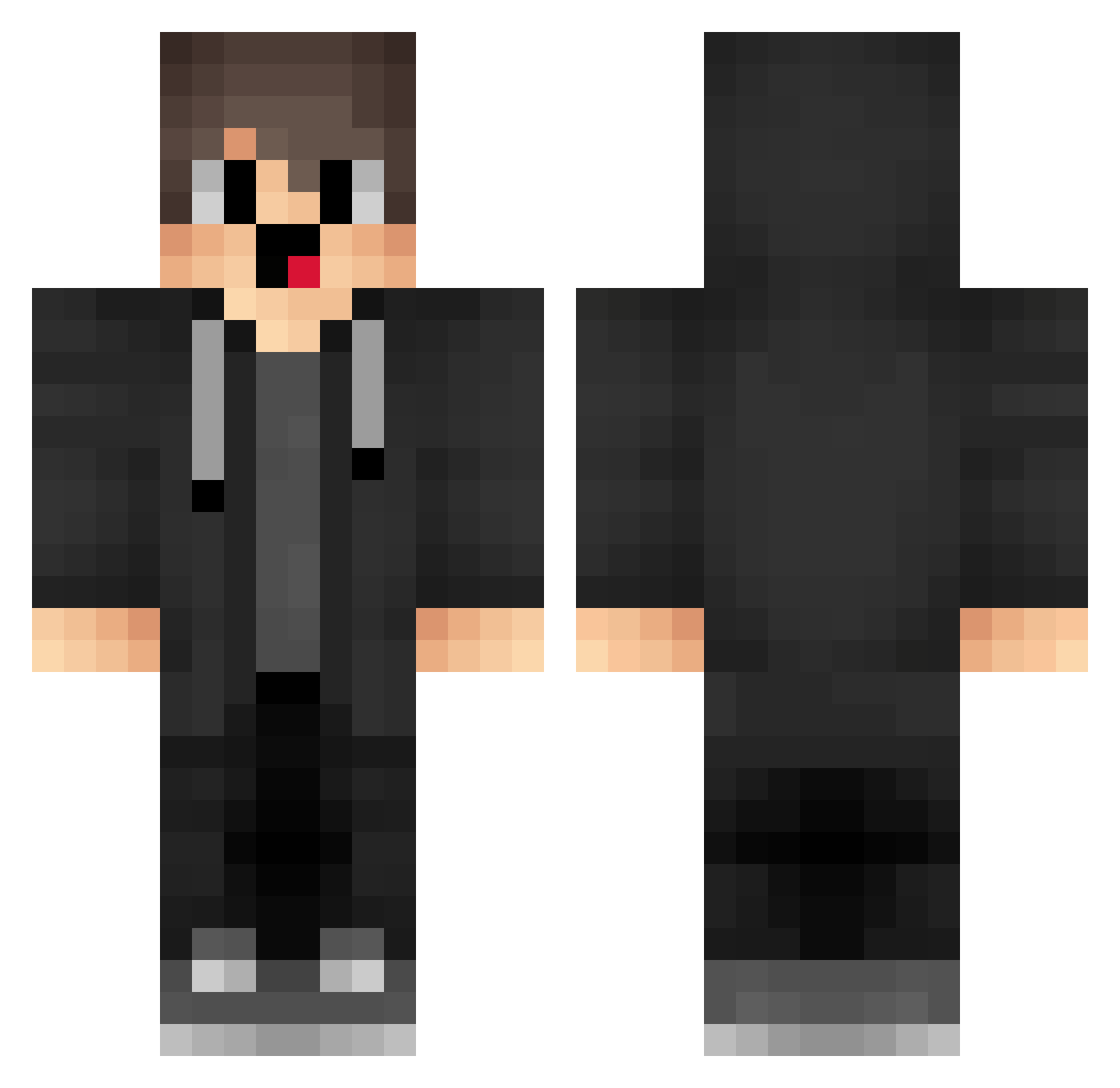
Current Minecraft skin of the player ICU478, loaded from the official Mojang API. Rotate the 3D model with your mouse or finger, then download the skin as a PNG file and use it in Minecraft: Bedrock Edition or Java Edition for free. When ICU478 changes their skin, this page updates automatically and the old skin stays in the history below.
Other players with this skin (1718)
ICU478 was the 1549th player we have seen with this skin, first spotted on 30.10.2026. The same skin was seen on these players. Open a nickname to see their current skin and skin history.
 gimnew EYS959 VUj699 Zev792 ANv929 HokerV4 dfM494 gYe815 Guiwowvaper IEe198 uif4MCalt Fx1339 box_LypQrUYyV908 wGj955 box_KSqeSPAdQ734 syz481 VRW867 VVR203 wmu290 nddd tXc895 Sa3ura21 olF17 DxM379 bxm40 soli_52pma_06_21 xRy292 Sa3ura_2010 IyL447 rpu389 MerryzzV7 NDt993 Riosk_ AiU505 wuheemaq nUF566 MerryzzChannal tpt628 Ozl282 qJg626 zxVMJJwIJzAyP216 Stableghosts LEj902 CaN646 box_FbtnlxWXA438 BedVoyager ZID744 xaa997 lUC653 QhG73 qxO545 JwG831 Gapeed_007 Xpr702 yHP212 HJn200 wDQ209 TNM89 cDt800 Lisuyoooo
How to install the ICU478 skin
- Press the Download button above to save the skin as a PNG file.
- Minecraft: Bedrock Edition (PE): open the Dressing Room from the main menu (or tap your character → Edit Character), go to Classic Skins → Owned, press the + (new skin) button, choose the downloaded PNG and pick the Classic (Steve) model. Works on PC and mobile; consoles cannot import custom skins.
- Minecraft: Java Edition: open the Minecraft Launcher, go to the Skins tab, click New Skin, load the PNG, pick the Classic (Steve) model and press Save & Use. You can also upload it at minecraft.net → Profile → Change Skin.
The skin does not show up after import - what should I do?
Restart Minecraft and open the Dressing Room again - imported skins sometimes appear only after a restart. Also make sure you selected the imported skin and picked the Classic (Steve) model.
Which model should I choose, Classic or Slim?
This skin is designed for the Classic (Steve) model. If you pick the wrong model, the arms of the skin will look stretched or squeezed.
Is the skin of ICU478 free to download?
Yes. Press Download, save the PNG file and use it in Minecraft: Bedrock Edition or Java Edition - no payment or registration needed. The skin also works on multiplayer servers and Realms.
More skins
Looking for more? Go back to all Minecraft skins and check the top skins of the week, month and all time, or find any player's skin by nickname.