
IAmLeafOnWind - Minecraft Skins & Skin History
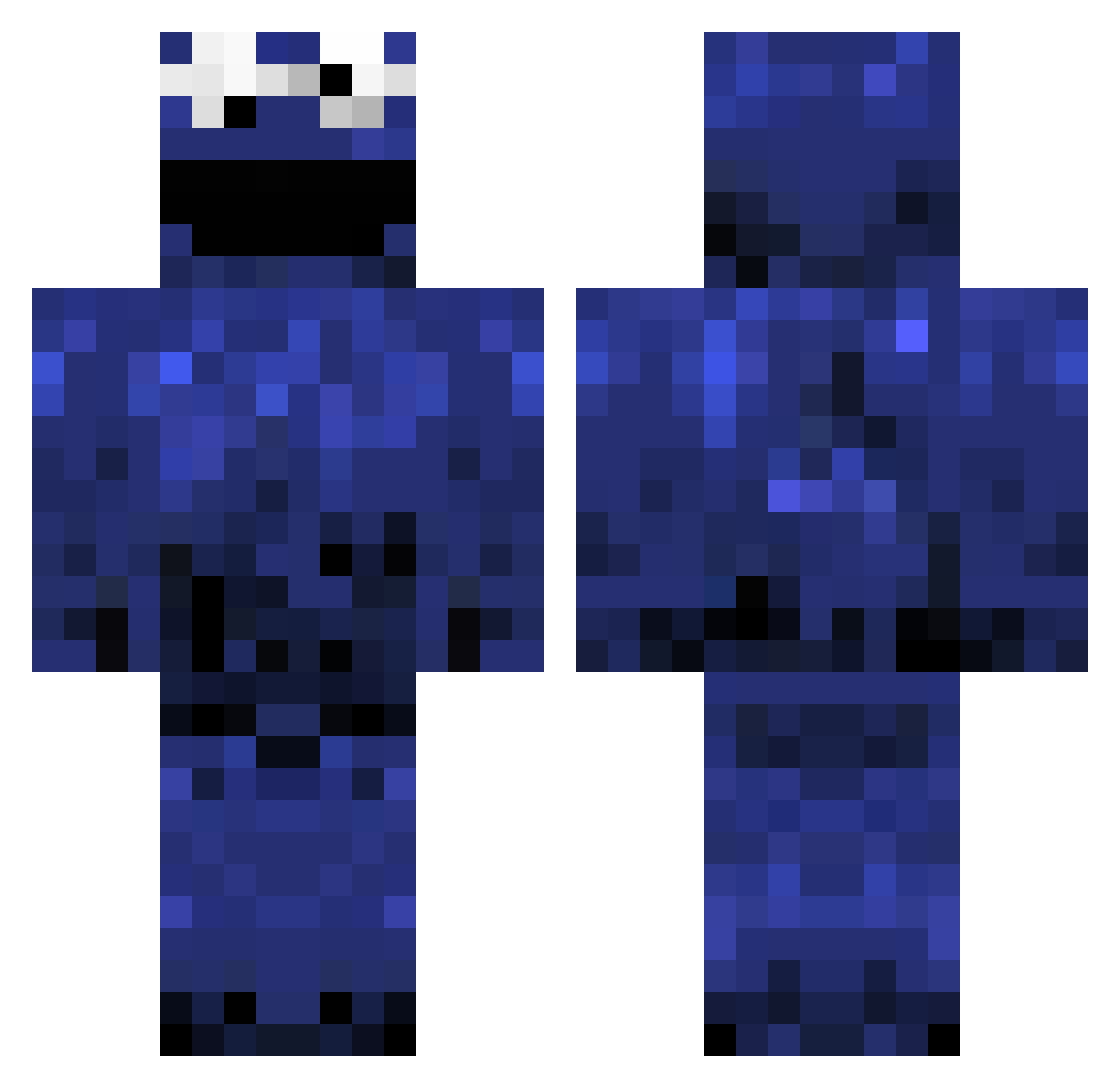
Current Minecraft skin of the player IAmLeafOnWind, loaded from the official Mojang API. Rotate the 3D model with your mouse or finger, then download the skin as a PNG file and use it in Minecraft: Bedrock Edition or Java Edition for free. When IAmLeafOnWind changes their skin, this page updates automatically and the old skin stays in the history below.
Other players with this skin (980)
IAmLeafOnWind was the 319th player we have seen with this skin, first spotted on 28.08.2026. The same skin was seen on these players. Open a nickname to see their current skin and skin history.
 acpr3dat0r jaxy_waxy bmxmaster38 Enigma80 iDied FLYING_KiD Carebearchair easysnack_ Hexxta Bubbles253 CoolRyder sliver_chicken Nariku_966 hunibun21 GoldTagKing fullmetcl Kawon Jon_Bjorn Himynameishi4 R01DRAGE HunterSeanboss RuffleStock SaberIsHungry funkshenz benthere03 Miauw27 xMazH danny99000 Mexord 5tangeur MyAppleMartini defineyo JoshLeitao erandur Cookie301 muffinmanninja55 A_Jar_Of_Pickles GRIFFINMAN13 Nulleks arpty2 taylorlosure Kumpixy L1ttle_Berry Willz360 Silverphish Klavierwerke Kakopp xGonni xRoyalMiner MrPixel30 Veritorius nami_kins xc33 OwenRoyall 69WhyNot69 happydude60 BMR13 Irrevocable JoaquinAndAndres Smokeyy
More Cookie Monster Minecraft skins
See all 241 Cookie Monster skins
How to install the IAmLeafOnWind skin
- Press the Download button above to save the skin as a PNG file.
- Minecraft: Bedrock Edition (PE): open the Dressing Room from the main menu (or tap your character → Edit Character), go to Classic Skins → Owned, press the + (new skin) button, choose the downloaded PNG and pick the Classic (Steve) model. Works on PC and mobile; consoles cannot import custom skins.
- Minecraft: Java Edition: open the Minecraft Launcher, go to the Skins tab, click New Skin, load the PNG, pick the Classic (Steve) model and press Save & Use. You can also upload it at minecraft.net → Profile → Change Skin.
The skin does not show up after import - what should I do?
Restart Minecraft and open the Dressing Room again - imported skins sometimes appear only after a restart. Also make sure you selected the imported skin and picked the Classic (Steve) model.
Which model should I choose, Classic or Slim?
This skin is designed for the Classic (Steve) model. If you pick the wrong model, the arms of the skin will look stretched or squeezed.
Is the skin of IAmLeafOnWind free to download?
Yes. Press Download, save the PNG file and use it in Minecraft: Bedrock Edition or Java Edition - no payment or registration needed. The skin also works on multiplayer servers and Realms.
More skins
Looking for more? Go back to all Minecraft skins and check the top skins of the week, month and all time, or find any player's skin by nickname.