
IAmJewish34 - Minecraft Skins & Skin History
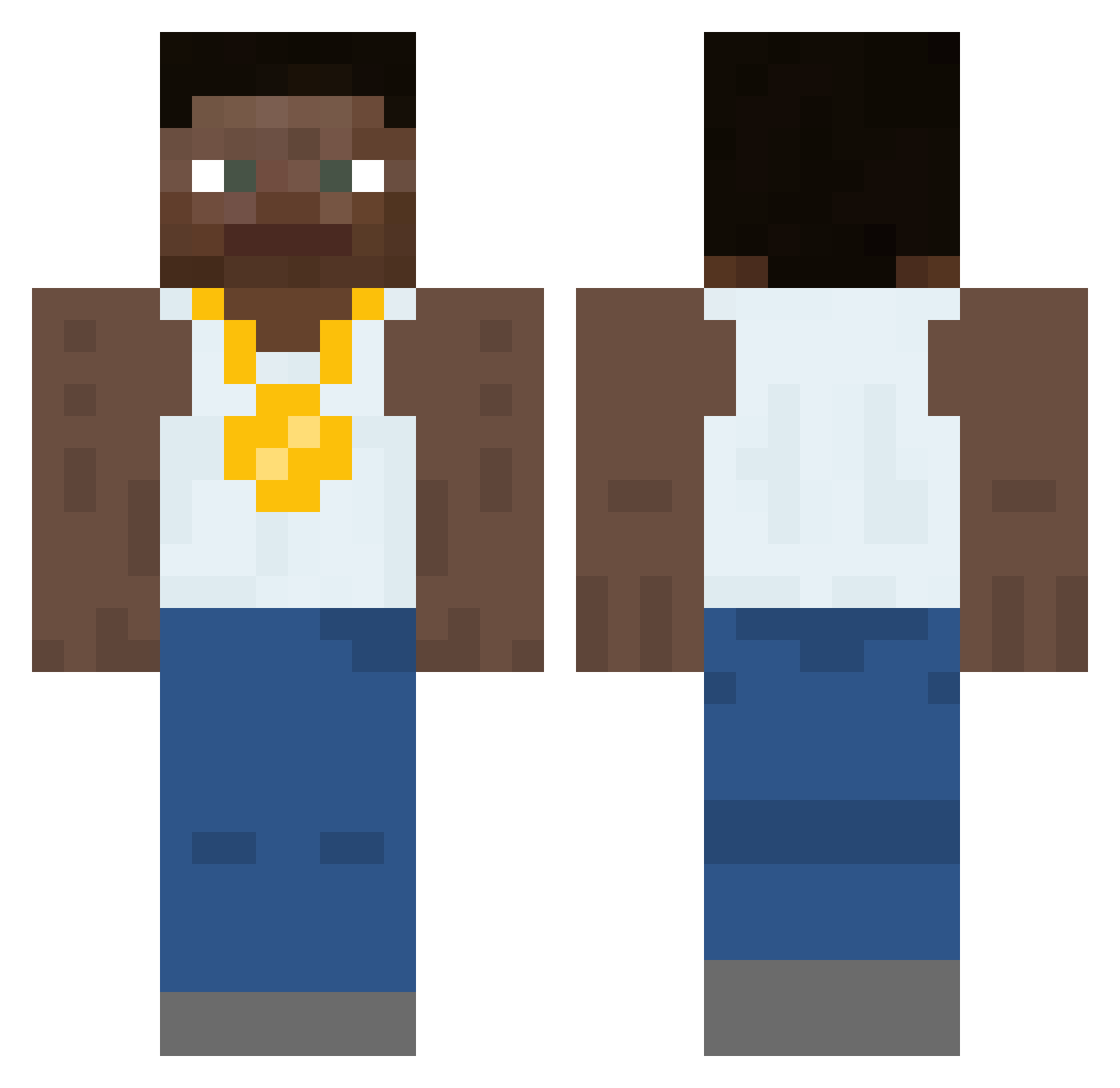
Current Minecraft skin of the player IAmJewish34, loaded from the official Mojang API. Rotate the 3D model with your mouse or finger, then download the skin as a PNG file and use it in Minecraft: Bedrock Edition or Java Edition for free. When IAmJewish34 changes their skin, this page updates automatically and the old skin stays in the history below.
Other players with this skin (453)
IAmJewish34 was the 24th player we have seen with this skin, first spotted on 29.07.2026. The same skin was seen on these players. Open a nickname to see their current skin and skin history.
 ESSHKEETIT FireXD__ ChimmyChilis3211 garnerfish frog_man98 Messmonstr247 _Thiccc_ BagelsGuy PBMnbn HallRules StuffyMiko84 LELNESS
 DonutShower KailumPlaysMC toasttoons fake__sonic DoubleDust01 DUI_Daniel ThePapaX bron2005
 4swaq jjthecuh Thehellmiguel asianboyroy Vixer_LX zzDomokingzz fauilted PoopToss plfg belunt Eguytoo tomarevacca MrFroglegs_ frogboy834 Clam_69 SalaamAbujari AbstractVisionz Mausriel JimBobWhiteman Emerson_Viveiros NEFARIOUS_FX ImAgudNob Davrios DanielTuroy wanchor271 Respawningold lParth GoodwinT20 JoedenNig AlmondSandwich Foxlite Andre66w fartjof yvl_gregory MakeMyTipSticky XBBL24 EscTheApe69420 Micha5978 HustlerE HuevosPequenos
More Gold Chain Minecraft skins
How to install the IAmJewish34 skin
- Press the Download button above to save the skin as a PNG file.
- Minecraft: Bedrock Edition (PE): open the Dressing Room from the main menu (or tap your character → Edit Character), go to Classic Skins → Owned, press the + (new skin) button, choose the downloaded PNG and pick the Classic (Steve) model. Works on PC and mobile; consoles cannot import custom skins.
- Minecraft: Java Edition: open the Minecraft Launcher, go to the Skins tab, click New Skin, load the PNG, pick the Classic (Steve) model and press Save & Use. You can also upload it at minecraft.net → Profile → Change Skin.
The skin does not show up after import - what should I do?
Restart Minecraft and open the Dressing Room again - imported skins sometimes appear only after a restart. Also make sure you selected the imported skin and picked the Classic (Steve) model.
Which model should I choose, Classic or Slim?
This skin is designed for the Classic (Steve) model. If you pick the wrong model, the arms of the skin will look stretched or squeezed.
Is the skin of IAmJewish34 free to download?
Yes. Press Download, save the PNG file and use it in Minecraft: Bedrock Edition or Java Edition - no payment or registration needed. The skin also works on multiplayer servers and Realms.
More skins
Looking for more? Go back to all Minecraft skins and check the top skins of the week, month and all time, or find any player's skin by nickname.