
Hybrid_Spiny - Minecraft Skins & Skin History
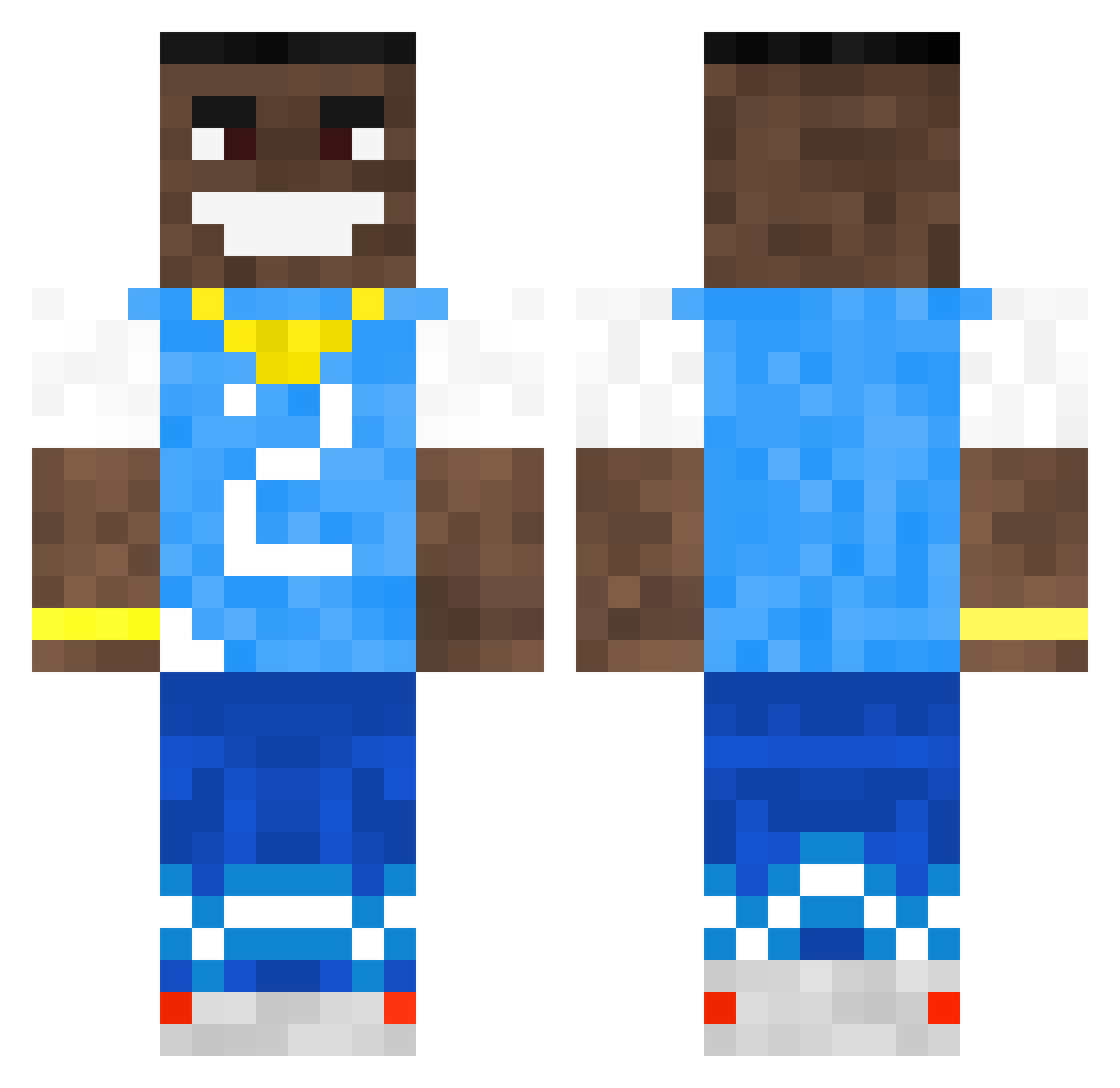
Current Minecraft skin of the player Hybrid_Spiny, loaded from the official Mojang API. Rotate the 3D model with your mouse or finger, then download the skin as a PNG file and use it in Minecraft: Bedrock Edition or Java Edition for free. When Hybrid_Spiny changes their skin, this page updates automatically and the old skin stays in the history below.
Other players with this skin (502)
Hybrid_Spiny was the 282nd player we have seen with this skin, first spotted on 26.09.2026. The same skin was seen on these players. Open a nickname to see their current skin and skin history.
 PotatoTime12 Angoater iZzy26x trapify7 Tzarrr DaKonsta M1CH4E1 luis_021 RulerR paulzeu chaltet StepSisMurat KobiHetziGavoha Pasgrandmac Psycho_L DhruvG85 NoDad1 Snapsale Oh_Alex_ ppeyten Minendkillwe nolan902 Dukers38 ConquerNations laurens0492 JeZyK__ KILLDAFUN YOU_ARE_NOOB123 Koppari55 TIMI4822 York_iap DA_BABY39 kysdevi wazbzerk urAccounthacked bradelpozzo lil_lenni ArrestingPiano SeniorSaucer1 DaBabyLetsGo Texak Thaxta Aki2iQ Chico1421 TheRandomMegan notrodepeper jonnyrolfe123 DatBoiRic MadsEmil69 Grealish24 DrunkIcthyology DavidBaller Fitoubistou Peafff TheGrandMaster36 Aalox Type2_Diabetes_ Novelli25 Biggysmalls71 Dustor_The_Great
More Dababy Minecraft skins
How to install the Hybrid_Spiny skin
- Press the Download button above to save the skin as a PNG file.
- Minecraft: Bedrock Edition (PE): open the Dressing Room from the main menu (or tap your character → Edit Character), go to Classic Skins → Owned, press the + (new skin) button, choose the downloaded PNG and pick the Classic (Steve) model. Works on PC and mobile; consoles cannot import custom skins.
- Minecraft: Java Edition: open the Minecraft Launcher, go to the Skins tab, click New Skin, load the PNG, pick the Classic (Steve) model and press Save & Use. You can also upload it at minecraft.net → Profile → Change Skin.
The skin does not show up after import - what should I do?
Restart Minecraft and open the Dressing Room again - imported skins sometimes appear only after a restart. Also make sure you selected the imported skin and picked the Classic (Steve) model.
Which model should I choose, Classic or Slim?
This skin is designed for the Classic (Steve) model. If you pick the wrong model, the arms of the skin will look stretched or squeezed.
Is the skin of Hybrid_Spiny free to download?
Yes. Press Download, save the PNG file and use it in Minecraft: Bedrock Edition or Java Edition - no payment or registration needed. The skin also works on multiplayer servers and Realms.
More skins
Looking for more? Go back to all Minecraft skins and check the top skins of the week, month and all time, or find any player's skin by nickname.