
Hulkzilla15 - Minecraft Skins & Skin History
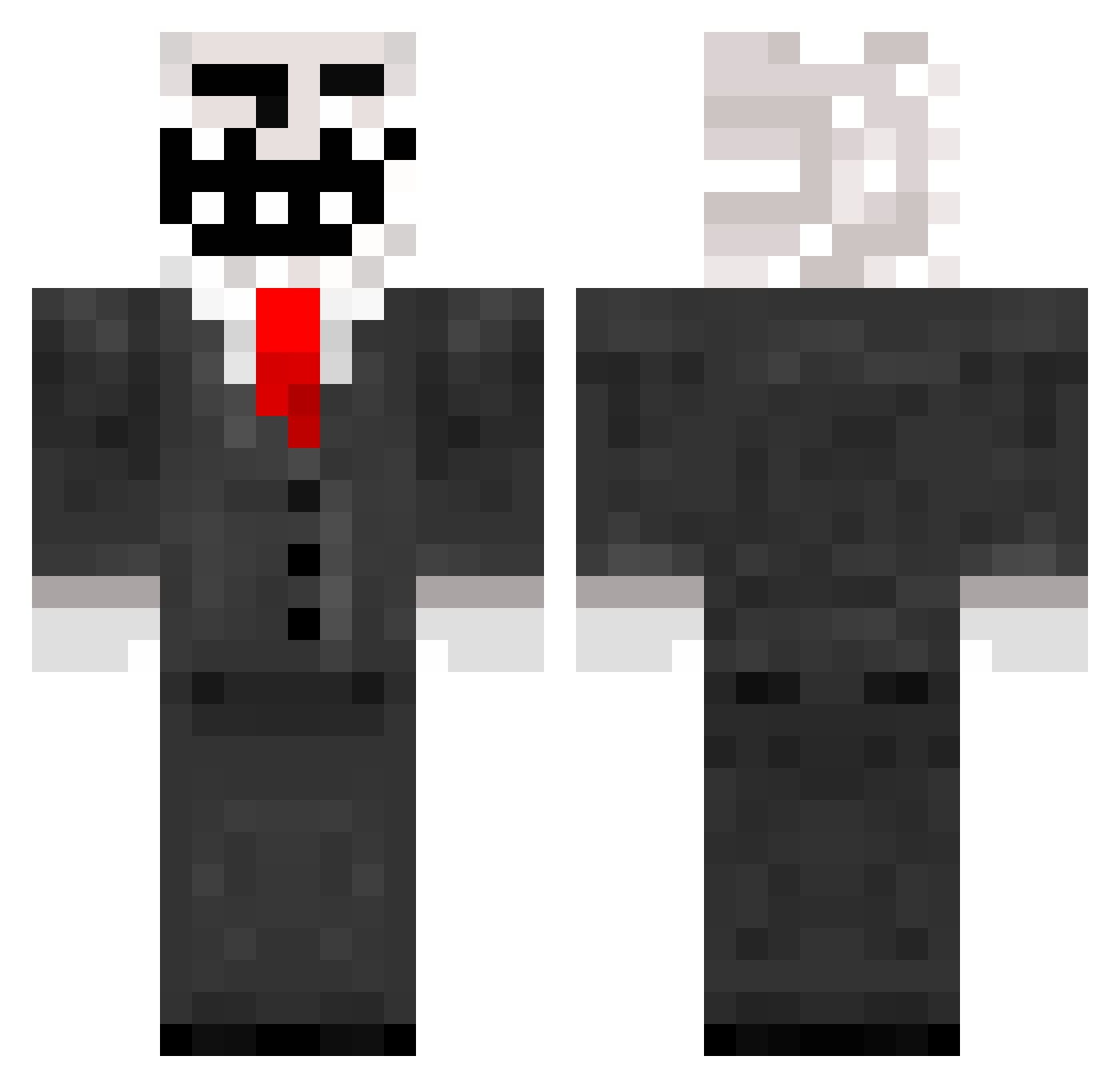
Current Minecraft skin of the player Hulkzilla15, loaded from the official Mojang API. Rotate the 3D model with your mouse or finger, then download the skin as a PNG file and use it in Minecraft: Bedrock Edition or Java Edition for free. When Hulkzilla15 changes their skin, this page updates automatically and the old skin stays in the history below.
Other players with this skin (338)
Hulkzilla15 was the 322nd player we have seen with this skin, first spotted on 11.11.2026. The same skin was seen on these players. Open a nickname to see their current skin and skin history.
 YoloGamer2013 MrXg00glesearch Waldo_2k maddog234567 Kikked IVXSCOPES alexfe Giglianomiro Neik_p_ Truemu2321 2002nikola KnightmareKage baljeet13 TreXx_Airborne LapiZz MeepMeepImaShe3p warningmayownu1 brady_potter mateoabarca KoenigKaiser Bloxdude2280 KushDrengen zbbz wb54321 Viper8659 pmcool37 Fossilewe crazyjuuso AirDryClay Shadowcaster35 Peeping__Tom benaclause PopcornFlower Elyketheking SaurehefeLP steelers0414 Riley_How purejoez SeppeDr Kiliomg wjoseph86 Zenafer Mr_minecraft556 six6sex GameConcept jdude090 dell123456789 ADRock6 Chiellio dr_blockz CyberWarrior1337 yoneff2001 Nic3Shot iBadgerx tzer11 Hazman12 Trollson21 Earhojnod agiron_78 THEWINNMAN
More Trollface Minecraft skins
How to install the Hulkzilla15 skin
- Press the Download button above to save the skin as a PNG file.
- Minecraft: Bedrock Edition (PE): open the Dressing Room from the main menu (or tap your character → Edit Character), go to Classic Skins → Owned, press the + (new skin) button, choose the downloaded PNG and pick the Classic (Steve) model. Works on PC and mobile; consoles cannot import custom skins.
- Minecraft: Java Edition: open the Minecraft Launcher, go to the Skins tab, click New Skin, load the PNG, pick the Classic (Steve) model and press Save & Use. You can also upload it at minecraft.net → Profile → Change Skin.
The skin does not show up after import - what should I do?
Restart Minecraft and open the Dressing Room again - imported skins sometimes appear only after a restart. Also make sure you selected the imported skin and picked the Classic (Steve) model.
Which model should I choose, Classic or Slim?
This skin is designed for the Classic (Steve) model. If you pick the wrong model, the arms of the skin will look stretched or squeezed.
Is the skin of Hulkzilla15 free to download?
Yes. Press Download, save the PNG file and use it in Minecraft: Bedrock Edition or Java Edition - no payment or registration needed. The skin also works on multiplayer servers and Realms.
More skins
Looking for more? Go back to all Minecraft skins and check the top skins of the week, month and all time, or find any player's skin by nickname.