
yoneff2001 - Minecraft Skins & Skin History
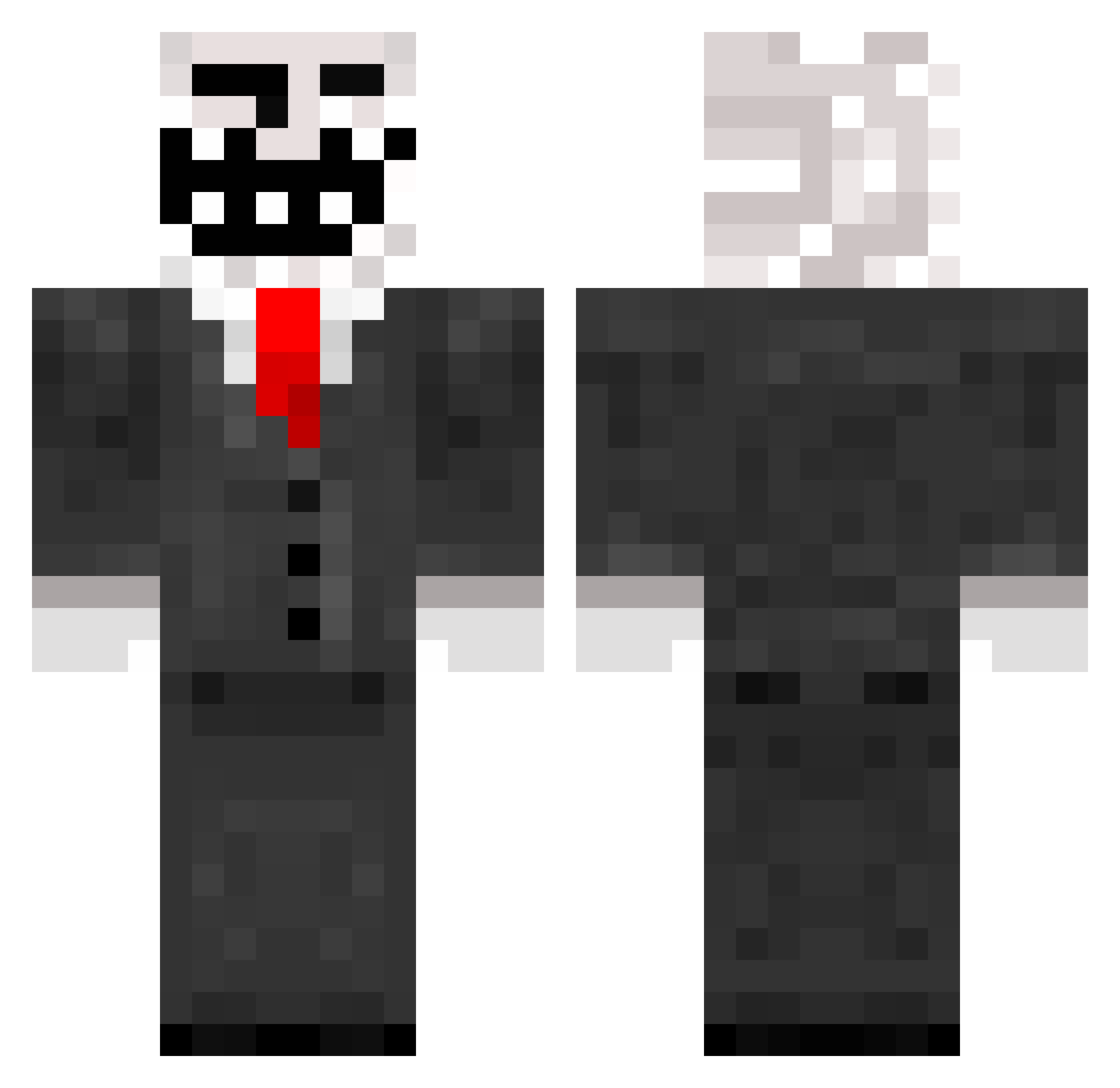
Current Minecraft skin of the player yoneff2001, loaded from the official Mojang API. Rotate the 3D model with your mouse or finger, then download the skin as a PNG file and use it in Minecraft: Bedrock Edition or Java Edition for free. When yoneff2001 changes their skin, this page updates automatically and the old skin stays in the history below.
Other players with this skin (289)
yoneff2001 was the 287th player we have seen with this skin, first spotted on 31.10.2026. The same skin was seen on these players. Open a nickname to see their current skin and skin history.
 Nic3Shot CyberWarrior1337 dr_blockz iBadgerx tzer11 Chiellio Hazman12 Trollson21 Earhojnod agiron_78 THEWINNMAN Raz6994 Hjaltels1999 The_Dark_Boss PIXELPAULI BigblueBrain baanf zzzzguner Patriot_Zed Victorious_Man bdrake196 gagert AustinAment mayhemcd98 danyzuno austinrosier11 b_baller1408 Stationsweg hgmaster101 MrMasterMatt23 B_O_N_O Myrkol baby_jr nAntonio ronniew09 MrReckoning RDORB_NWMS RickJerryJames TeamBMC duke1049 croboy8892 FluxPhantom_ marcoux11 J_Davis30 jayDgaming deadhunt1 Cheeky_MonkeyMC benne_05 floppo98 unicornslayer20 lilres98 Fragmentation Sn0zberries energiemonster zzheg CyberSHOTZ Fred542 RuinationRonin xadias metallica4evr17
More Trollface Minecraft skins
How to install the yoneff2001 skin
- Press the Download button above to save the skin as a PNG file.
- Minecraft: Bedrock Edition (PE): open the Dressing Room from the main menu (or tap your character → Edit Character), go to Classic Skins → Owned, press the + (new skin) button, choose the downloaded PNG and pick the Classic (Steve) model. Works on PC and mobile; consoles cannot import custom skins.
- Minecraft: Java Edition: open the Minecraft Launcher, go to the Skins tab, click New Skin, load the PNG, pick the Classic (Steve) model and press Save & Use. You can also upload it at minecraft.net → Profile → Change Skin.
The skin does not show up after import - what should I do?
Restart Minecraft and open the Dressing Room again - imported skins sometimes appear only after a restart. Also make sure you selected the imported skin and picked the Classic (Steve) model.
Which model should I choose, Classic or Slim?
This skin is designed for the Classic (Steve) model. If you pick the wrong model, the arms of the skin will look stretched or squeezed.
Is the skin of yoneff2001 free to download?
Yes. Press Download, save the PNG file and use it in Minecraft: Bedrock Edition or Java Edition - no payment or registration needed. The skin also works on multiplayer servers and Realms.
More skins
Looking for more? Go back to all Minecraft skins and check the top skins of the week, month and all time, or find any player's skin by nickname.